Code awareness
Tree-sitter is compiled into bi, so every open file already has a parse tree. Highlighting, block context, symbols, split/join and a handful of marks on the text all come from it — no plugin, no query files to install.
A parse tree for twenty languages
bi ships twenty grammars: Rust, C, C++, C3, Go, Python, Lua, Bash, CSS, GLSL, HLSL, Slang, HCL/Terraform, Dockerfile, CMake, TOML, YAML, JSON, INI and Markdown. The grammar is picked by the file name and reparsed incrementally on every keystroke, and only the visible rows are highlighted, so a large file costs no more than a small one.
When the name lies — a script with no extension, a .txt that is really
JSON — tell bi what to read it as:
| Command | Does |
|---|---|
:set syntax bash | parse this buffer with another grammar |
:set syntax auto | hand the choice back to the file name |
:set syntax | report the grammar actually in force |
A name bi has no grammar for is refused by name rather than silently leaving the buffer plain.
nvim-treesitter, no
:TSInstall, no parser compiled on first open. The grammars are in the
binary.Which block am I in
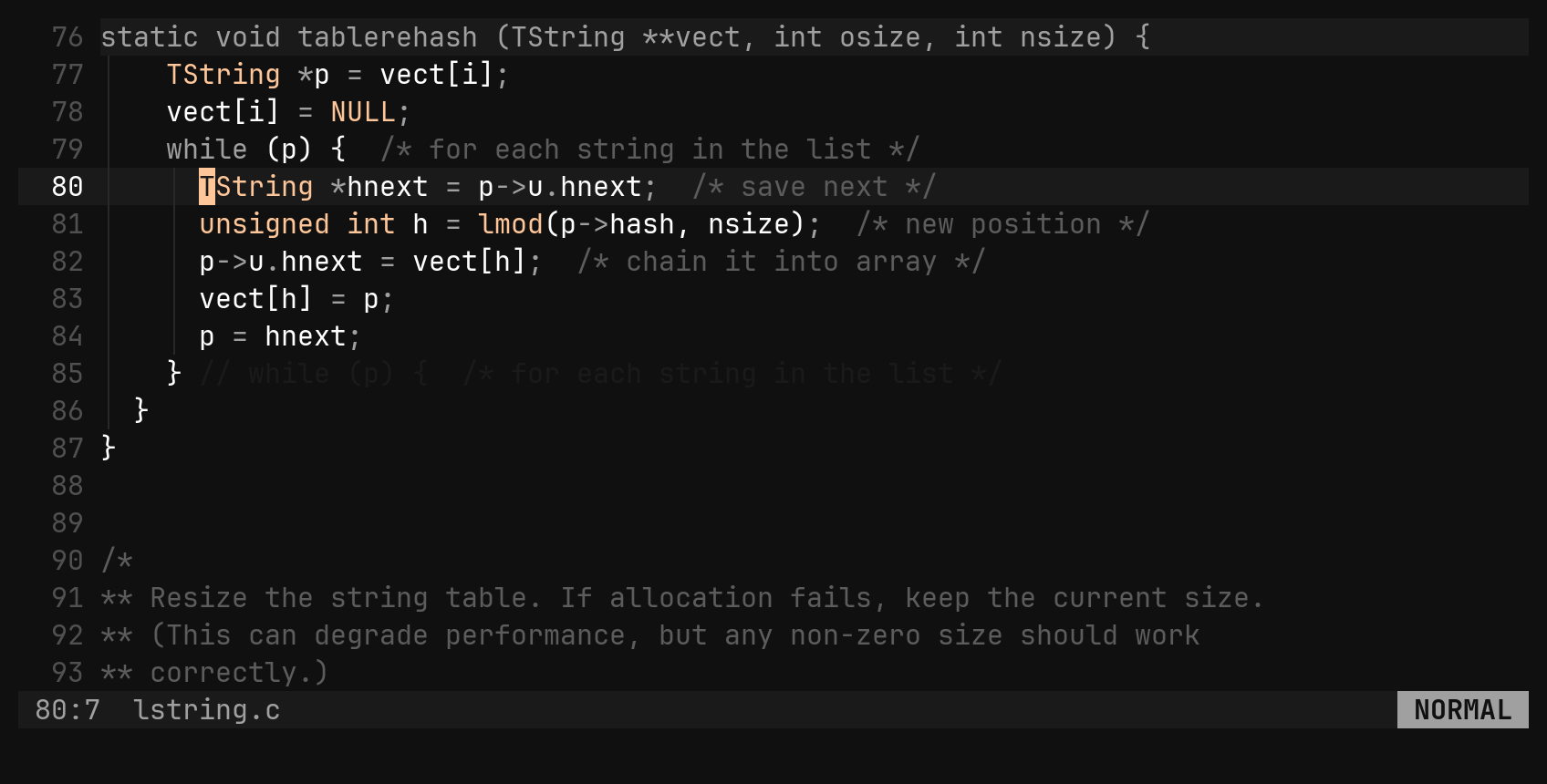
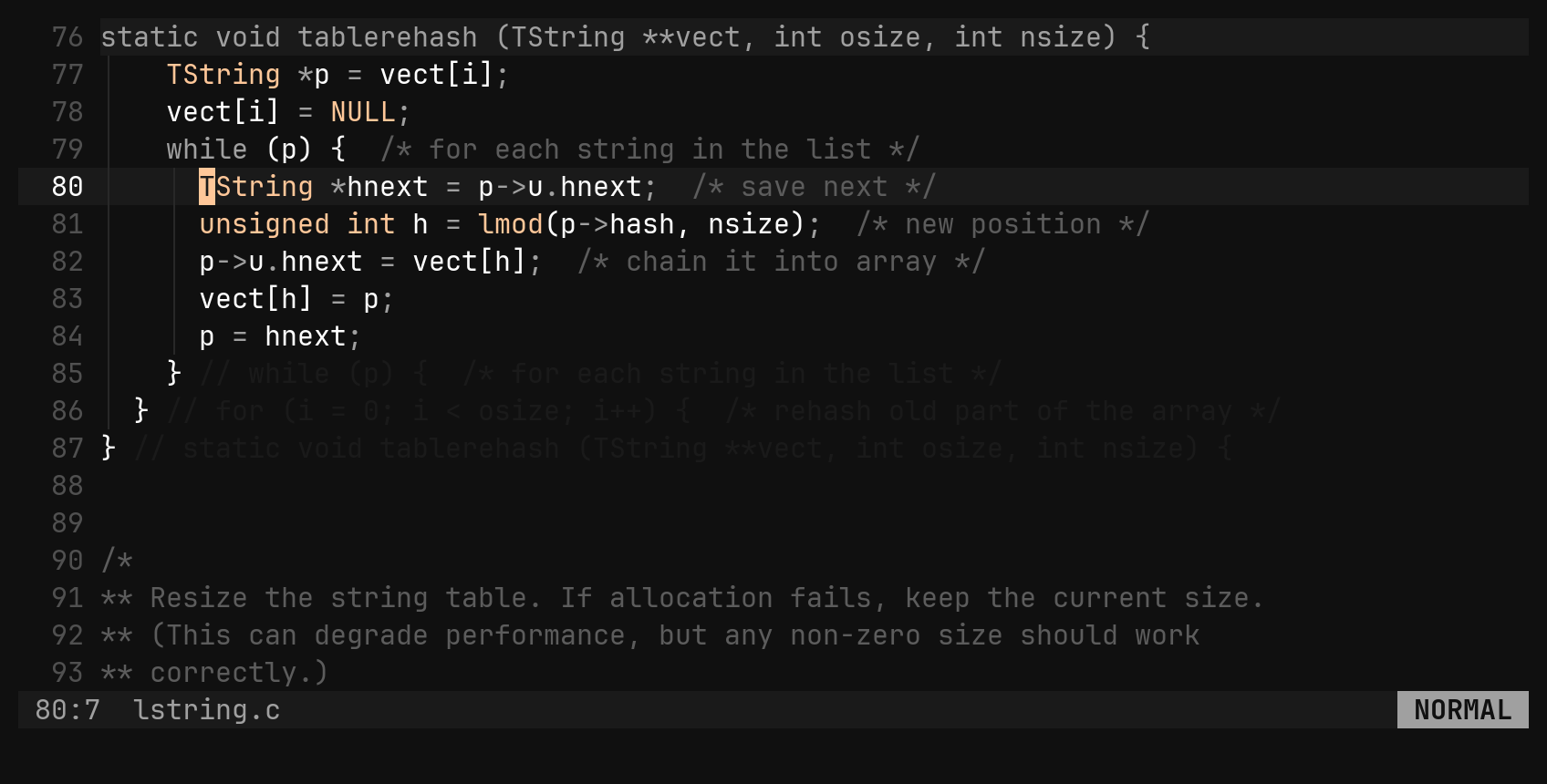
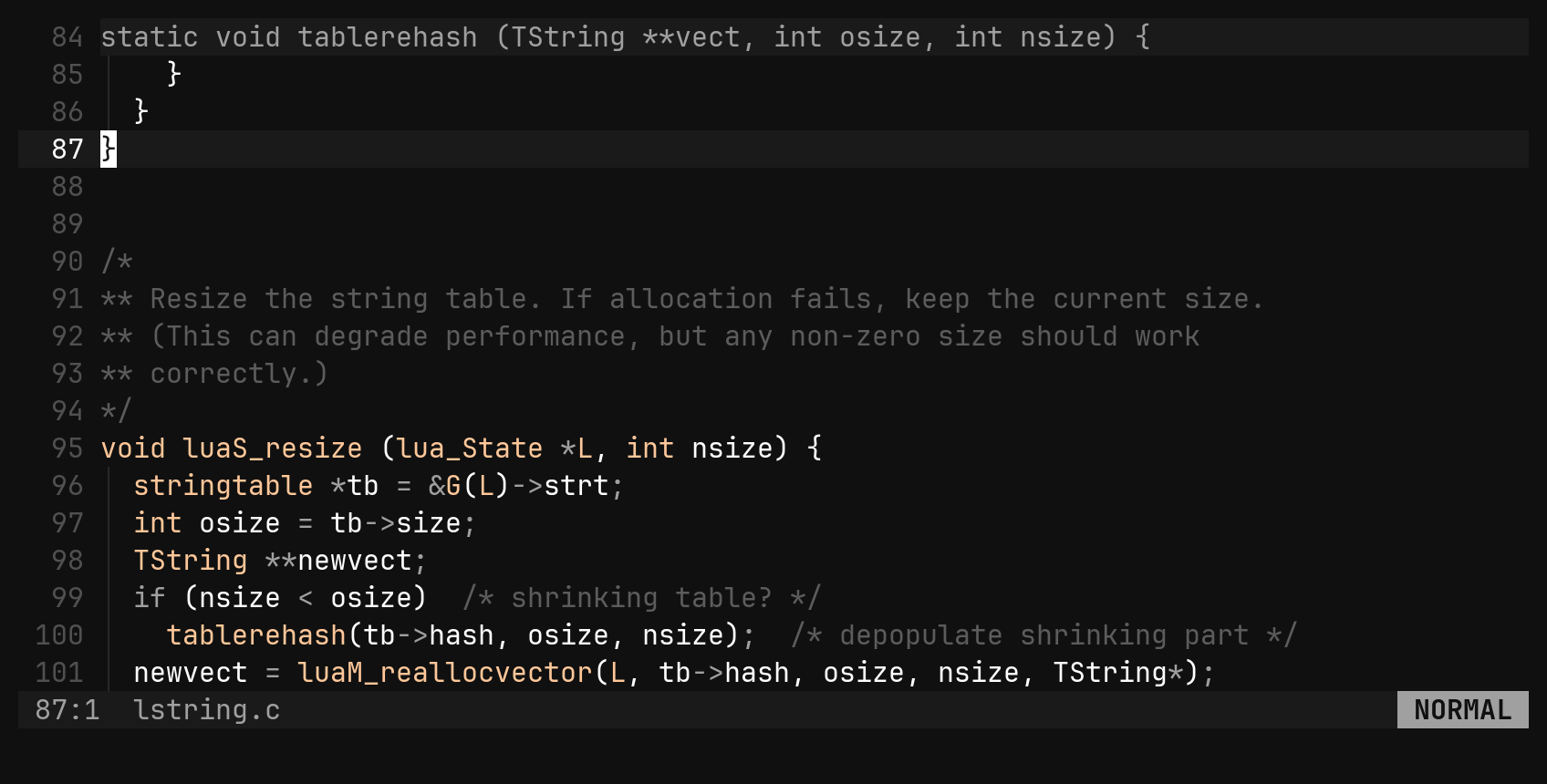
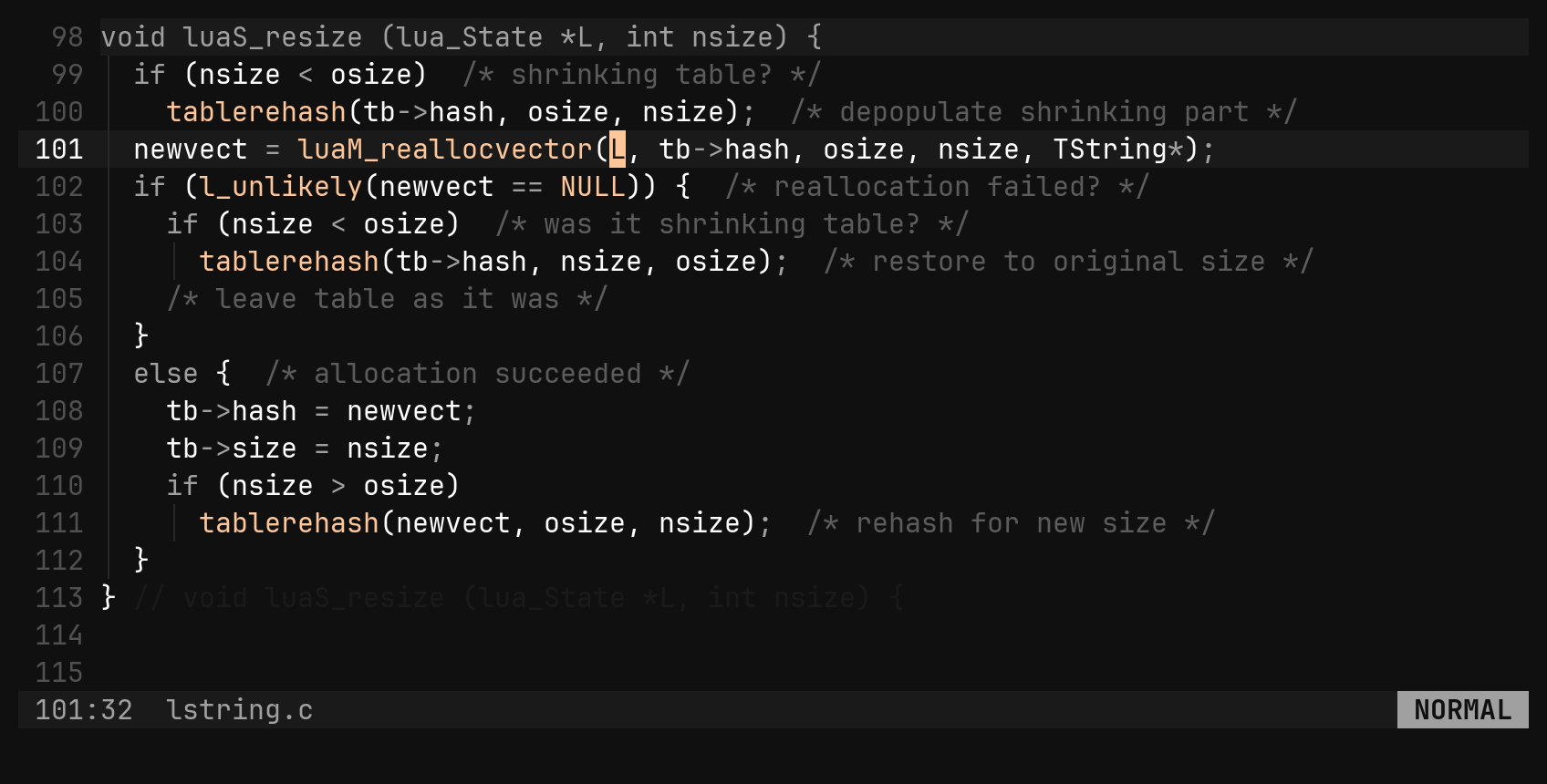
A closing brace says nothing. bi repeats the line that opened the block around the cursor after the line that closes it, behind the language’s comment marker, and when that opening line has scrolled off the top it draws it over the pane’s first row instead.
| Option | Does |
|---|---|
context_depth = 1 | how many enclosing blocks get their closer annotated; 0 turns it off |
context_header_depth = 1 | how many opening lines may stack over the top row |
context_min_lines = 1 | blocks shorter than this are left alone |
Nothing is shown while the cursor is on the opening line itself — it is right there already.
Symbols
:symbols (or :sym) lists the modules, functions, types and methods
tree-sitter found in the buffer. It is a walk of the tree that is already
there: no index, no tags file, nothing to go stale after an edit.
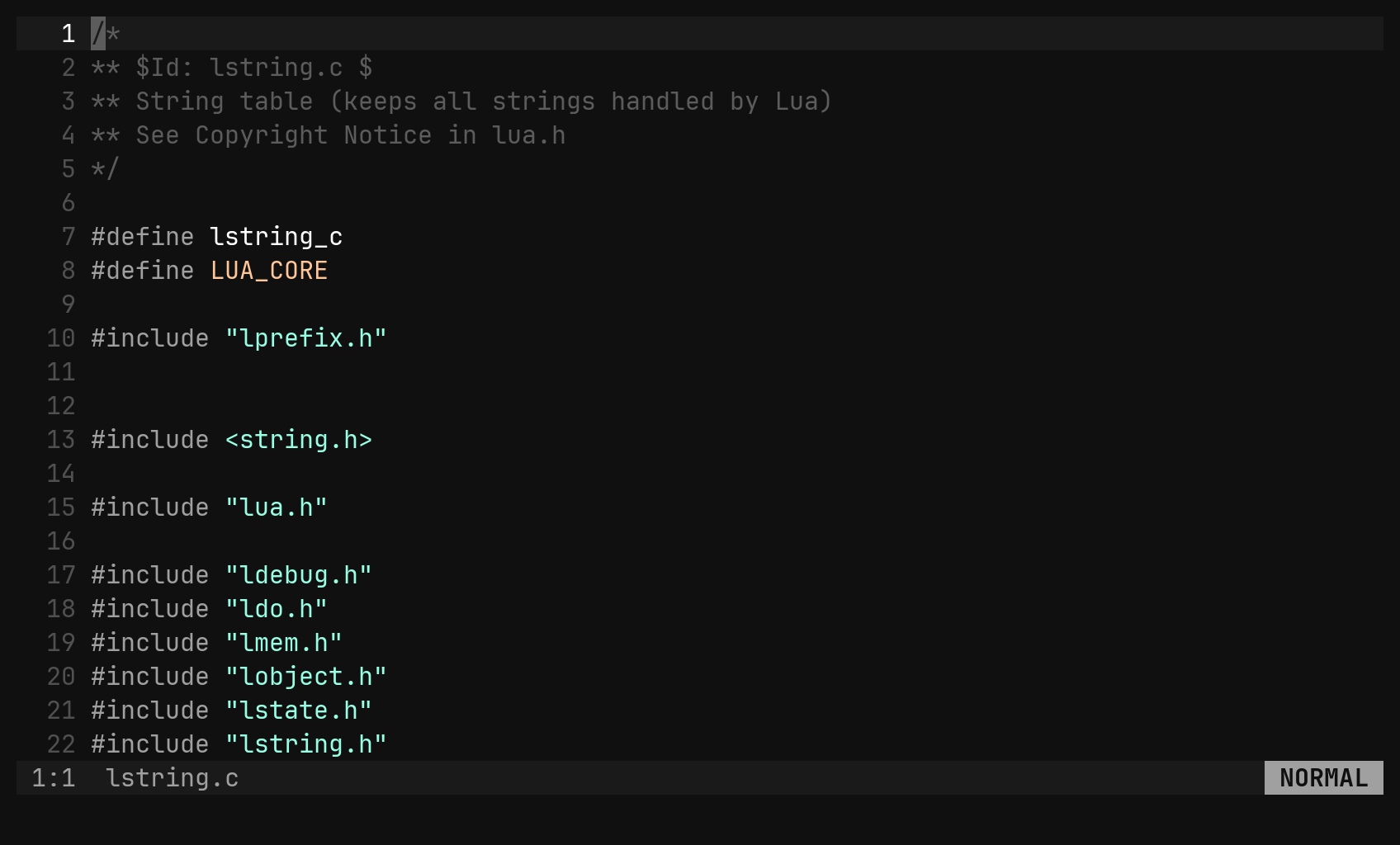
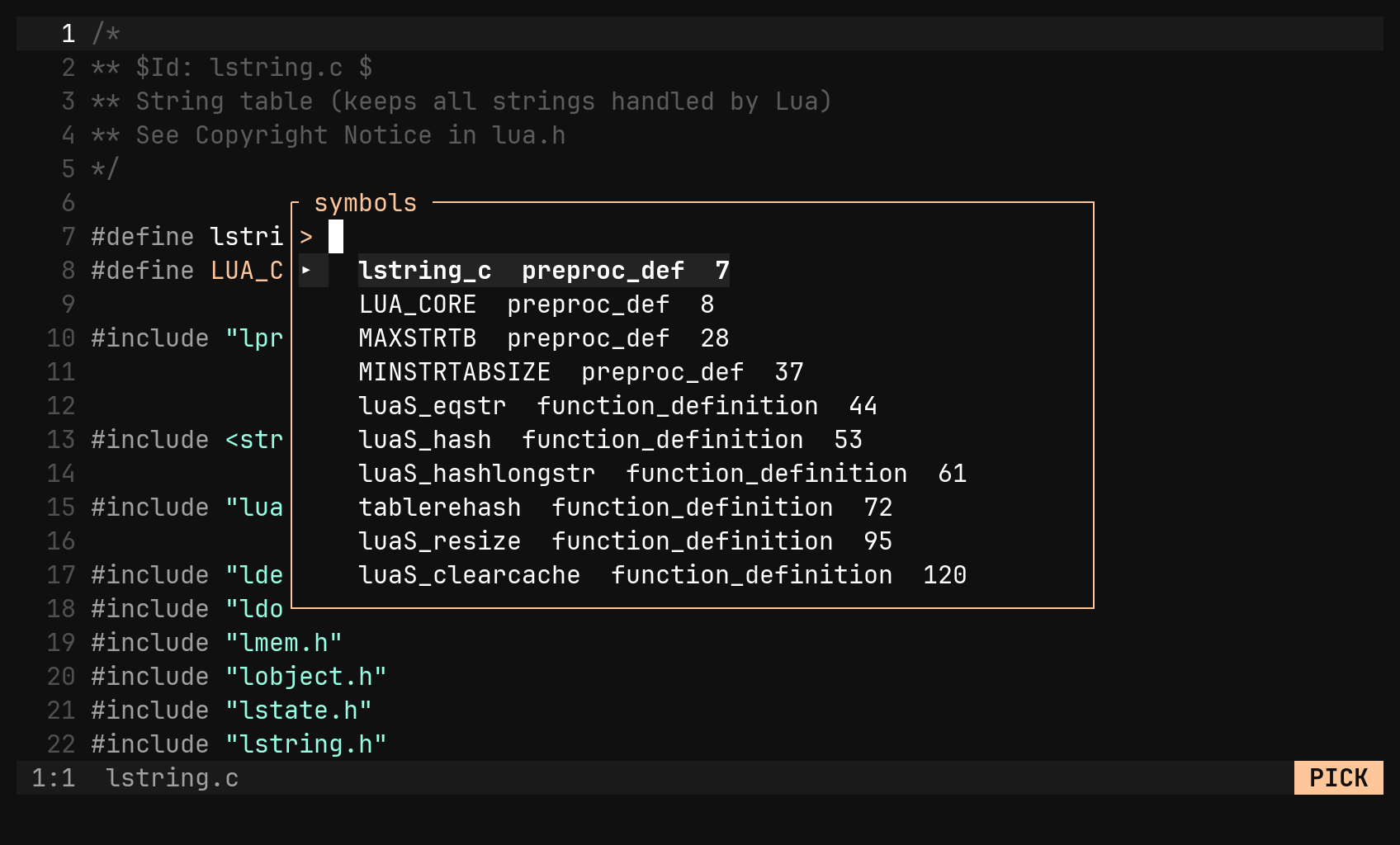
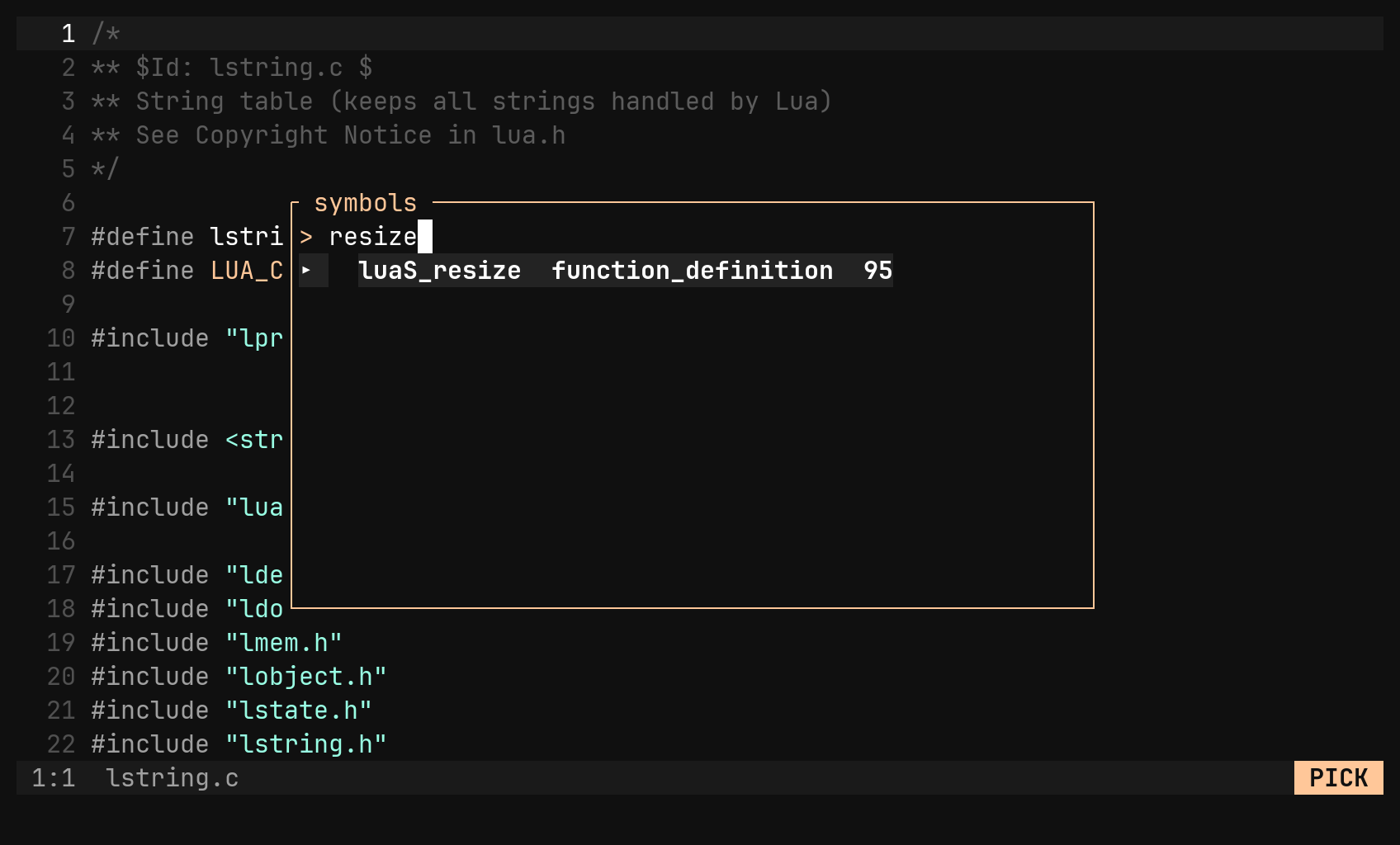
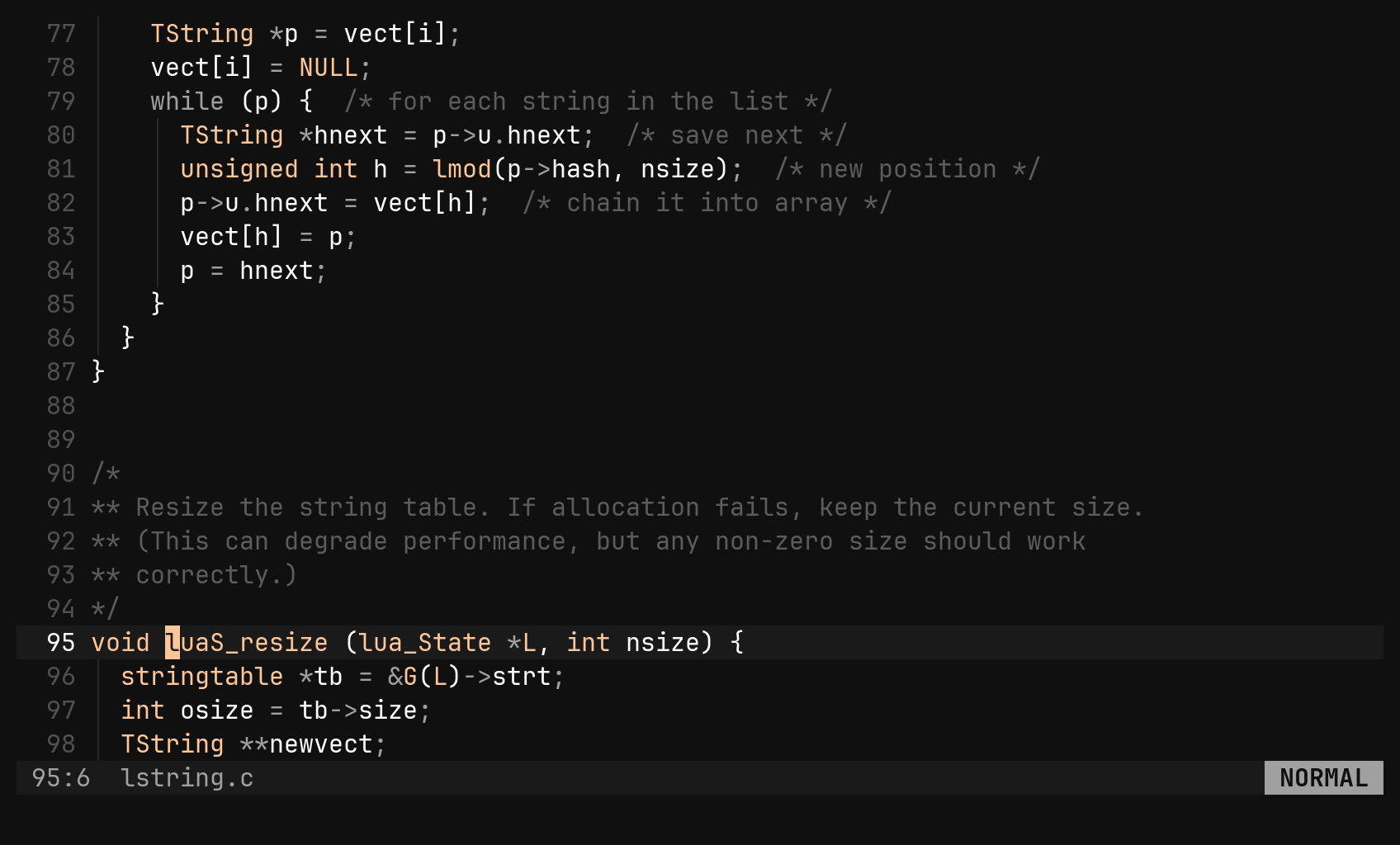
A file with no declarations says so; a file bi has no grammar for says that
instead — which is what :set syntax is for.
Split and join lists
:tssplit breaks the bracketed list around the cursor — call arguments,
parameters, arrays, struct literals, a { } block — onto one line per
element. :tsjoin puts it back. “Element” means what the grammar says, not
what a regex guessed, so a comma inside a nested call stays where it is.
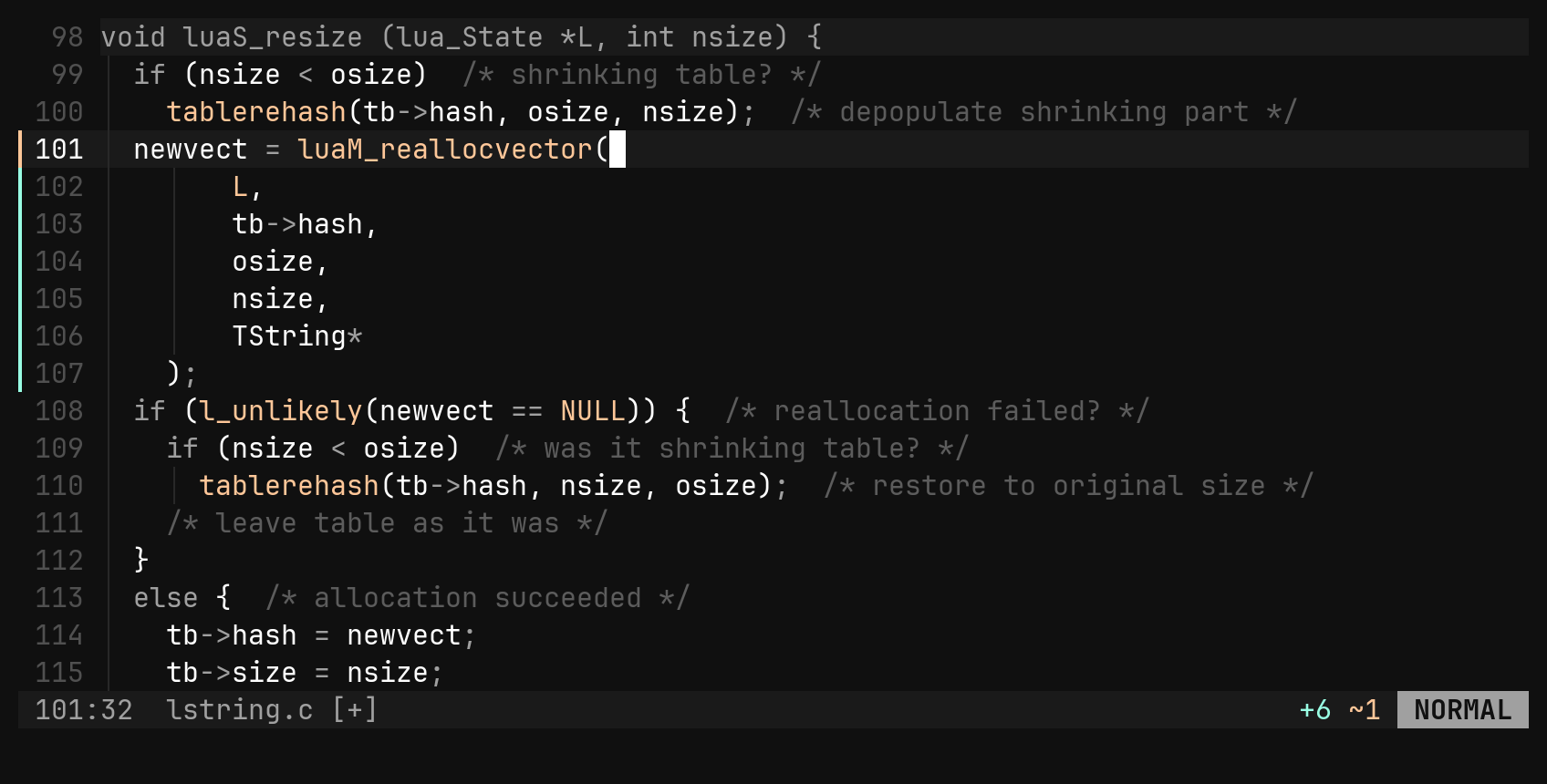
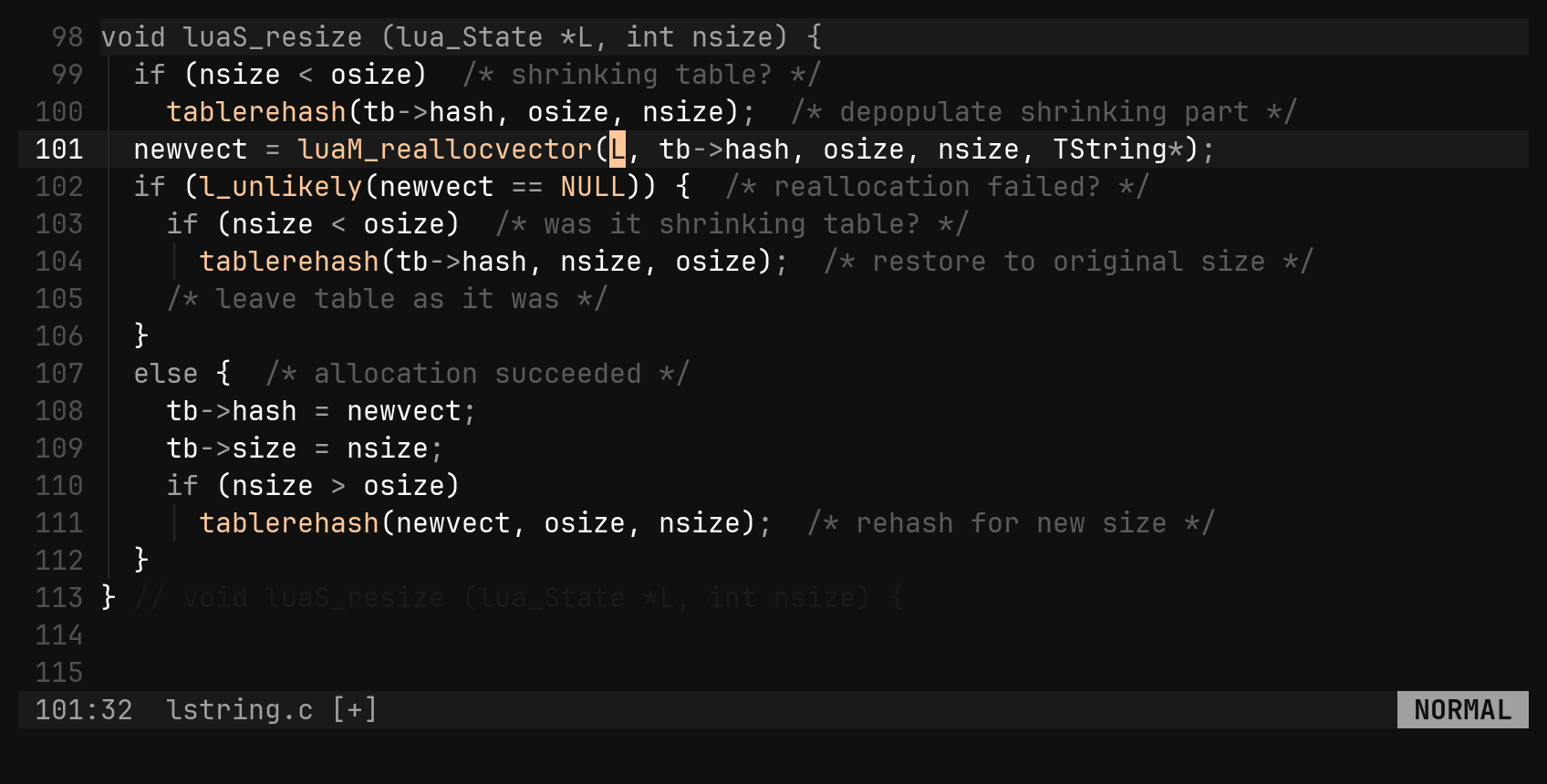
No trailing comma is added on split; one pressed against the closer is removed on join.
Reflow and reindent
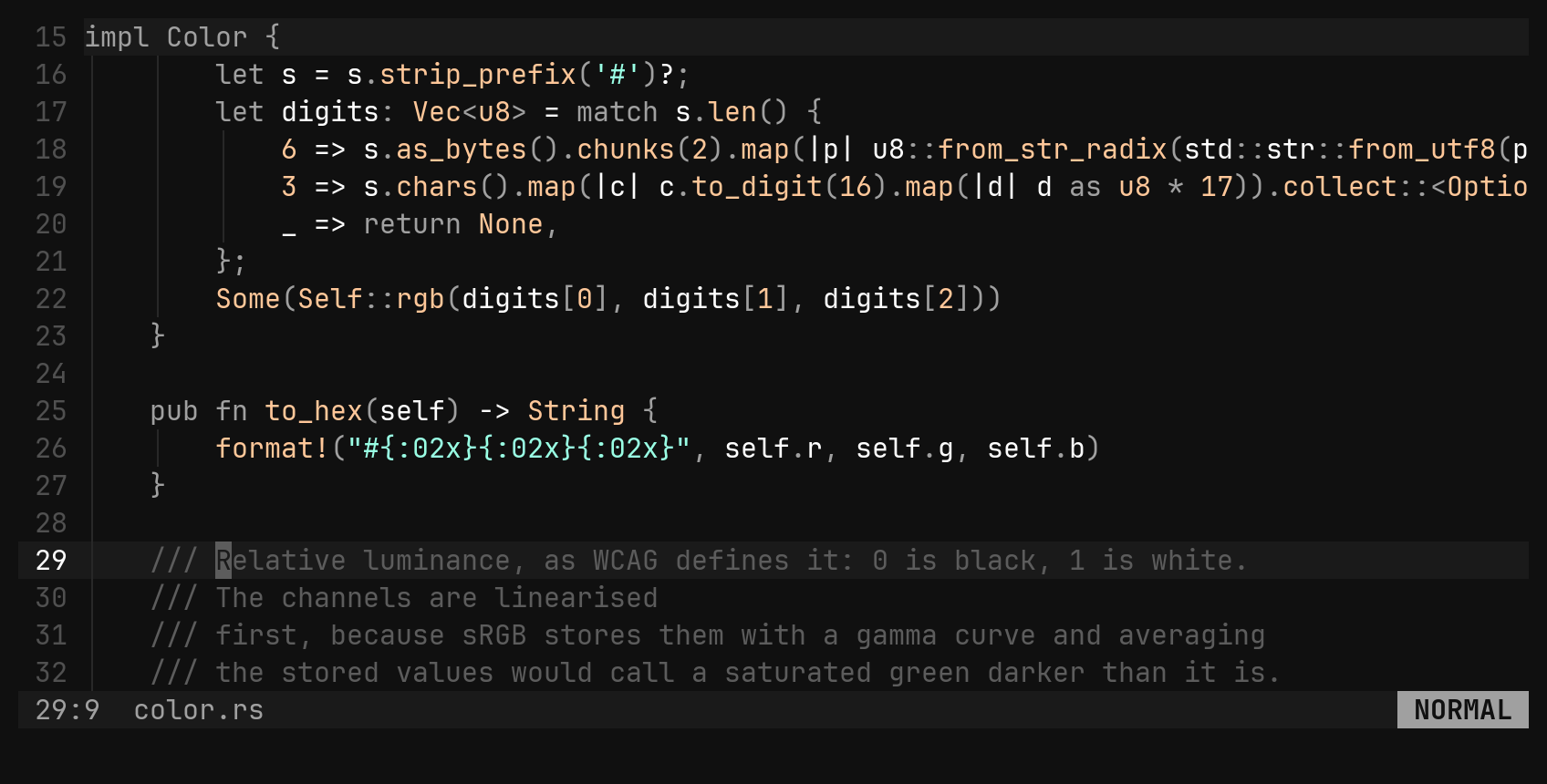
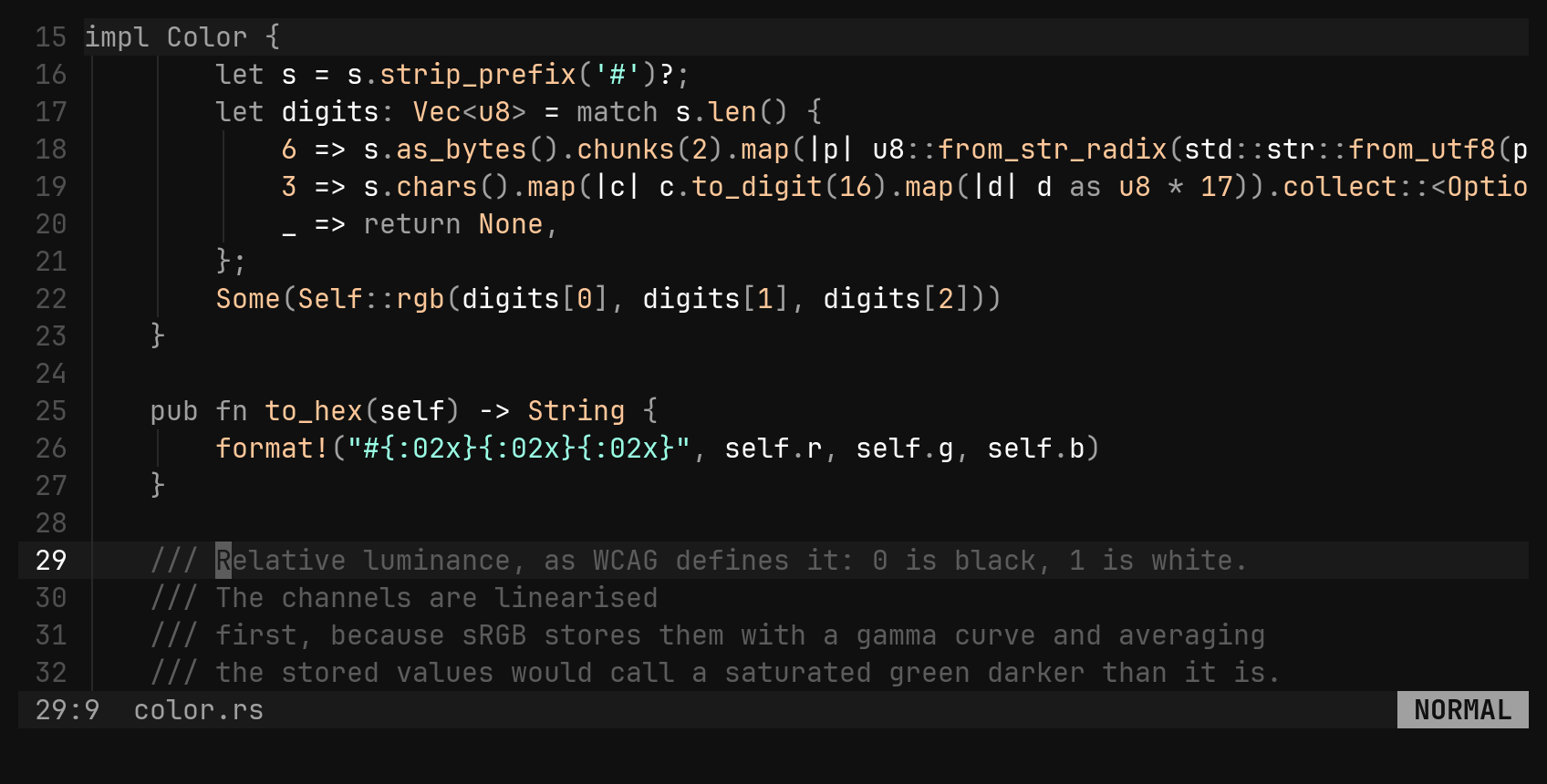
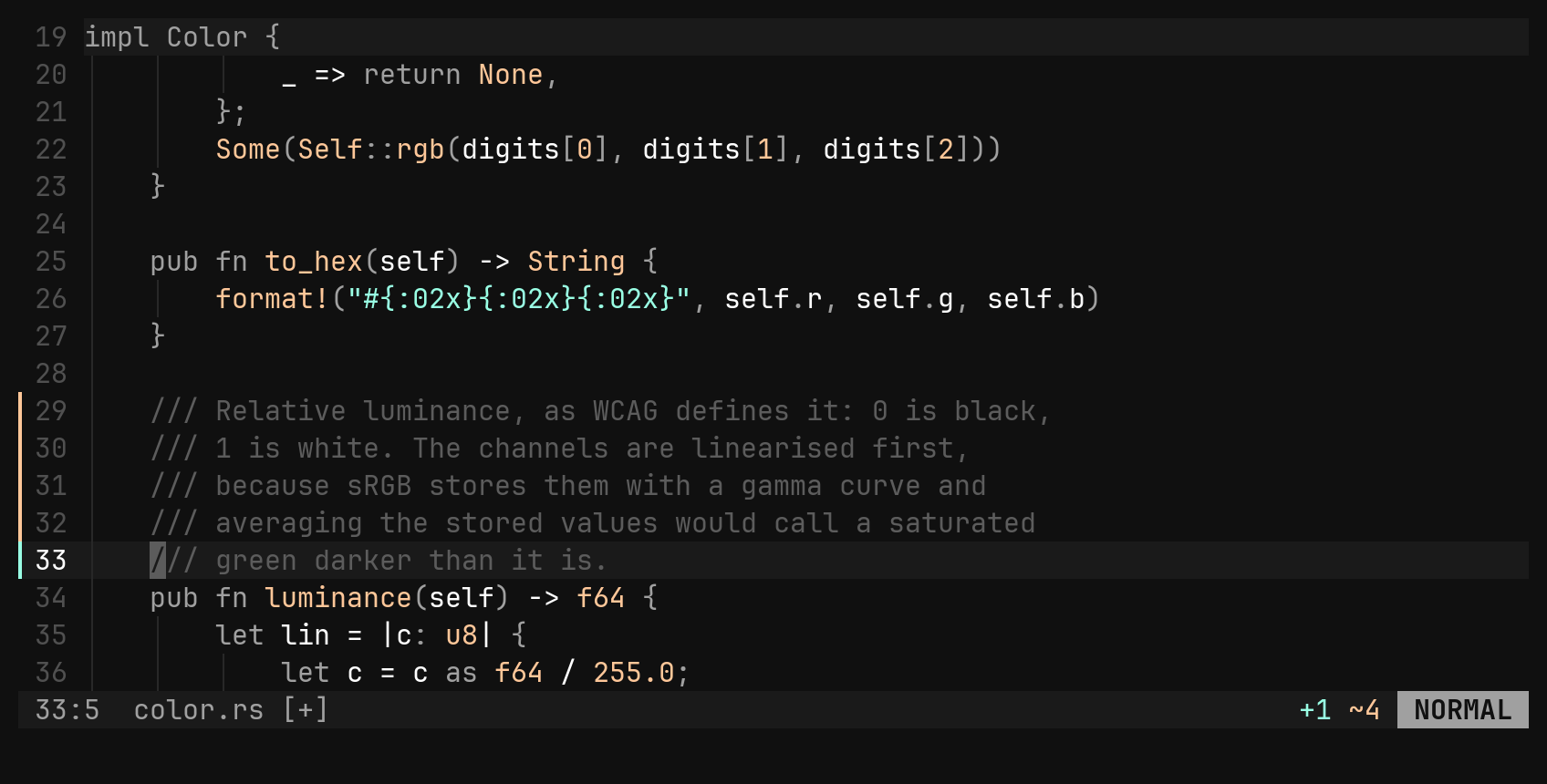
gq is an operator: gqip rewraps a paragraph to textwidth, keeping the
indentation and the comment leader (///, //, #, --, *, > …) on
every line. Inside code, name the lines — gq3j — so the paragraph does not
run on into the function below. = reindents by what the brackets say.
| Key | Does |
|---|---|
gq{motion} | reflow the lines the motion touches — gqip the paragraph |
gqq gqgq | reflow the cursor’s line |
={motion} | reindent — == the line, gg=G the file |
:set textwidth 100 | the width gq folds to; 80 by default |
textwidth defaults to 80, not 0: bi never wraps while you
type, so the option only means “the width gq aims at”.Marks on the text
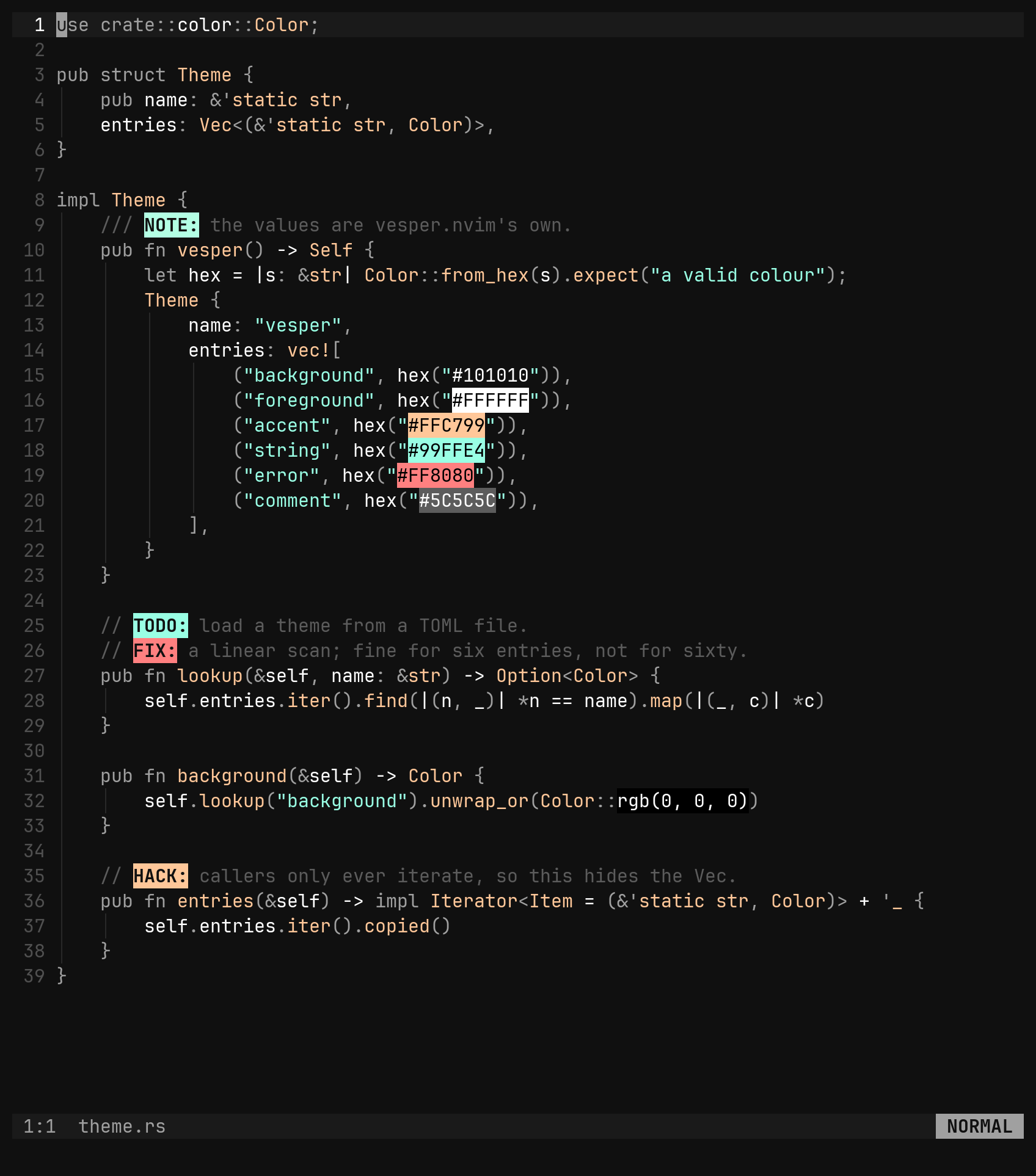
A few things are drawn over the text without being in it. Each is an option you can switch off, globally or per filetype.
Indent guides
A thin vertical line at every indentation step, never over the text itself. A
blank line keeps the guides of the block it sits in. :set indent_guides false.
TODO: and friends
TODO:, FIX:, HACK:, WARN:, PERF:, NOTE: and TEST: get five theme
colours — FIXME, BUG, XXX, OPTIM and the rest are aliases. Uppercase,
on a word boundary, colon required, TODO(name): included. They are matched
anywhere, not only in comments, because a Markdown list or a YAML file is
exactly where people write them. :set todo_comments false.
Colour swatches
#fb4934, #f94, rgb(251,73,52), rgba(…) and the shader spelling
rgb(0.5f,0.1f,0.1) are painted in the colour they name, with black or white
text chosen by contrast. A colour must be a whole token, so #define is not
one. :set color_swatches false.
Showing the whitespace
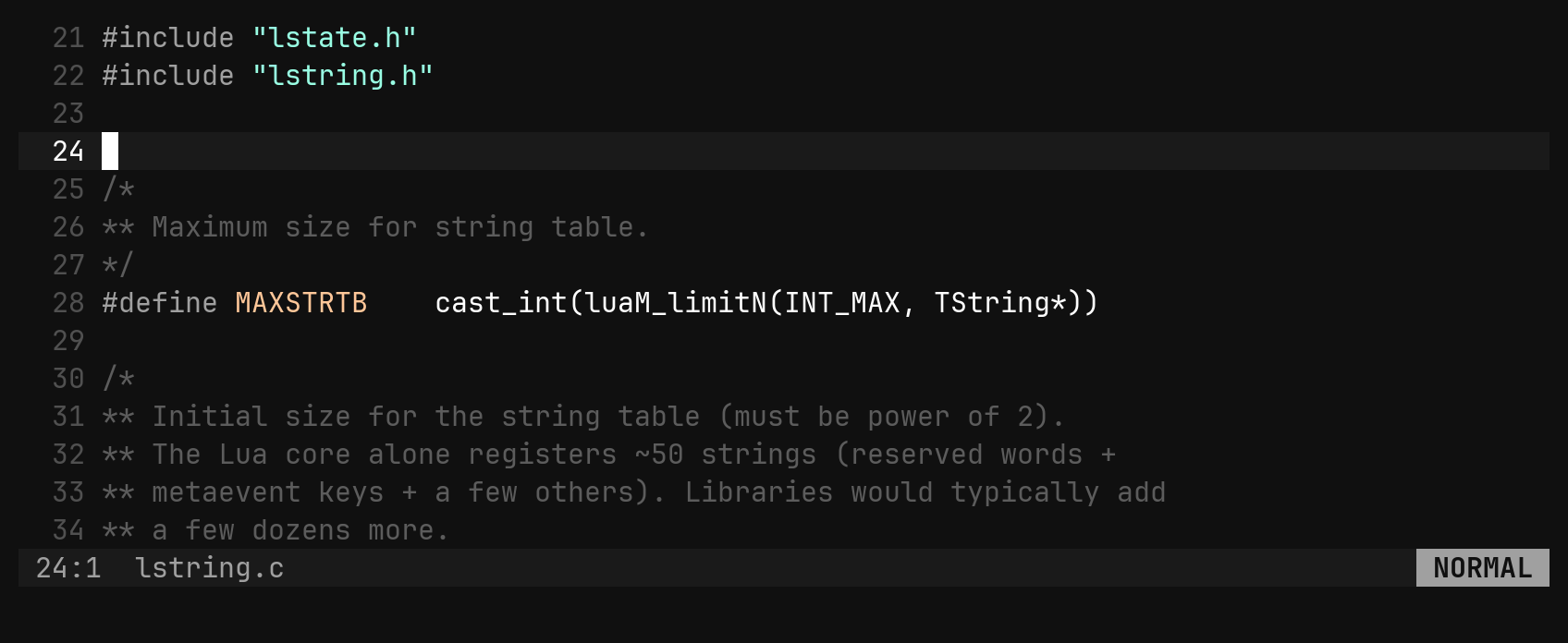
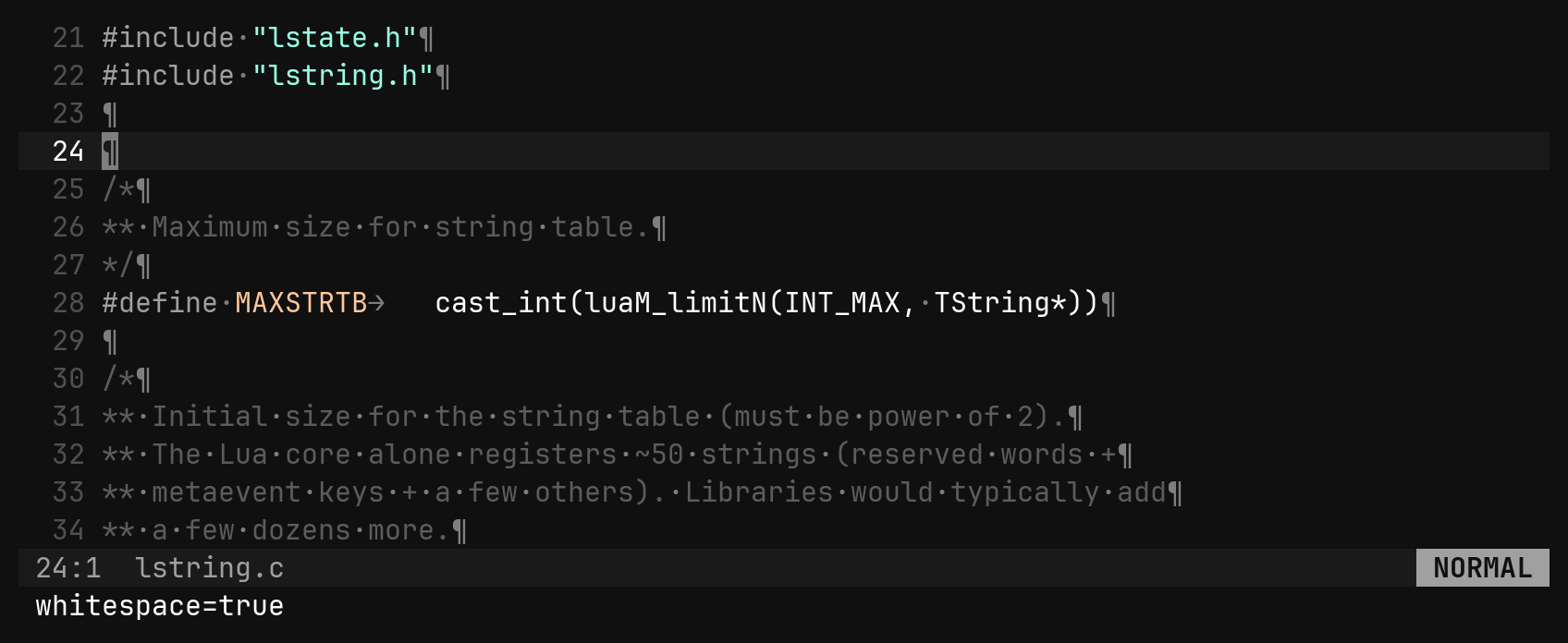
:whitespace (:ws) toggles a literal view of every blank: · for a space,
→ for a tab at the column it starts, ¶ for a newline and ␣ for a
non-breaking space. Indent guides stand down while it is on.
Git signs
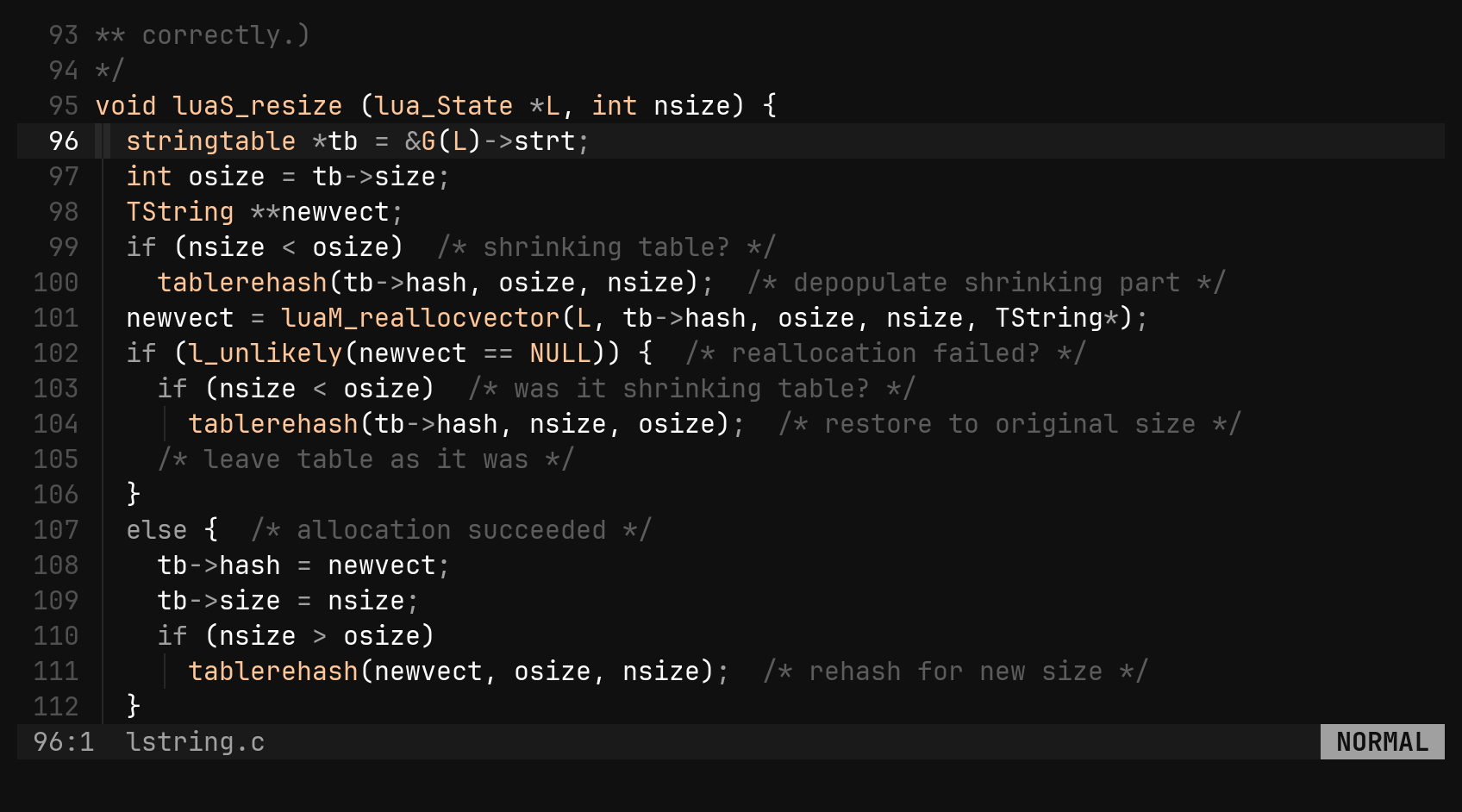
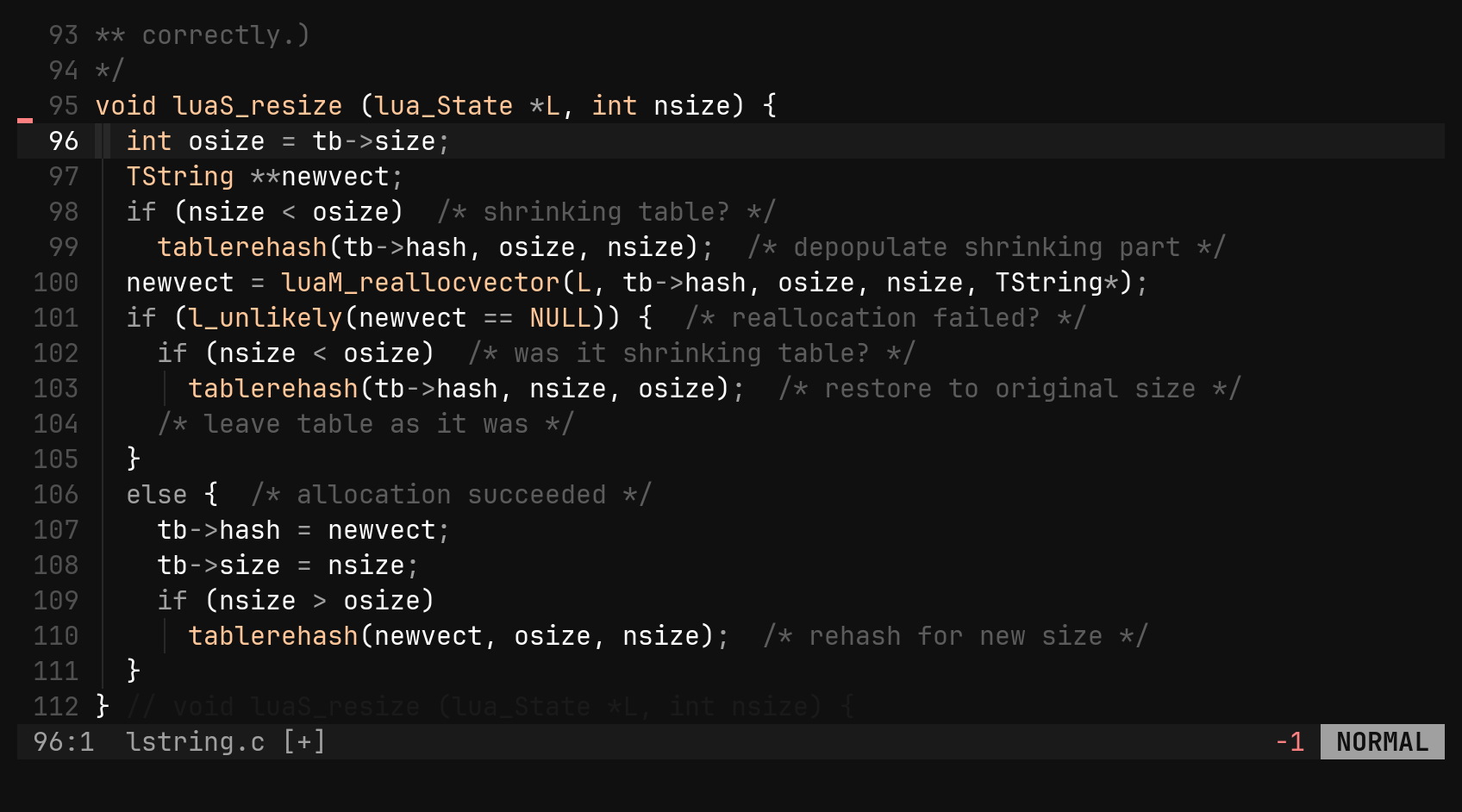
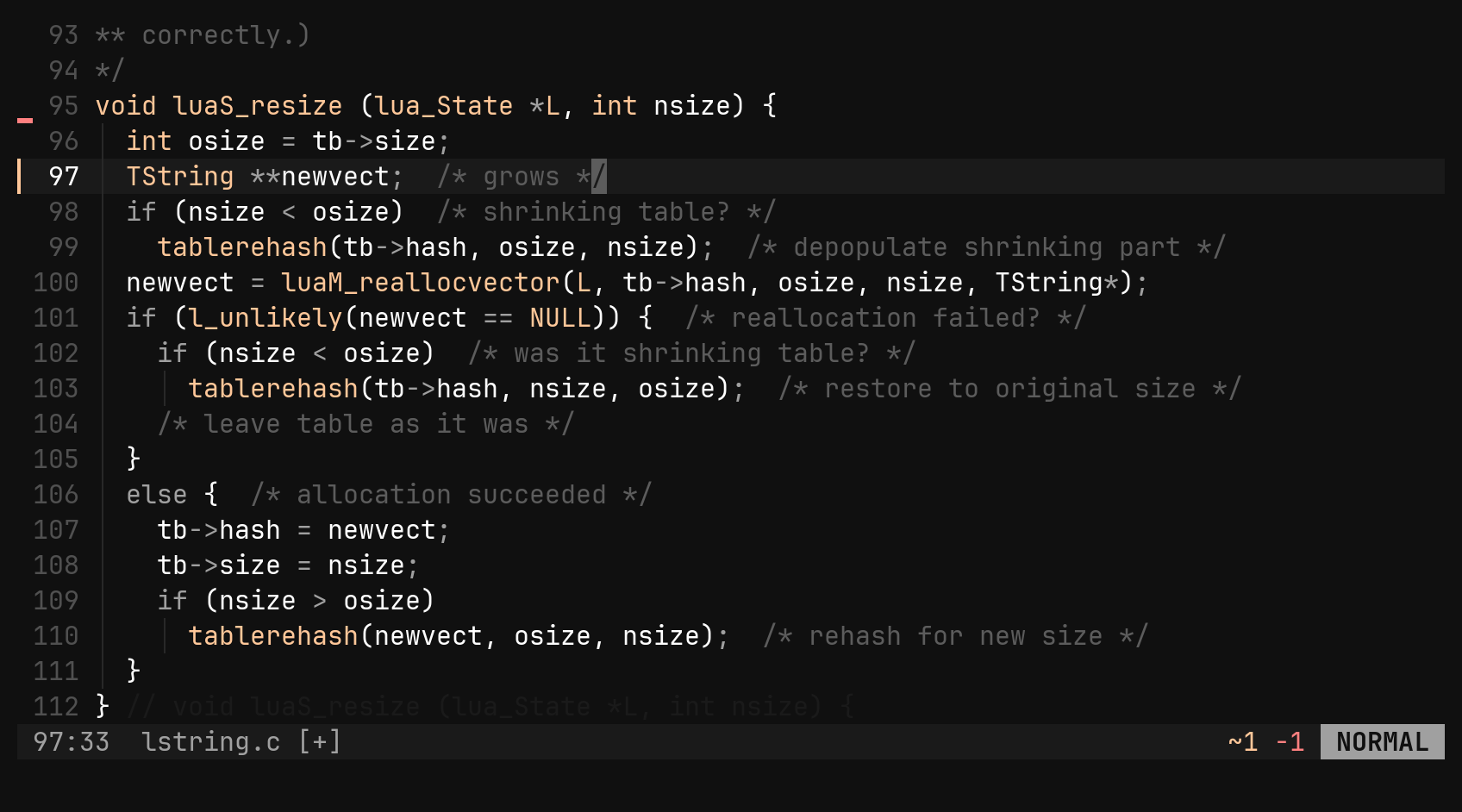
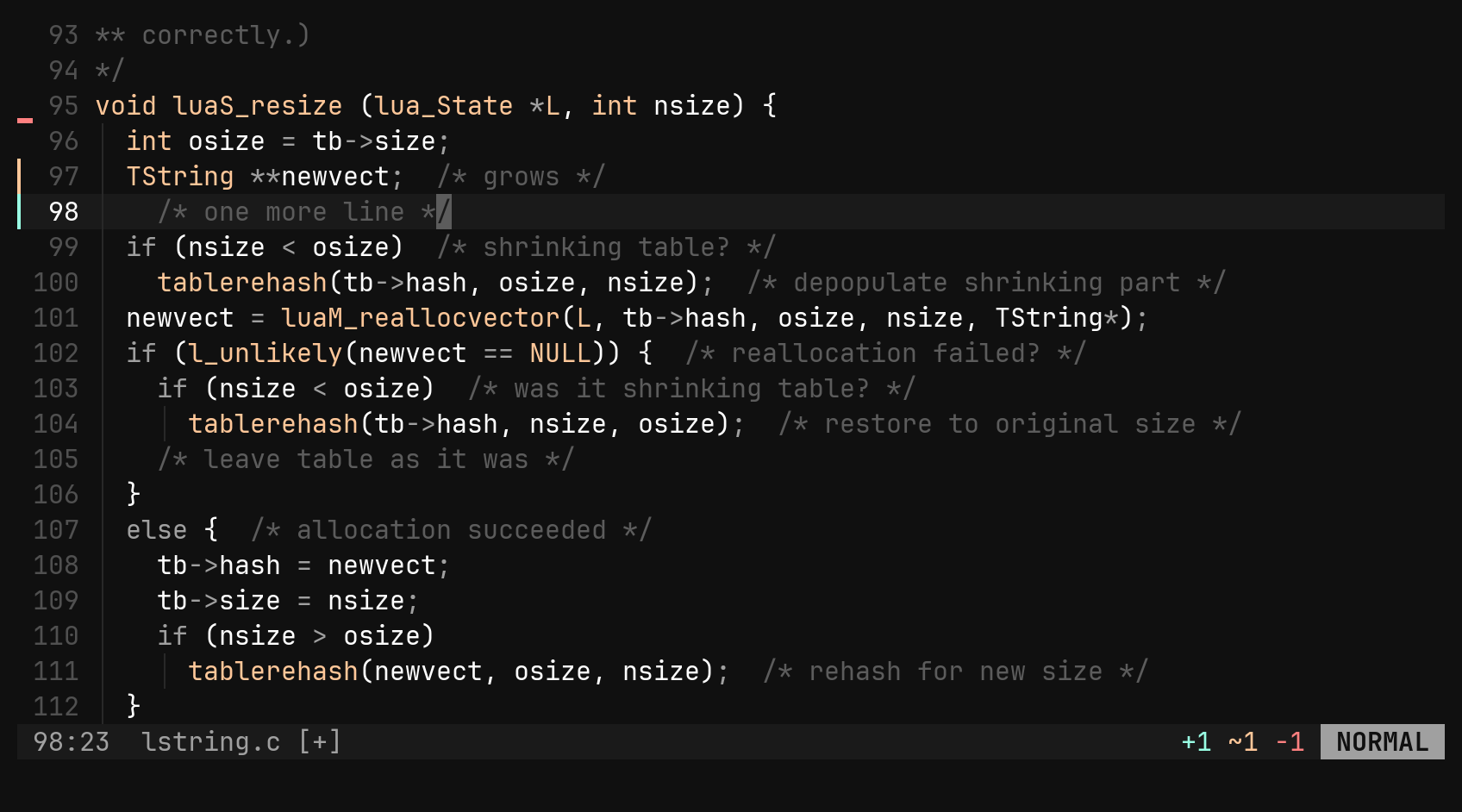
One cell to the left of the line numbers is held open for signs. For every
line that differs from what git add would take, git draws ▎ (added or
changed) or ▁ (lines removed under this row), and the focused window’s
status row carries a +3 ~1 -2 numstat. The diff is against the index and
follows the buffer as you type — nothing has to be saved.
| Command | Does |
|---|---|
:set git_signs false | hide the signs and the numstat |
:set gutter 0 | give the sign column back; a larger number reserves more |
:e | re-read the baseline after a git add elsewhere |
A diagnostic’s • wins the cell when both want it. Untracked files and
directories outside a repository simply show nothing.
A flash on yank
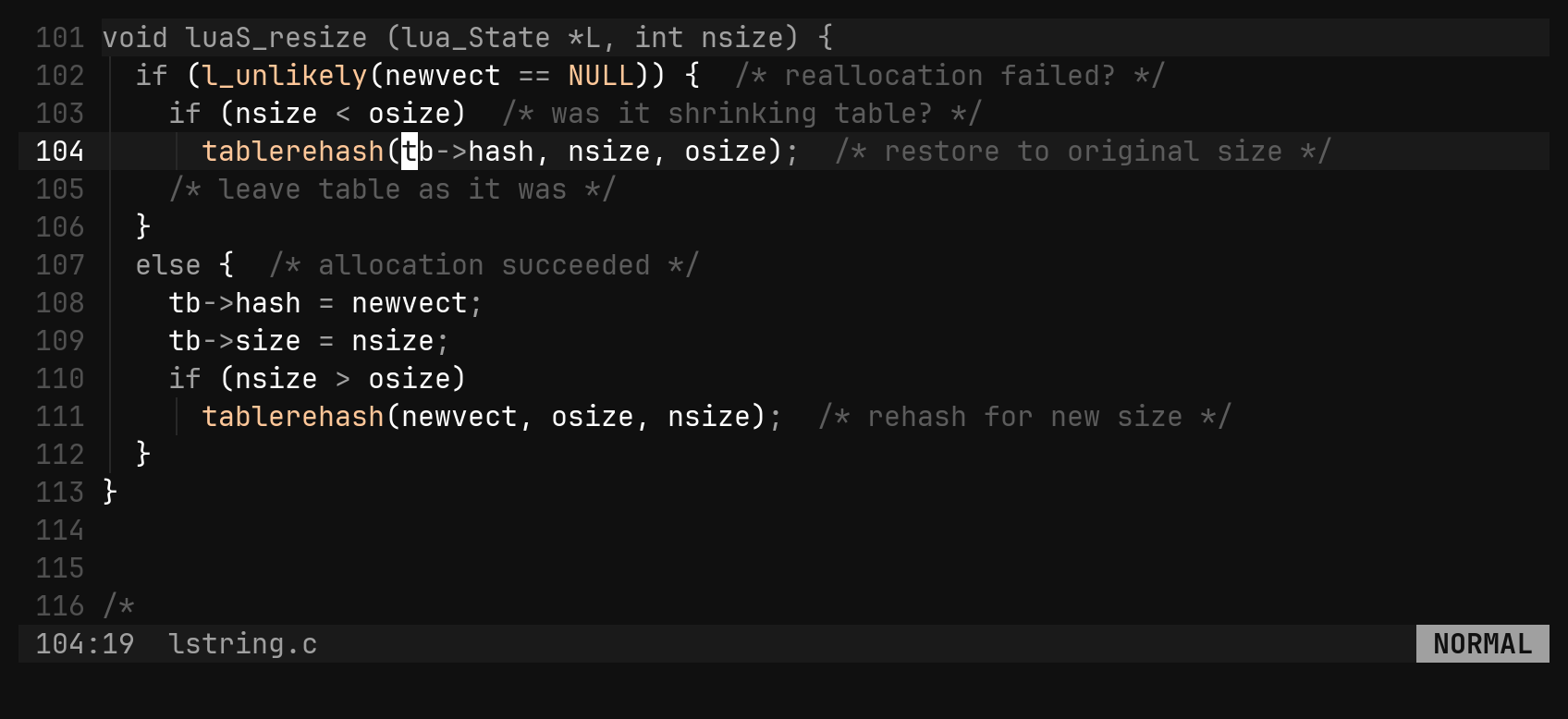
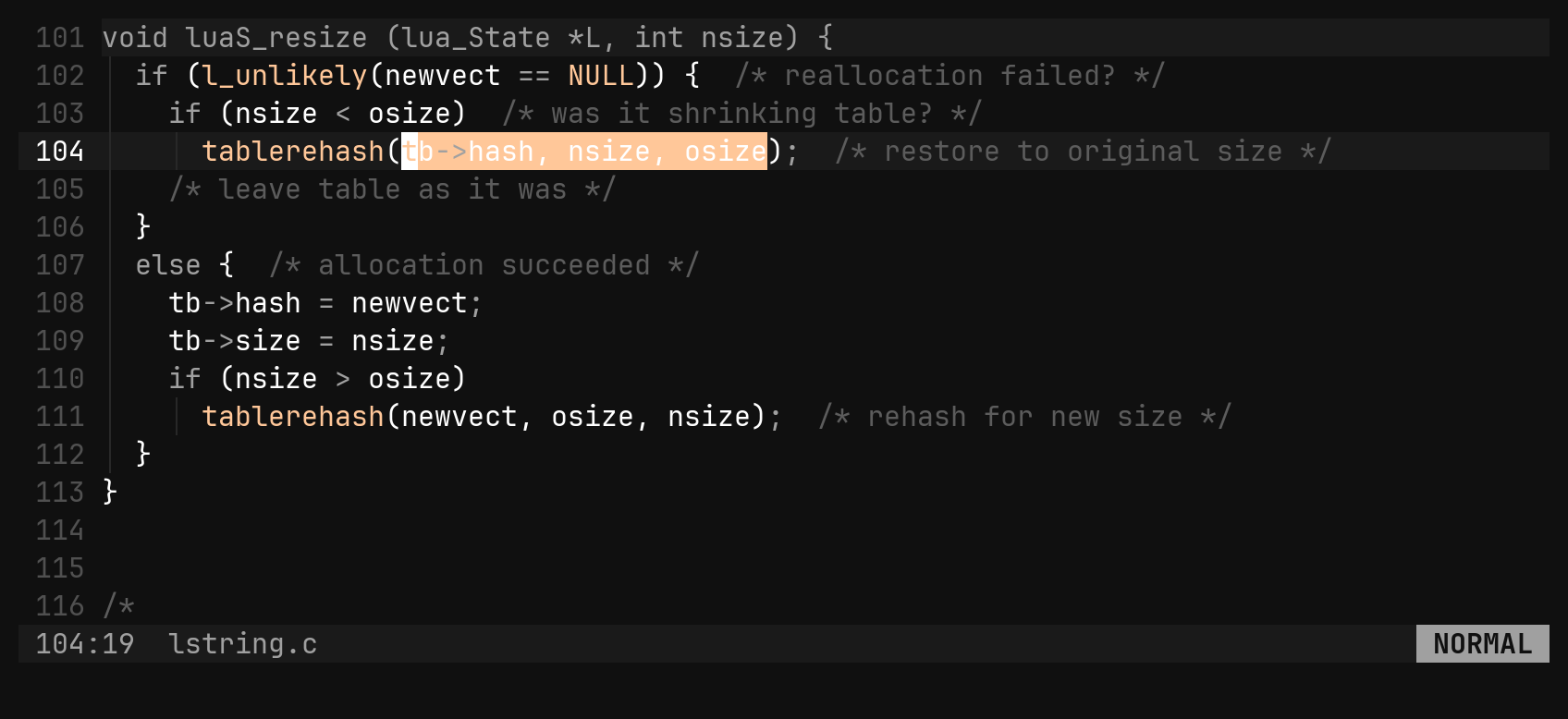
yy is the one command whose effect is invisible, so what it read lights up
for yank_flash milliseconds — charwise, linewise, or one span per row of a
rectangle. Deletes and pastes do not flash; you can already see those.
| Option | Does |
|---|---|
yank_flash = 150 | milliseconds; 0 turns it off |