Text tools and the shell
Sorting, aligning, respelling, decoding, generating ids, and piping text through programs — as : commands that work on a selection, a range, or the whole file.
Scope: what a command acts on
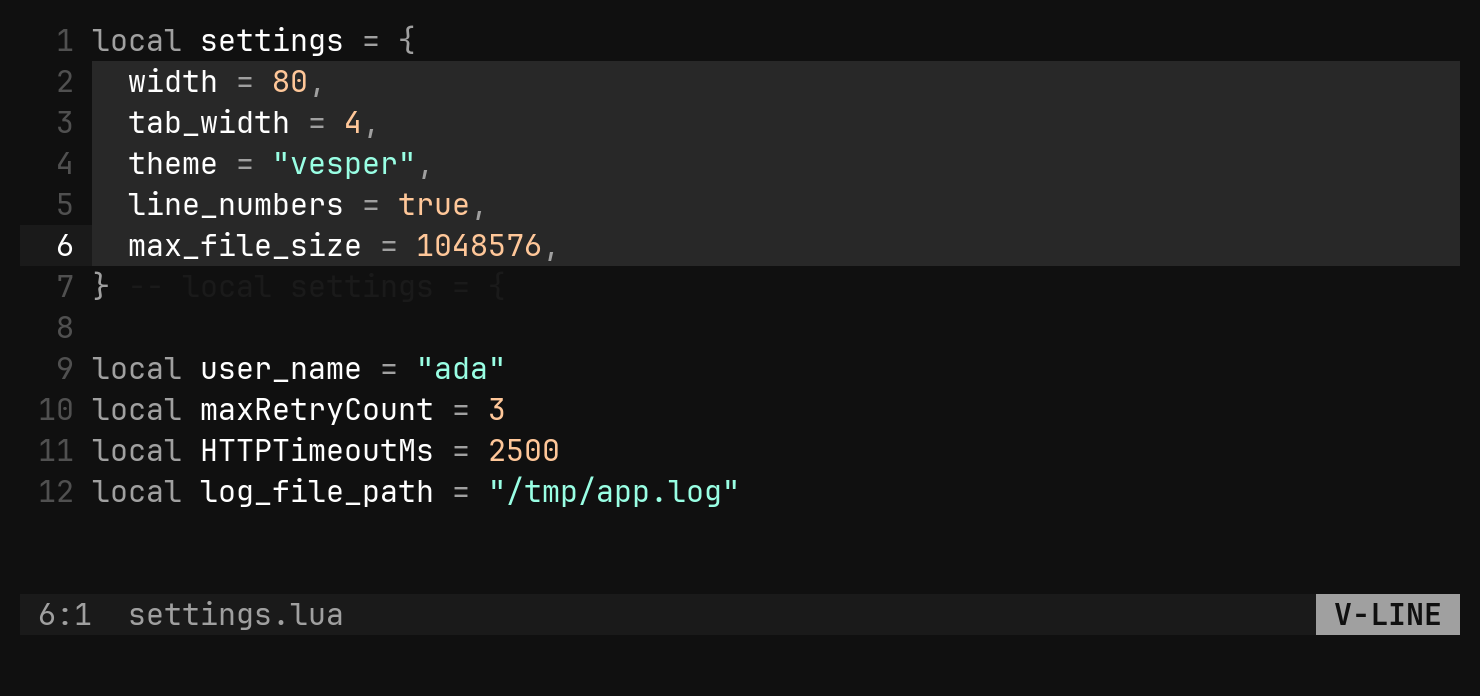
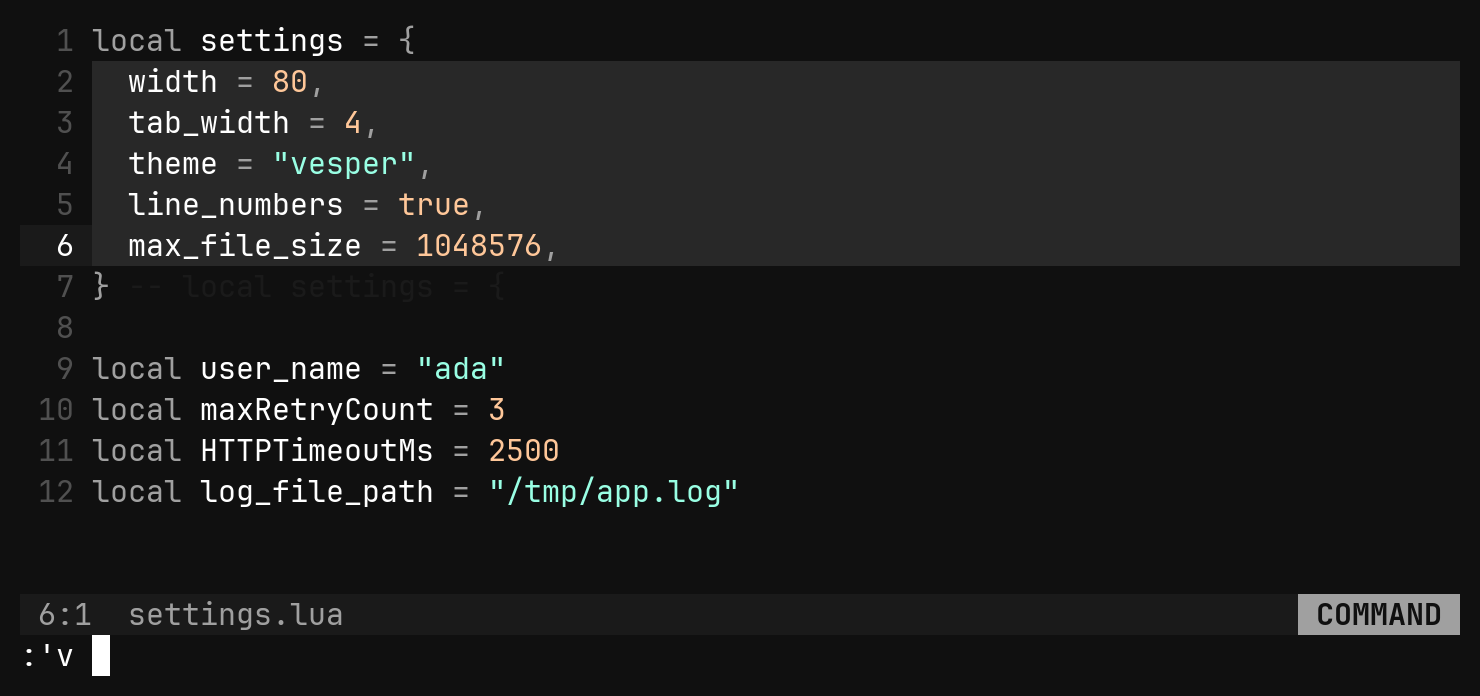
Every command in this lesson takes its scope from the : line, and the line
shows it before you press Enter. Pressing : with a selection up prefills
'v, which means the selection itself, whatever shape it is.
| Scope | Means |
|---|---|
:'v cmd | exactly what is selected — characters, a rectangle’s columns, every cursor’s own |
:'<,'>cmd | the rows the selection touches, whole |
:2,8cmd | lines 2 to 8 |
:%cmd | the whole file |
:cmd | no scope — each command says what that means, below |
Every command is one undo step and reports what it did.
Rearranging rows
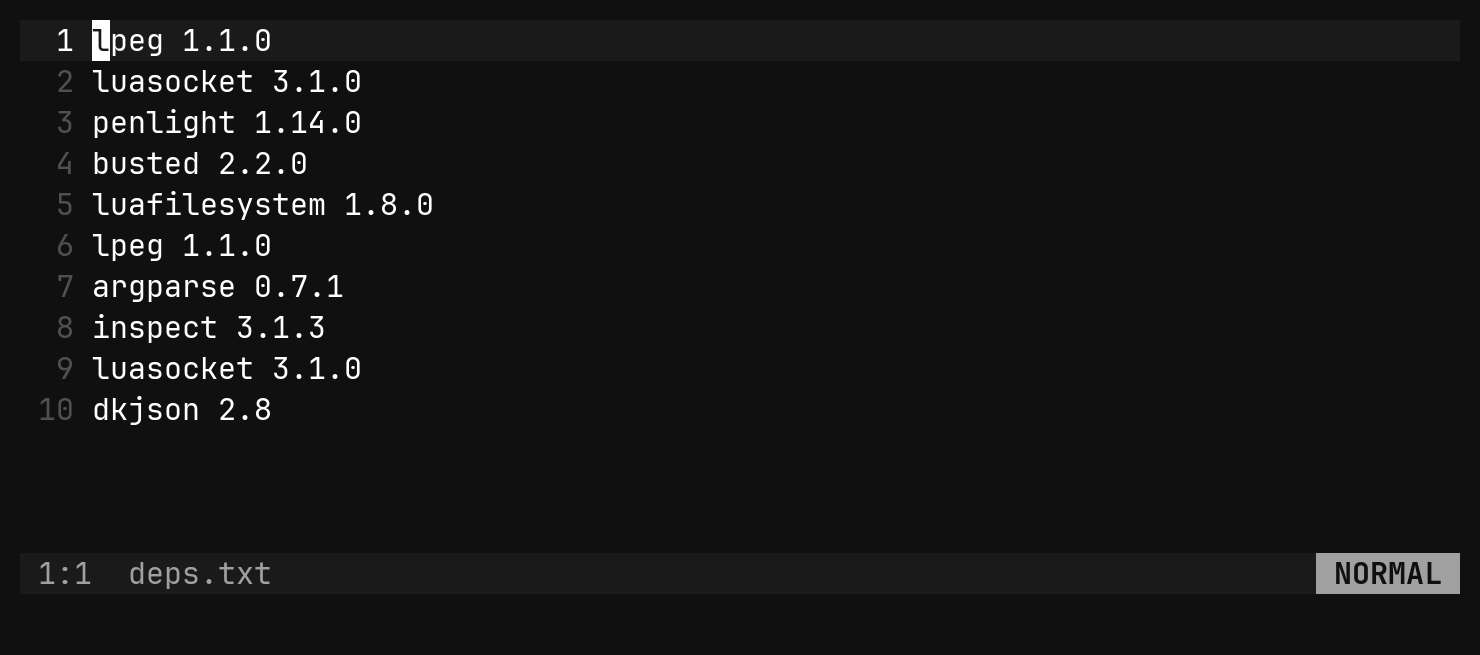
:sort and its family work on whole rows: the file when nothing narrows them,
otherwise the rows a range or selection touches.
| Command | Does |
|---|---|
:sort | ascending; stable, so equal lines keep their order |
:sort! | descending |
:sort n | by the first number on each line — item 9 before item 12 |
:sort i | ignoring case |
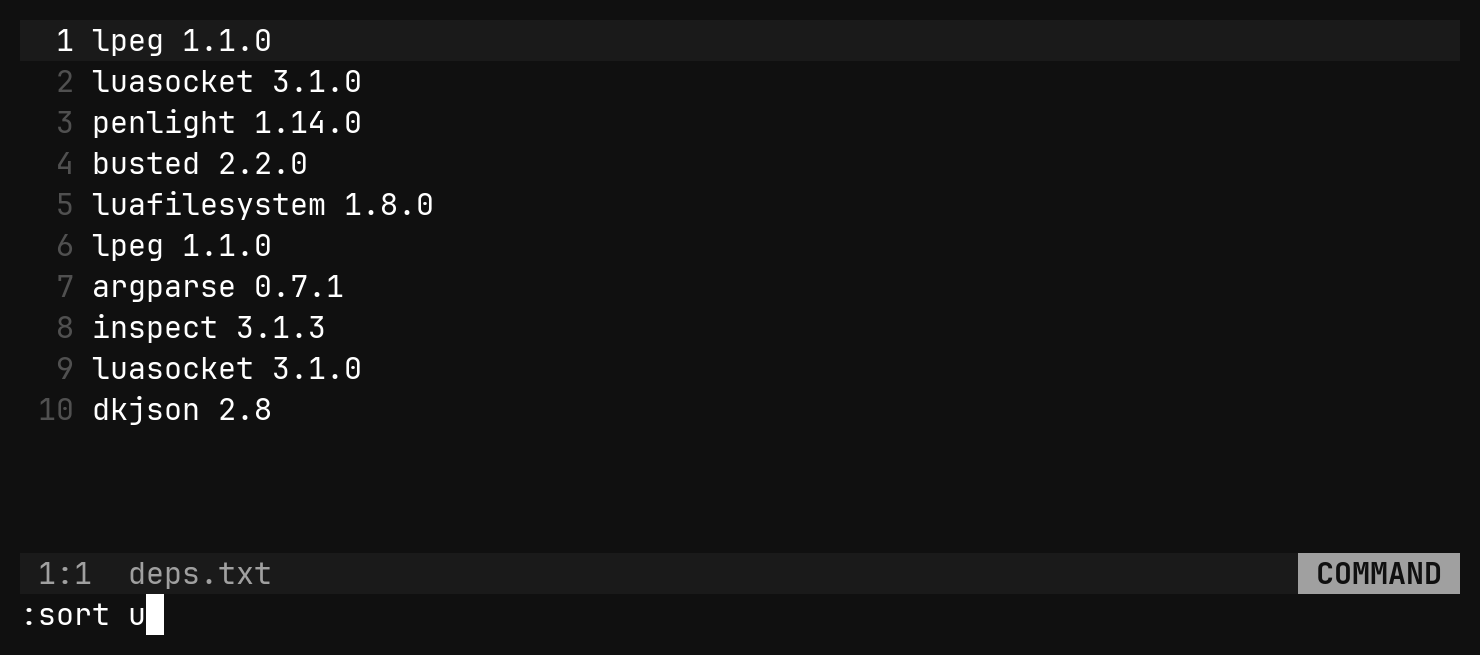
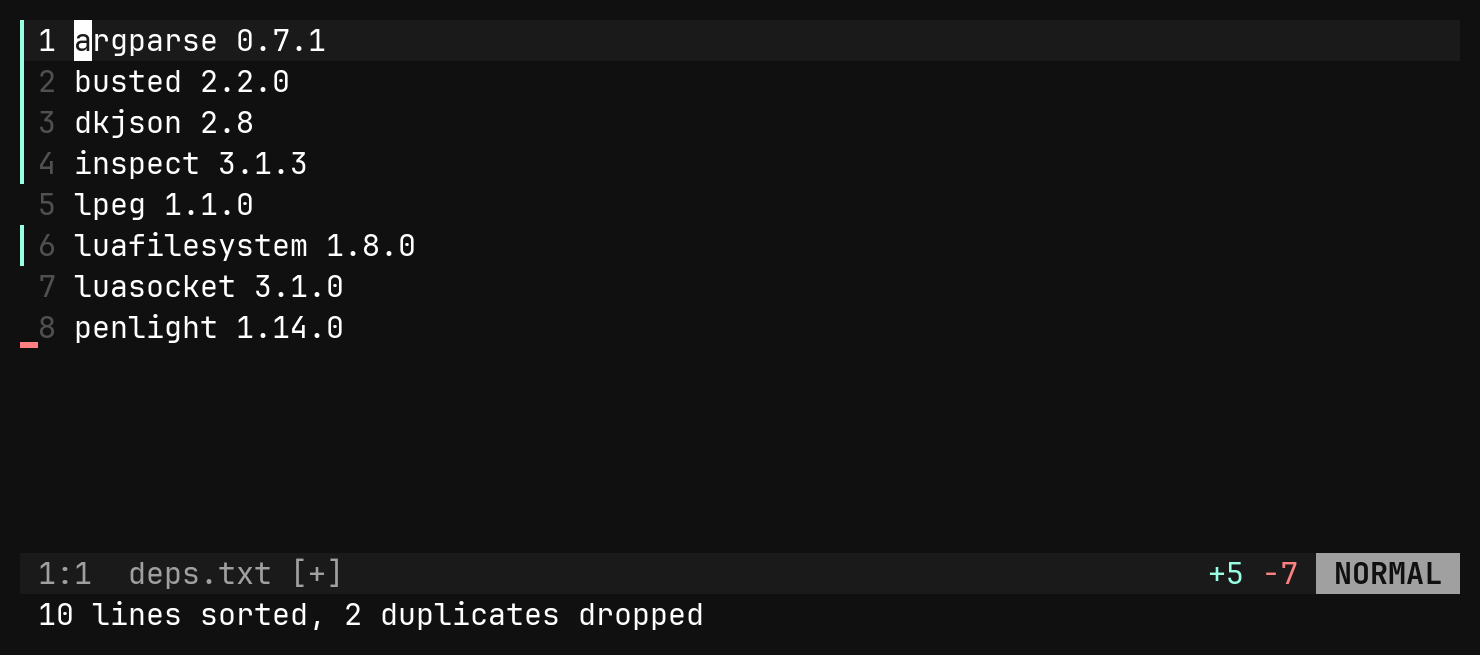
:sort u | dropping lines that compare equal; flags combine in any order |
:uniq | a run of identical adjacent lines becomes one |
:dedup | every repeat dropped, wherever it is; the first stays in place |
:reverse | last line first |
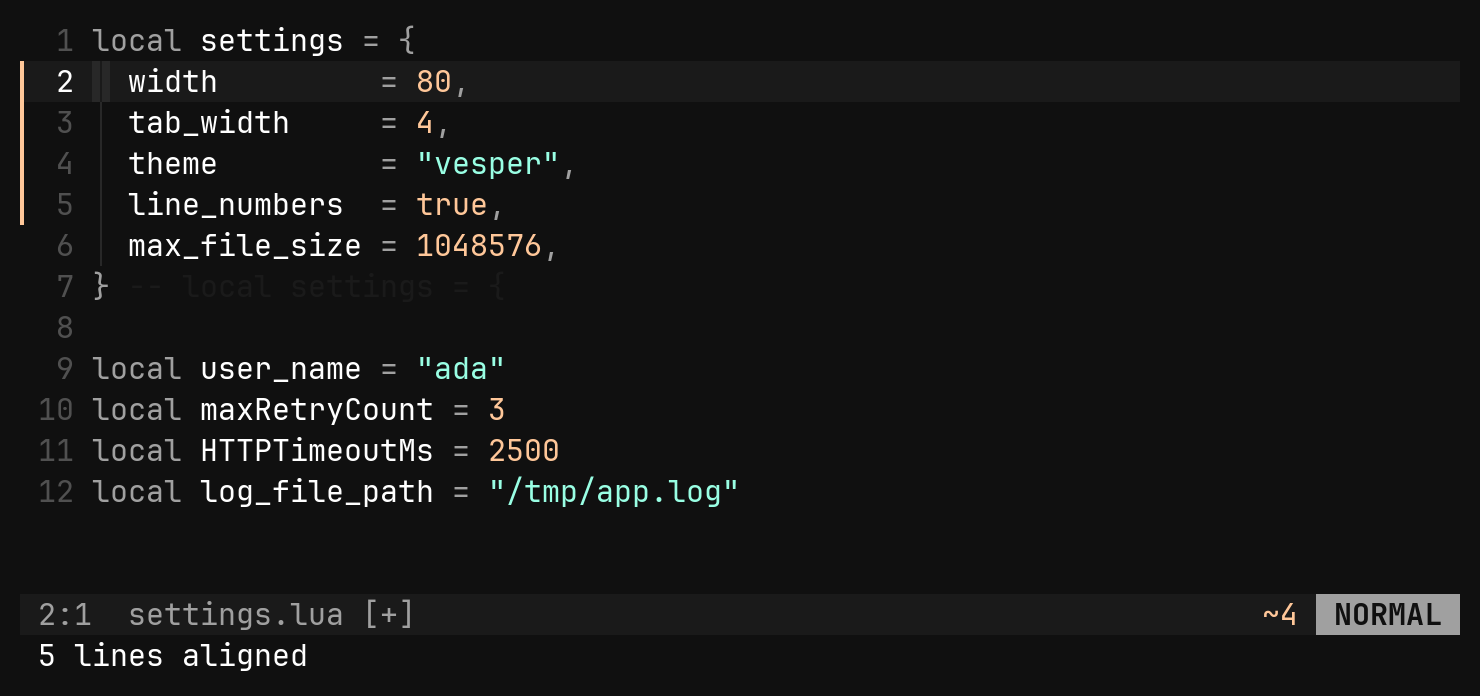
:align = | pad before the first = until every one shares a column |
:align! : | pad after it, so what follows lines up |
A range already in order reports already sorted and adds nothing to the undo
history. :align only ever adds spaces, so running it twice changes nothing.
Respelling names: :case
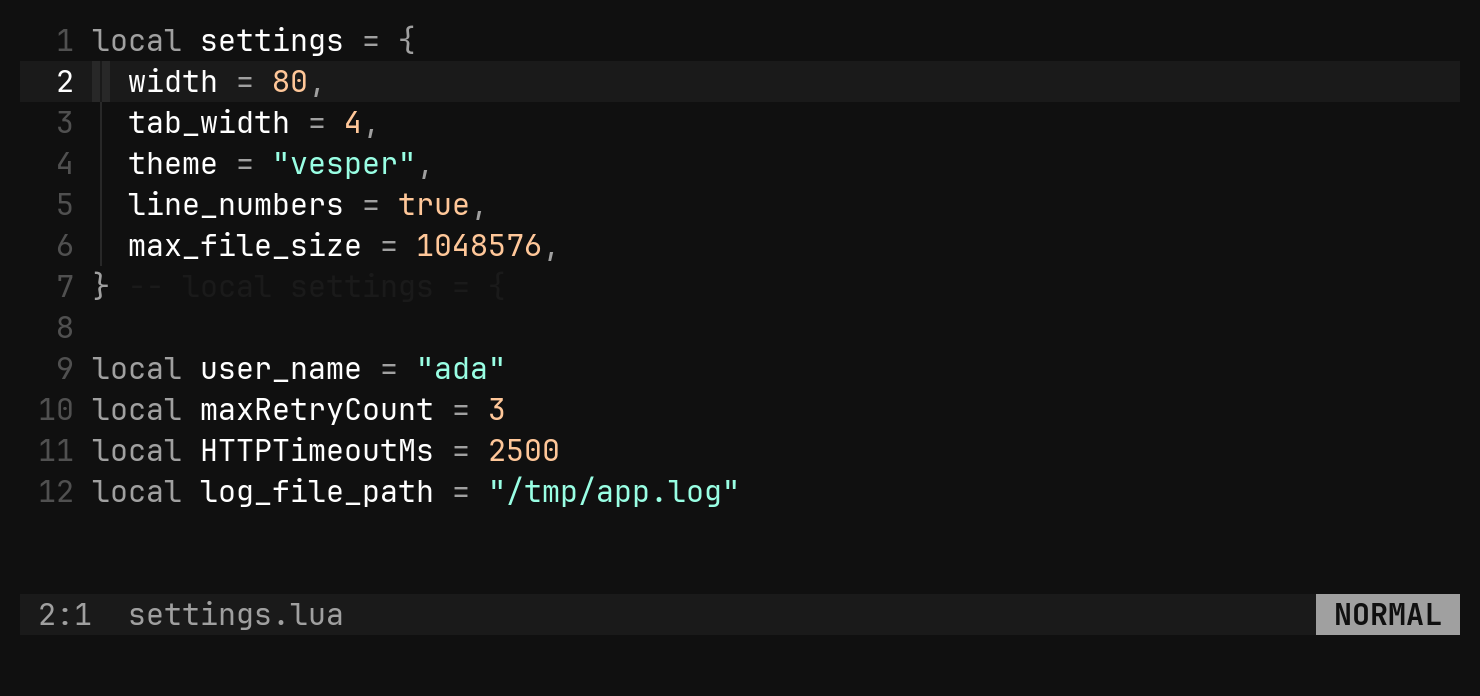
:case takes upper, lower, title, camel, pascal, snake, dash or
const. With no scope it takes the word under each cursor, which is usually
the thing you are renaming.
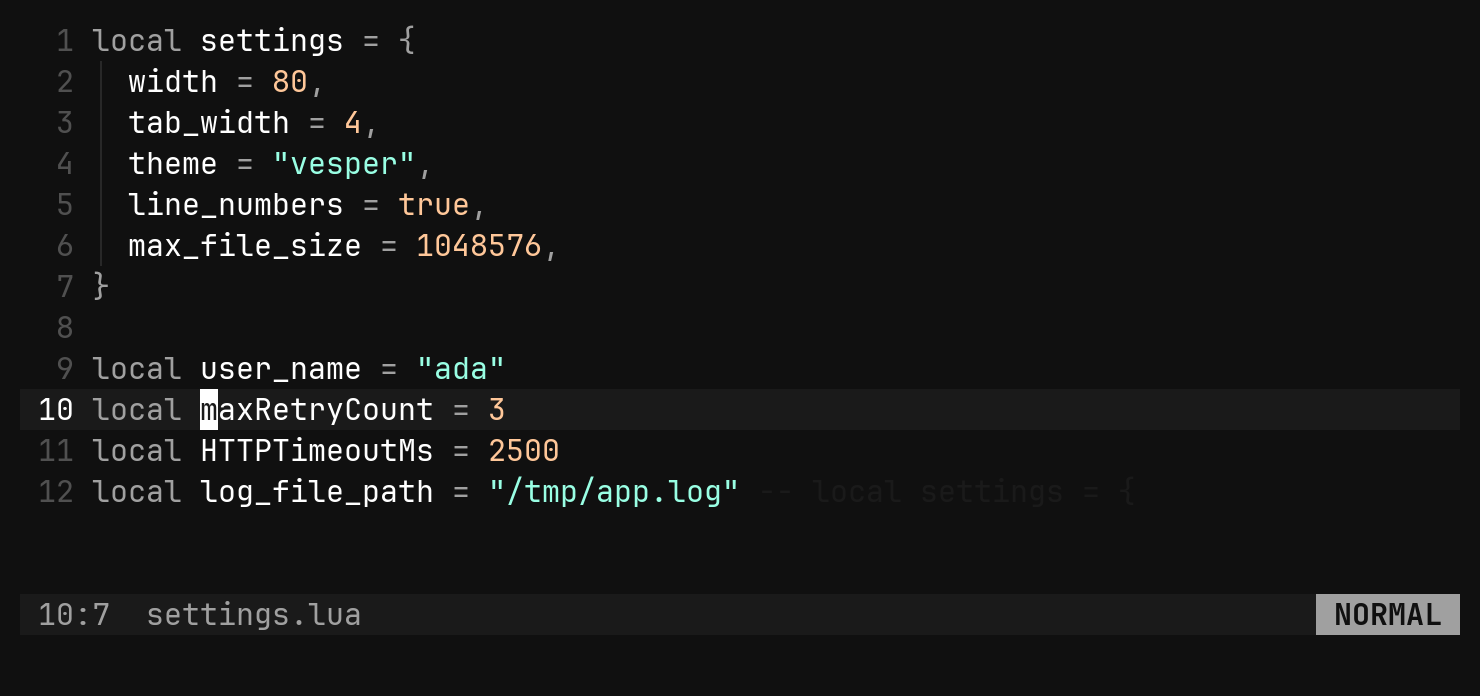
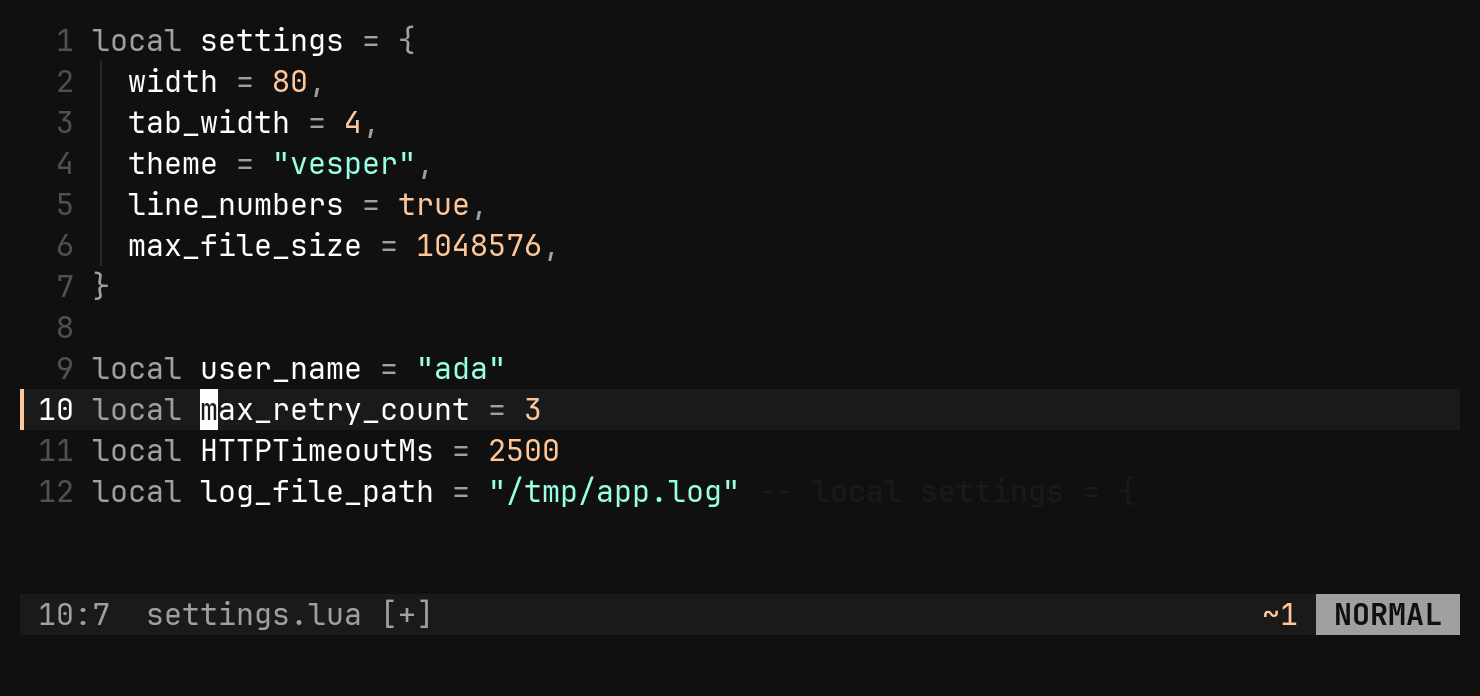
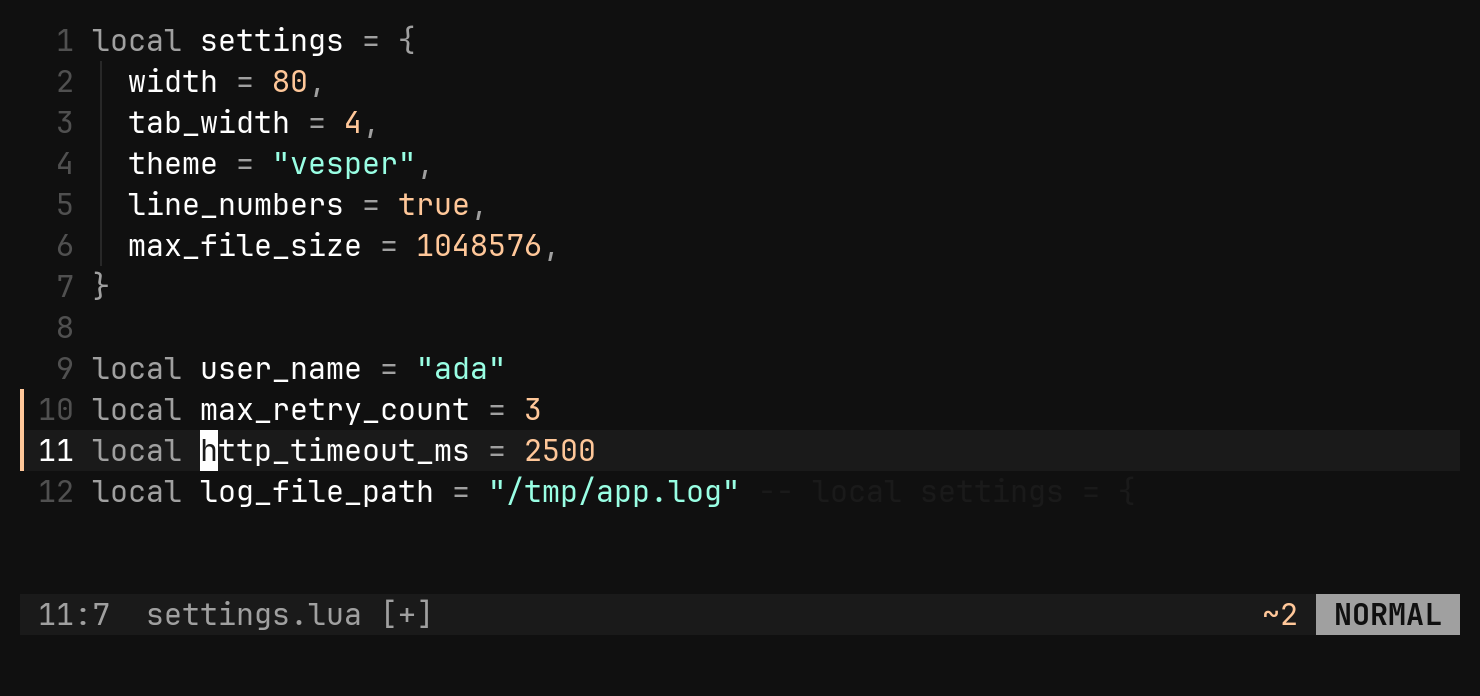
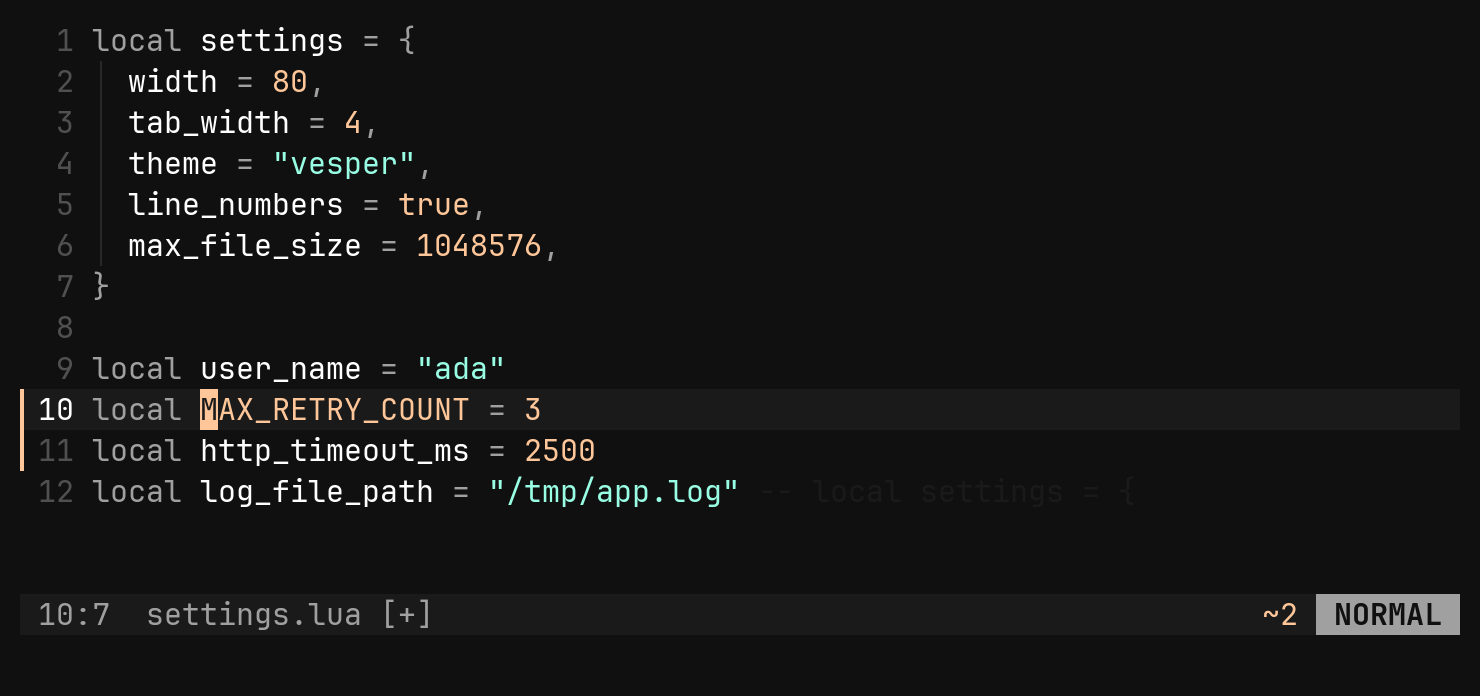
It respells every identifier in scope and leaves the text between them alone:
foo_bar baz_qux in camel is fooBar bazQux. An acronym is one word
(HTTPServer is http + server), a digit stays with its word, and a - b
keeps its minus sign.
gU, gu, g~, or a plugin’s crs/crc,
there is one command with a readable argument.Encoding and decoding in place
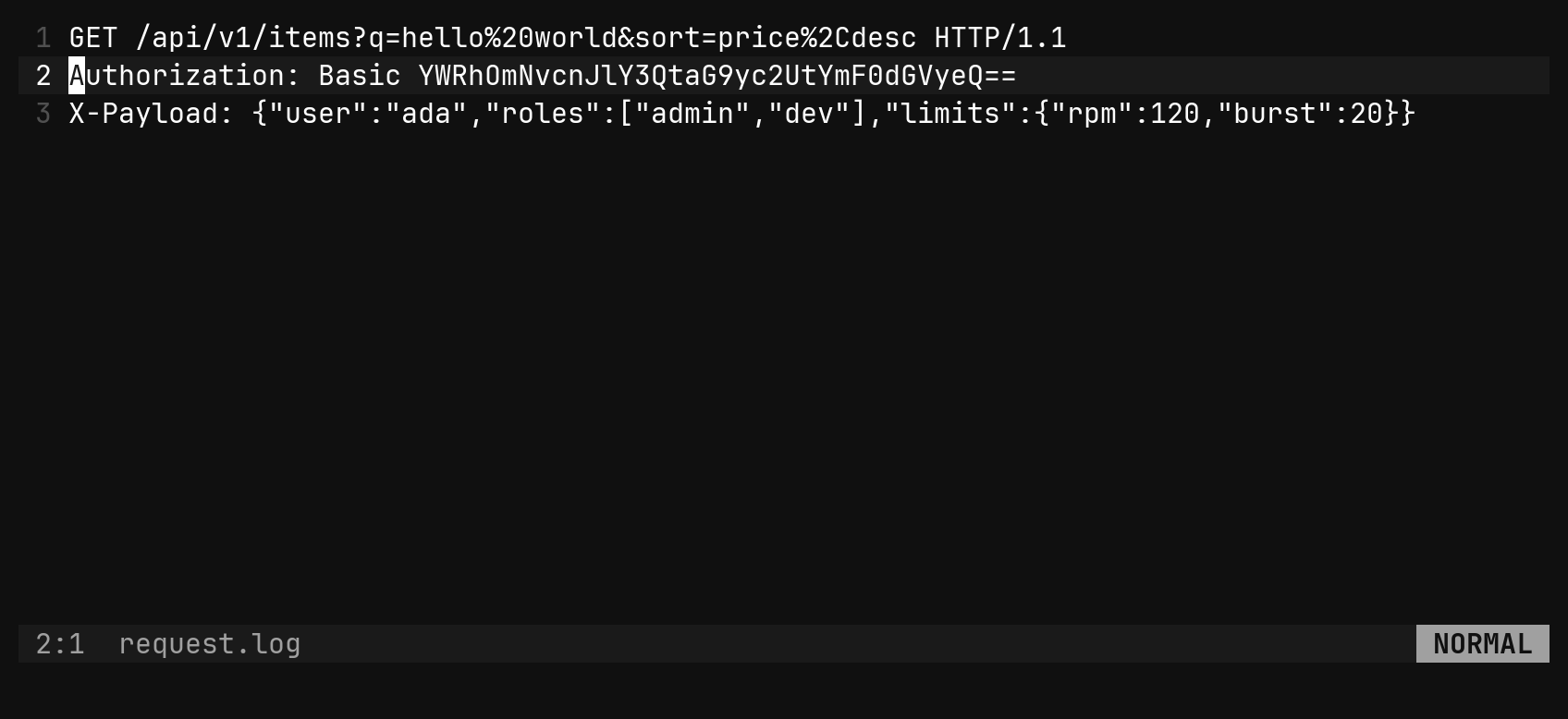
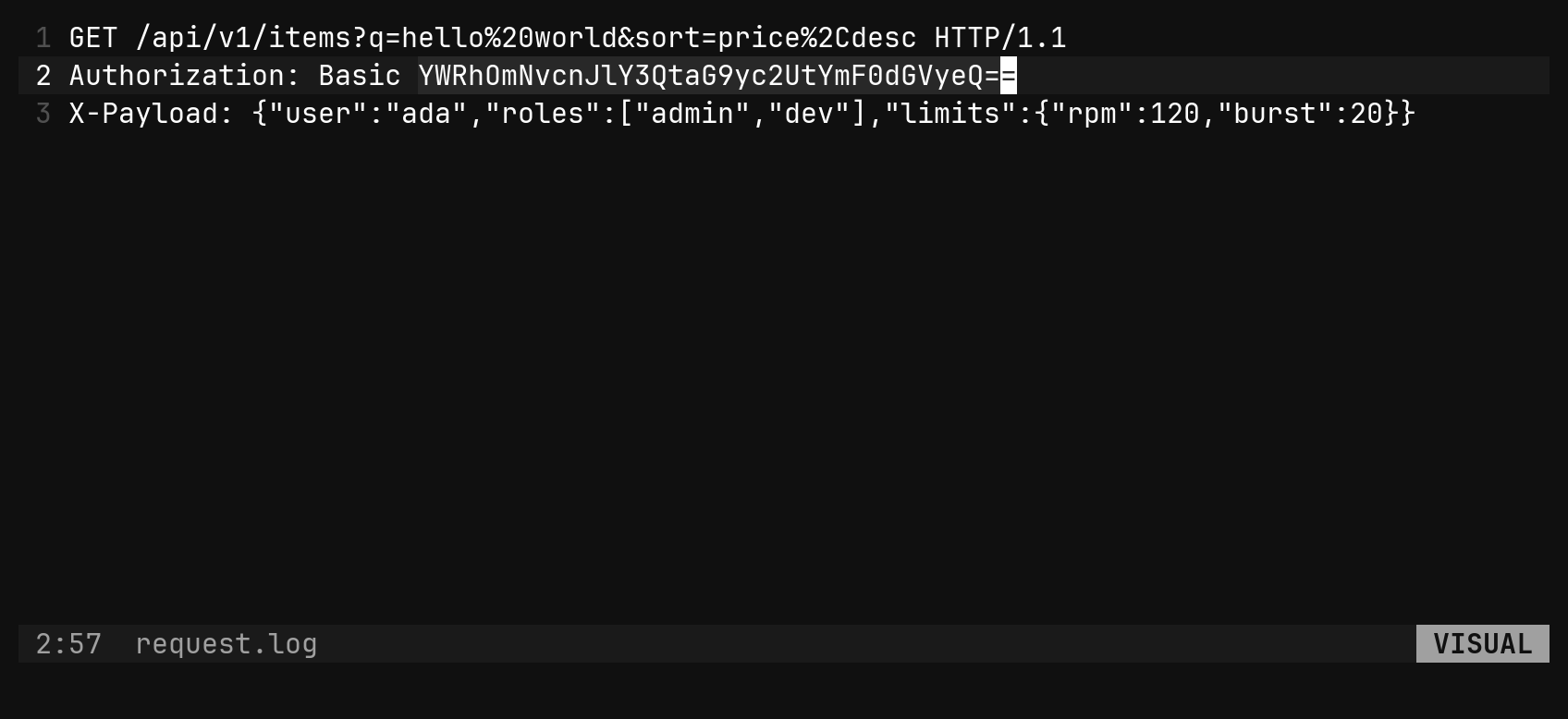
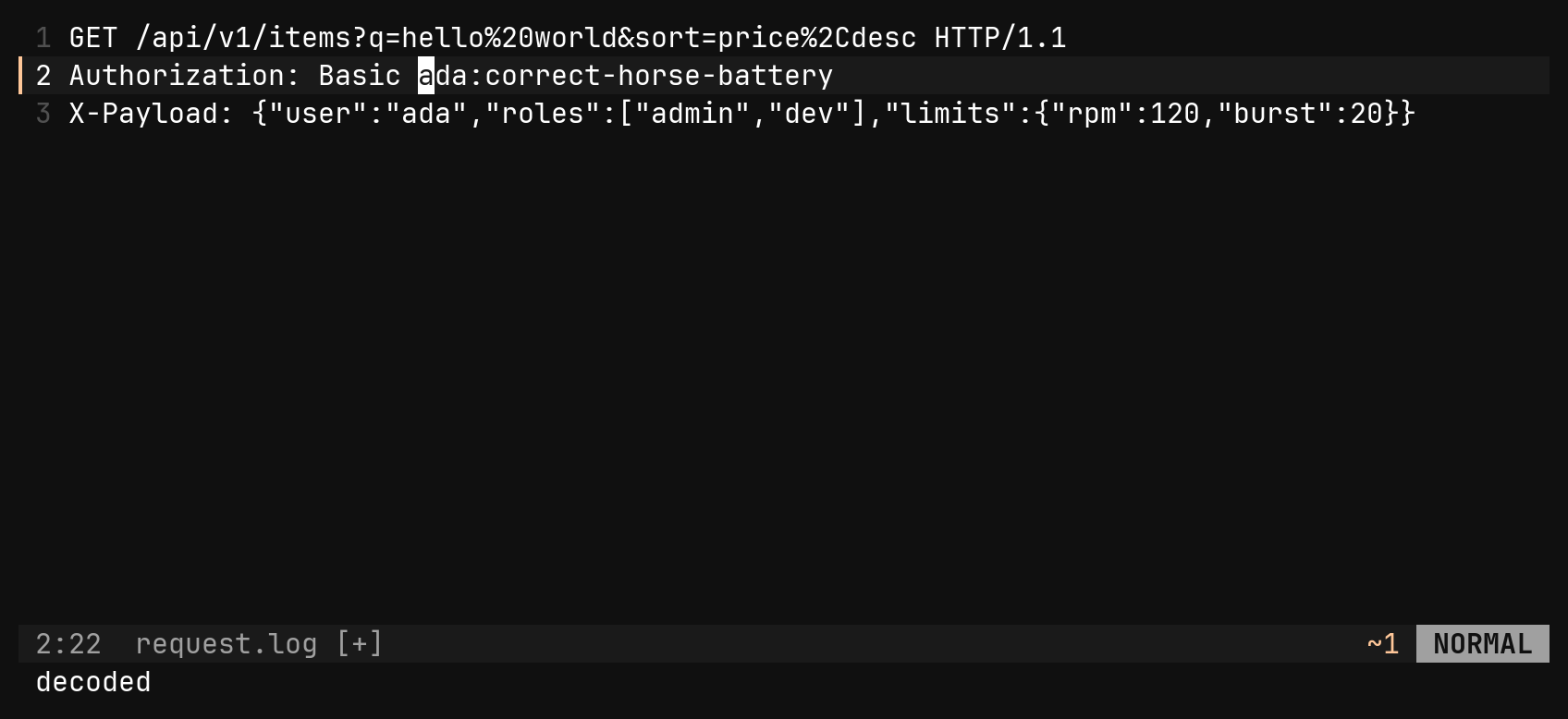
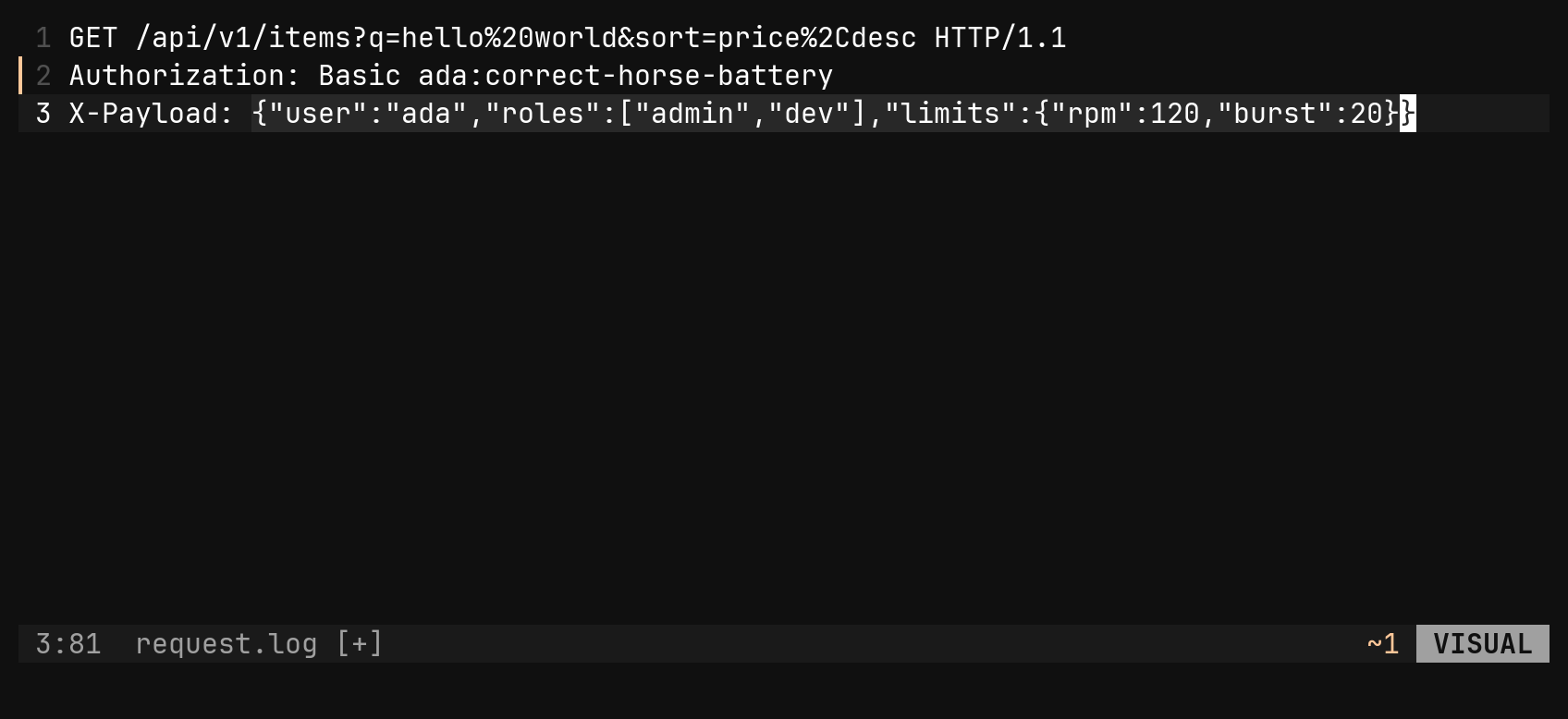
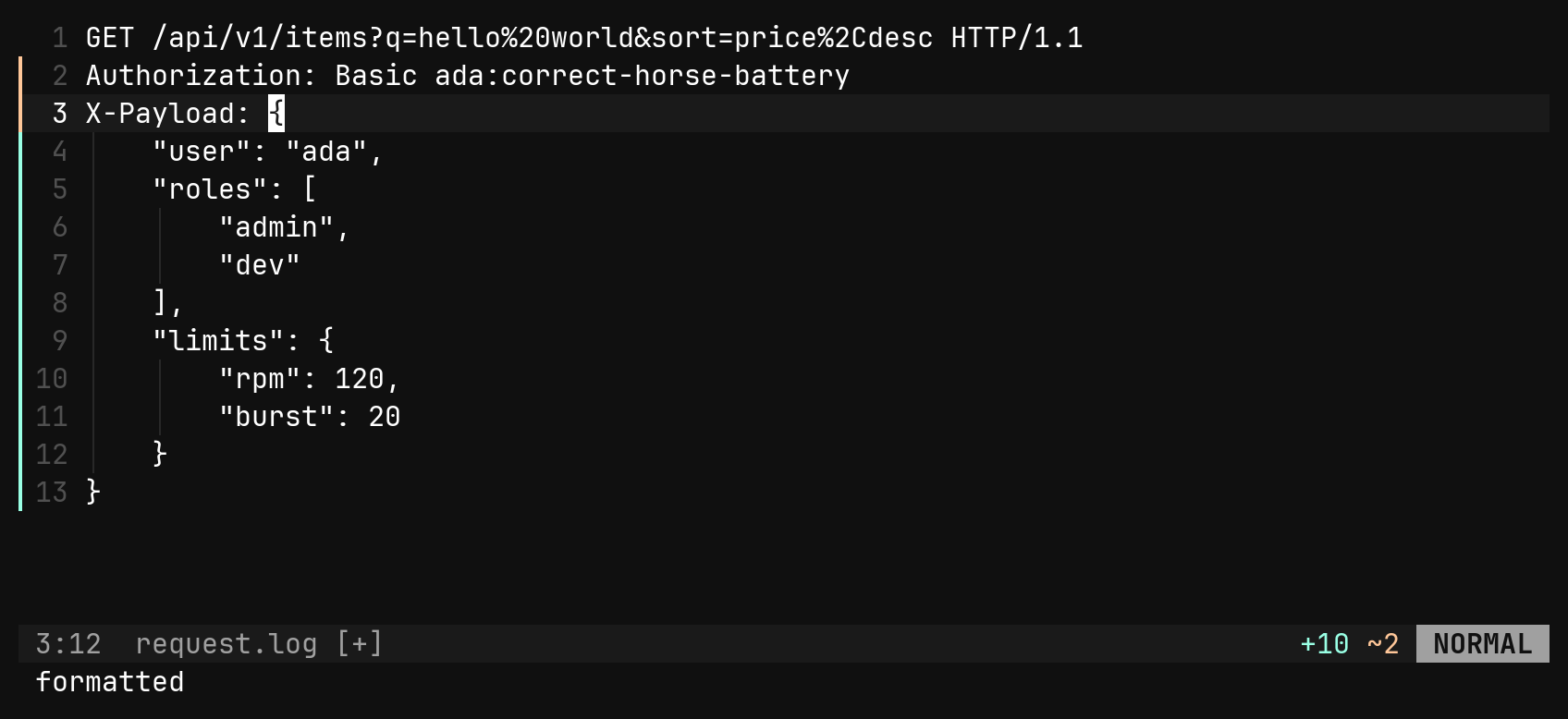
A token in a header, a JSON blob in a log line: decode it where it sits,
without the round trip through echo | base64 -d.
| Command | Does |
|---|---|
:base64e :base64d | base64 — decoding forgives whitespace, the URL-safe alphabet and missing padding |
:hexe :hexd | the UTF-8 bytes as lowercase hex |
:urle :urld | percent-encoding; + stays a + |
:jsonfmt | pretty-print with this buffer’s indent, keys in their original order |
:jsonmin | strip every insignificant byte |
:md5 :sha256 | replace the text with its digest |
With no scope these act on the whole file, so :jsonfmt formats a JSON
file. Each contiguous piece is handled on its own: two selections are two
blobs, and a rectangle is one blob per row. Input that does not decode —
not base64, not UTF-8 underneath, not JSON — is an error naming the
problem, and nothing changes, not even the pieces that did decode.
Generating values
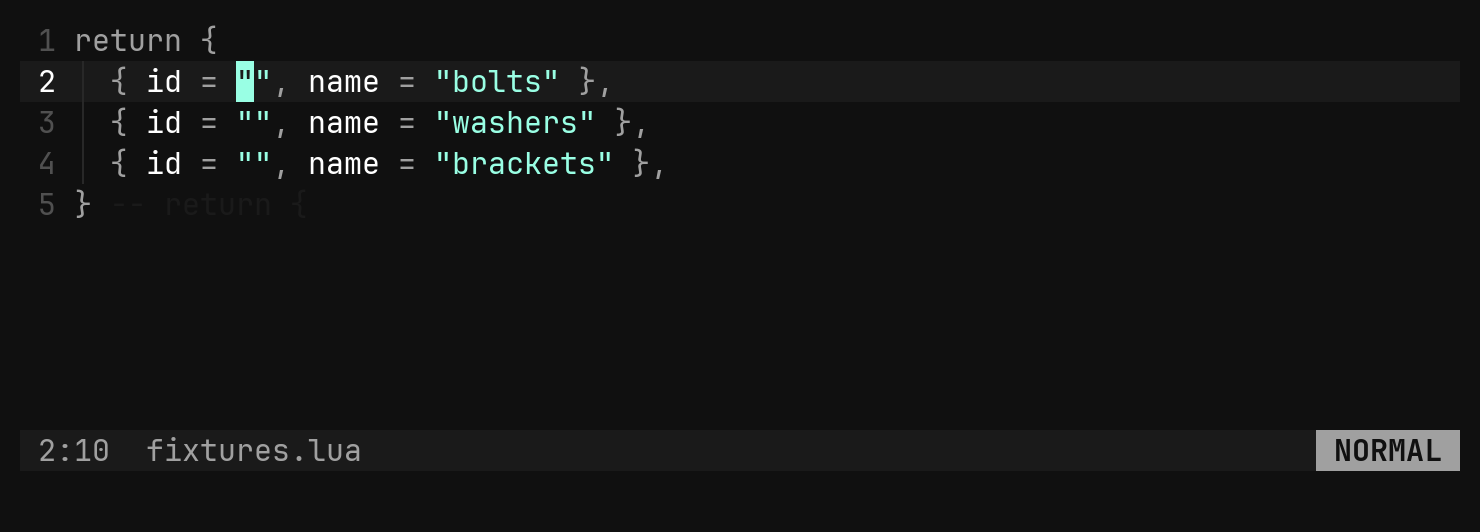
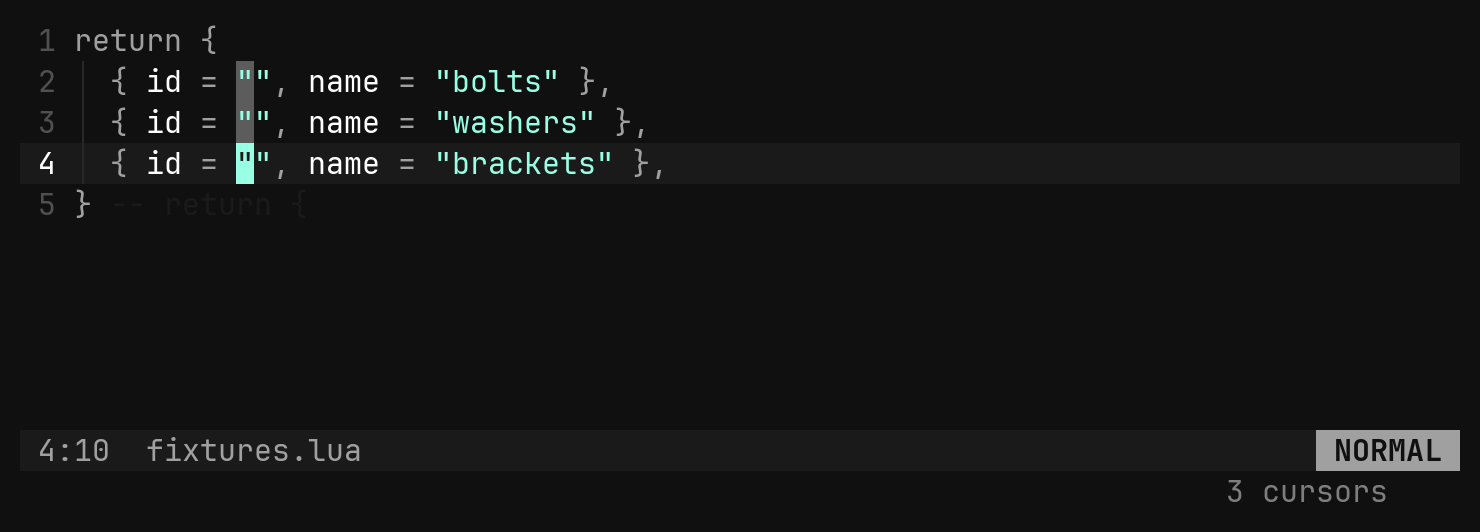
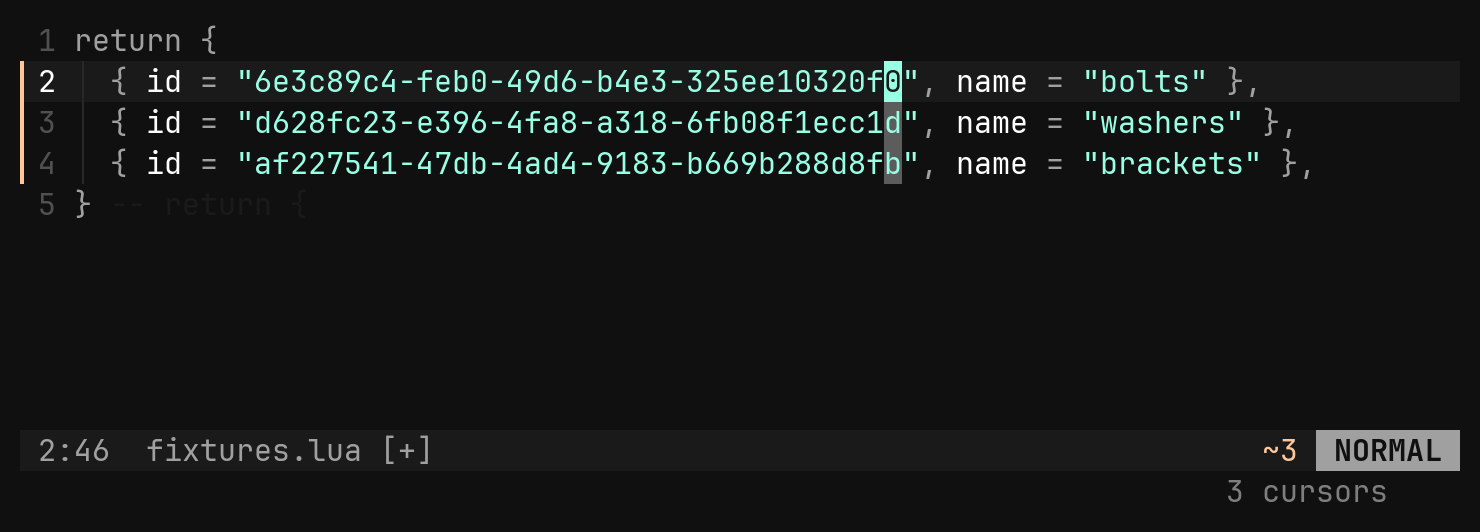
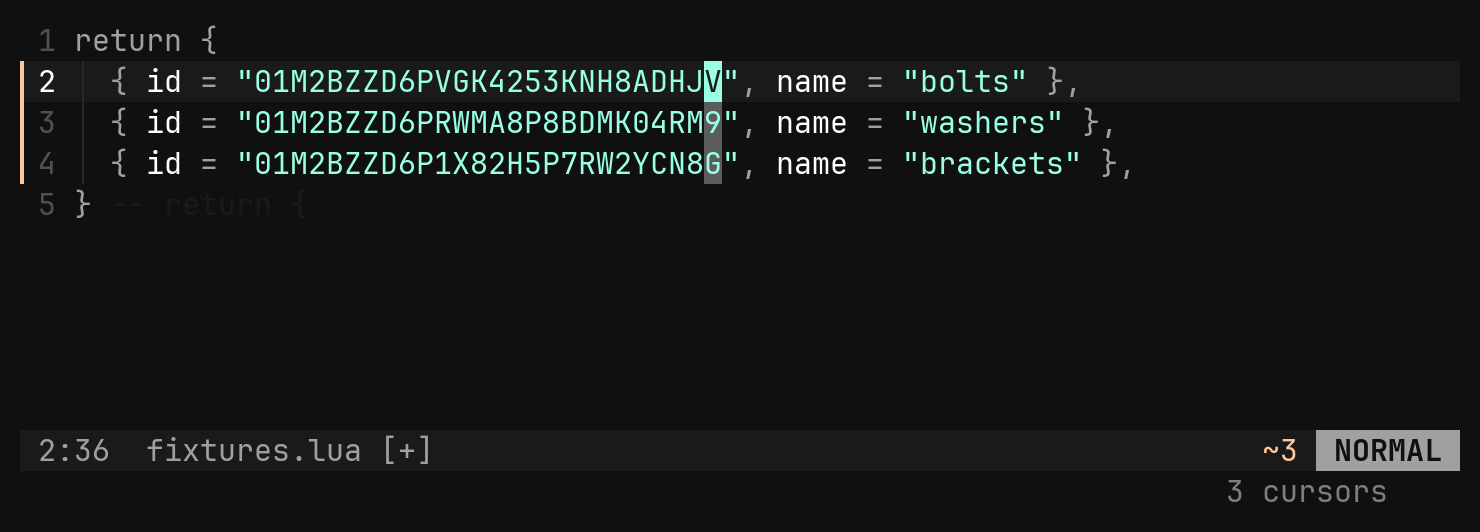
Ids, dates and filler, typed for you. Each one goes after the cursor (the
way p pastes) or replaces the selection, and every cursor gets its own.
| Command | Inserts |
|---|---|
:uuid4 | a random uuid |
:uuid7 | a time-ordered uuid, sortable |
:uuidzero | 00000000-0000-0000-0000-000000000000 |
:ulid | 26 characters of Crockford base32, time-ordered |
:nanoid | 21 characters of A-Z a-z 0-9 _ - |
:epoch | UTC seconds since 1970 |
:date [fmt] :time [fmt] | local date or time, ISO unless a strftime format says otherwise |
:lorem [n] | n paragraphs of filler, the same text every time |
:password [len] | len characters (24 by default) of letters, digits and shell-safe symbols |
A line range such as :2,5uuid4 is refused: replacing four lines with one id
is not a thing anyone means.
Shell commands
bi has four ! forms and they split into two kinds. Bare :!cmd is a
job: it runs in the background and the editor stays live. With a range,
! is a filter: it runs synchronously, and its result becomes an edit.
Jobs
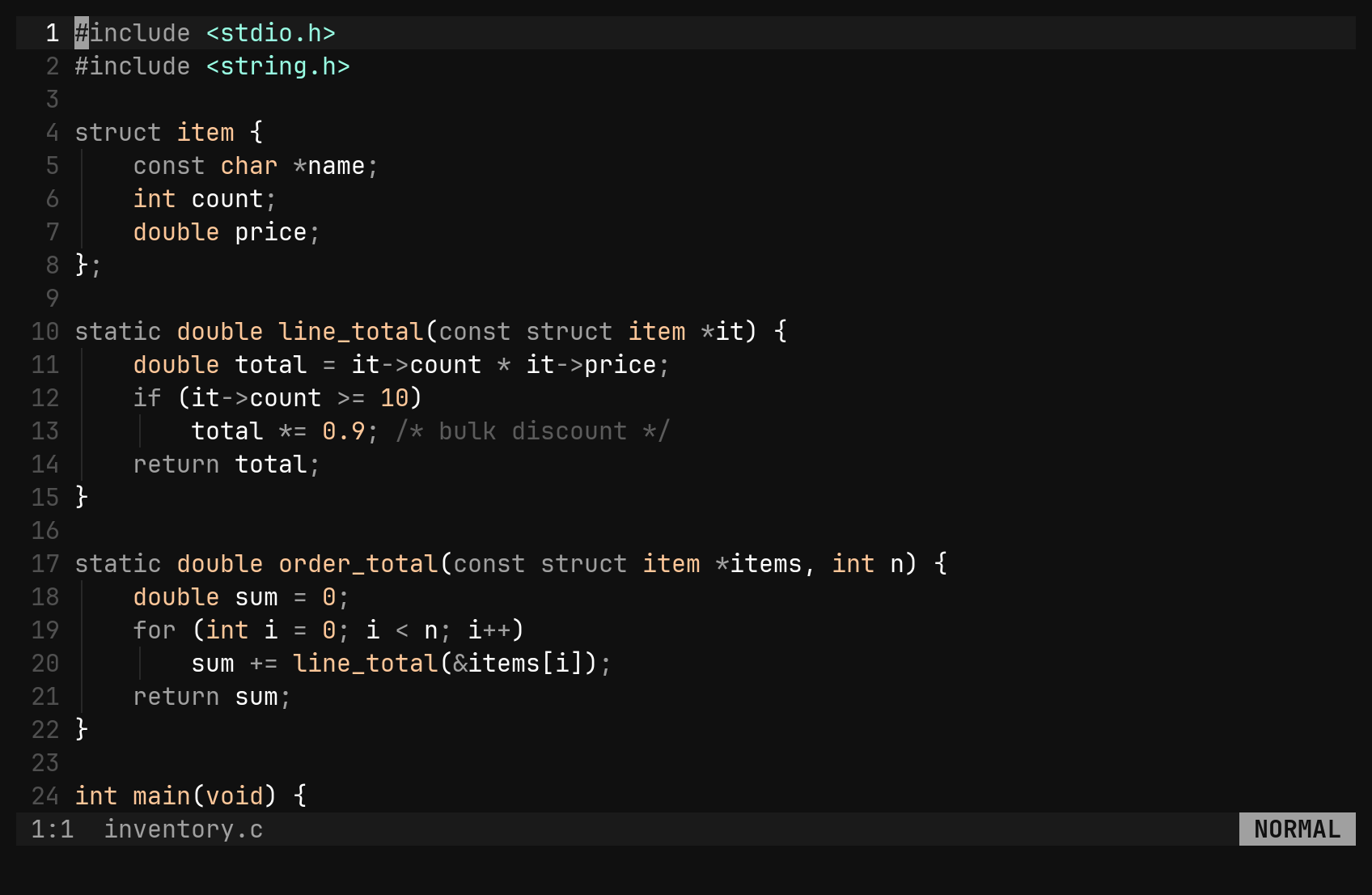
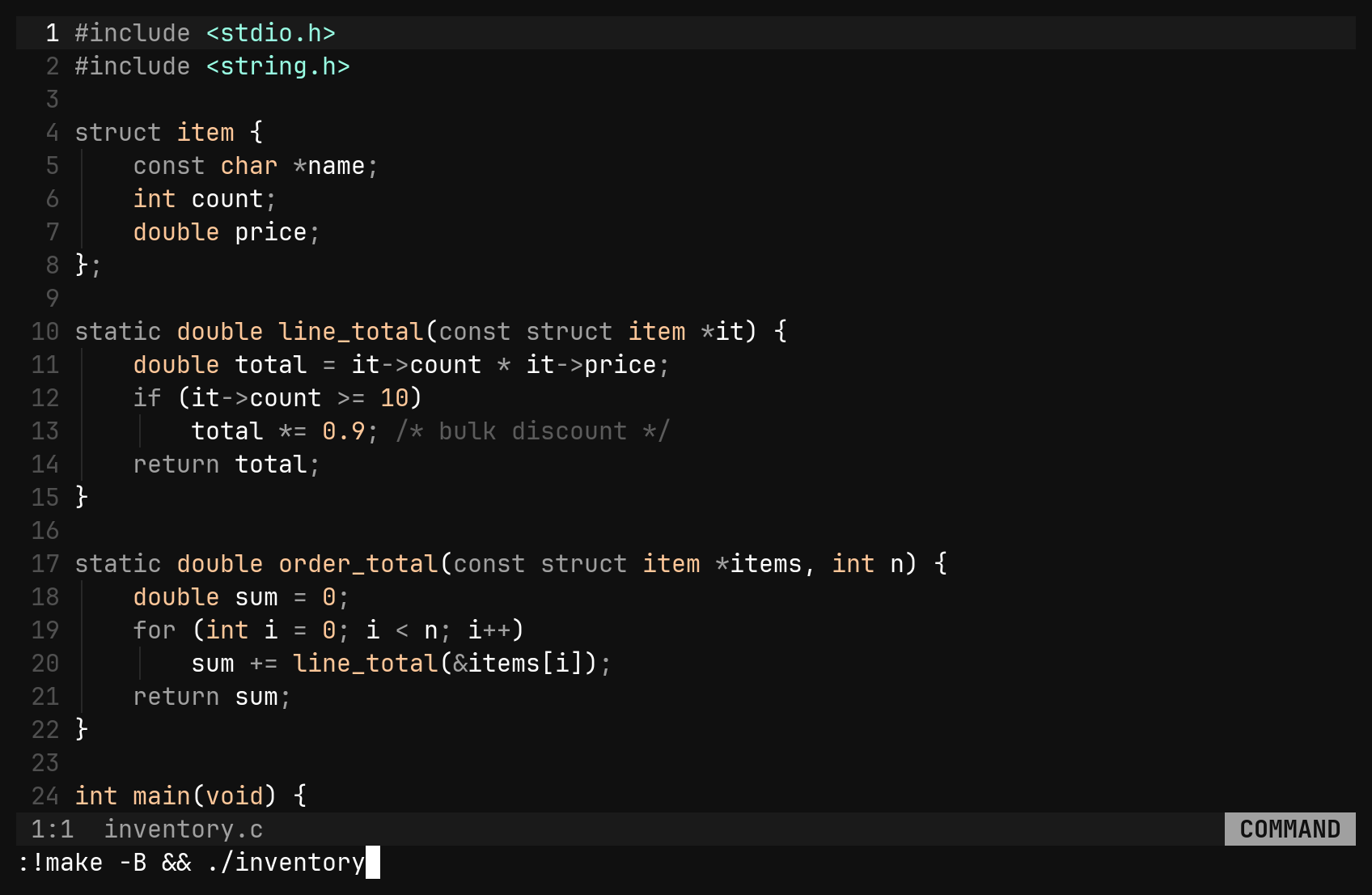
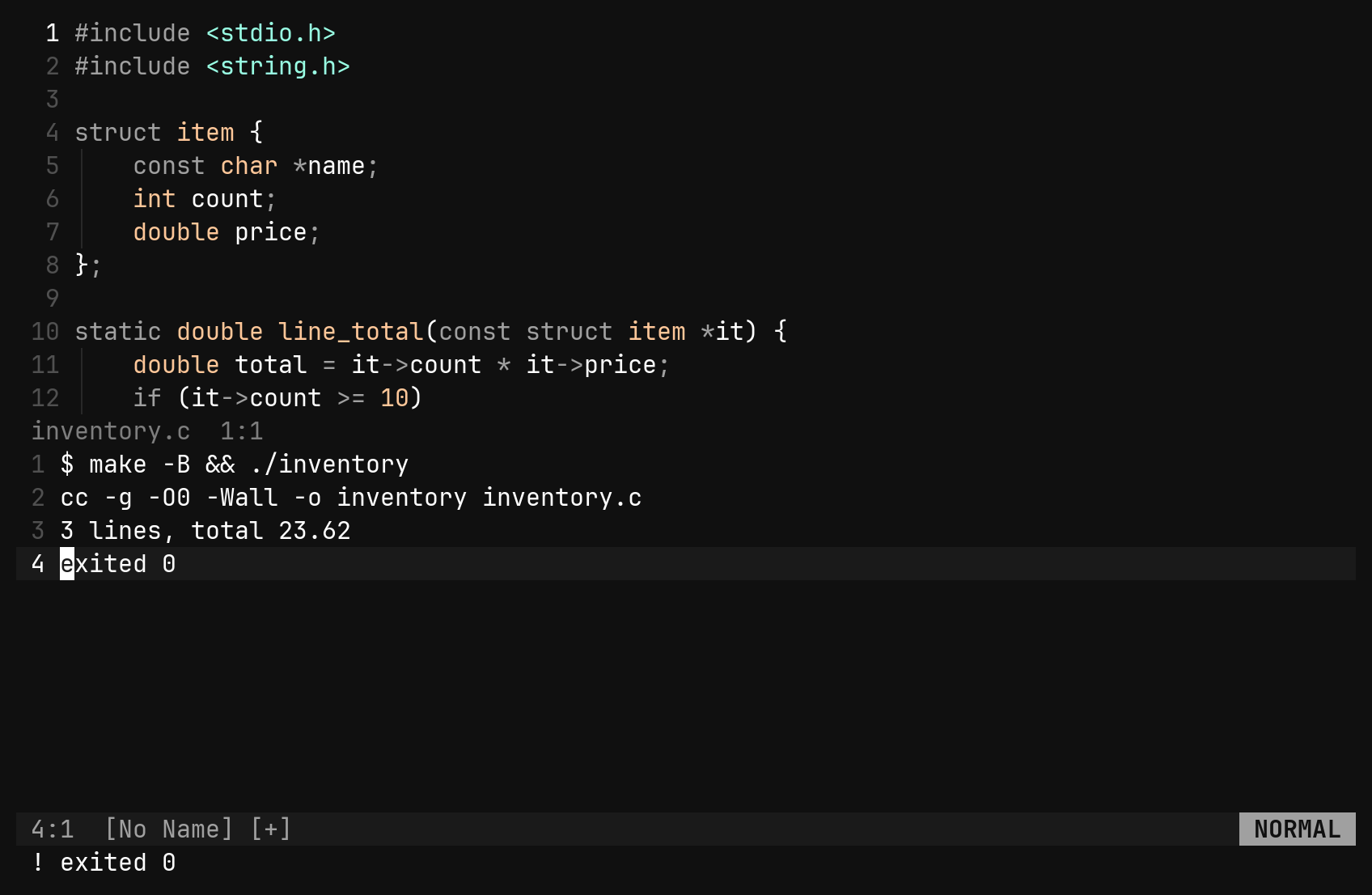
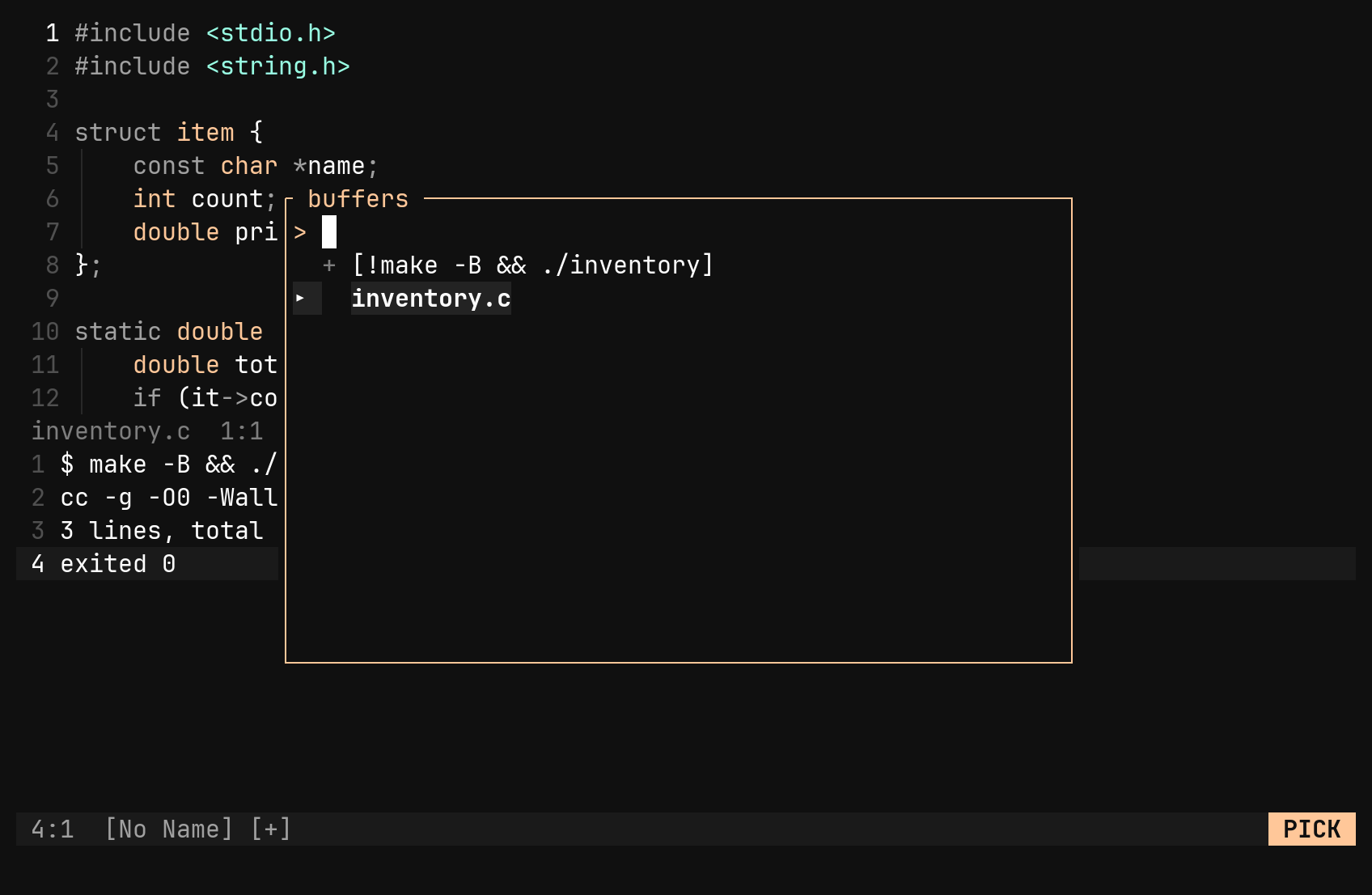
A job’s output streams into a transient buffer named [!cmd], opened in a
split below with focus inside it. stderr lines are interleaved, prefixed ! ,
and colour codes are stripped. The status line shows ! exited 0, ! killed
or ! signal when the job ends.
| Command | Does |
|---|---|
:!cmd | run cmd as a background job |
:!! | run the last job again |
:stop | SIGTERM, then SIGKILL after about 2 s, to the job’s whole process group |
Ctrl-W p | back to the window you ran it from |
:bd | in the log: stop the job if it runs, and close the buffer |
% expands to the current file’s path and # to the alternate file’s; \%
and \# are the characters themselves — see the placeholders below. One job
runs at a time, and its stdin is closed, so a program that prompts gets EOF
instead of hanging.
The [!cmd] buffer is a real buffer — motions, search, yank, even
:%!sort work in it — but it never asks to be saved, has no LSP or git
signs, and keeps at most 10,000 lines. :w <path> writes a copy.
Ctrl-C goes to bi rather than the job — use
:stop. A ! inside the command is literal, so :!grep '!' % means what it
says.Filters
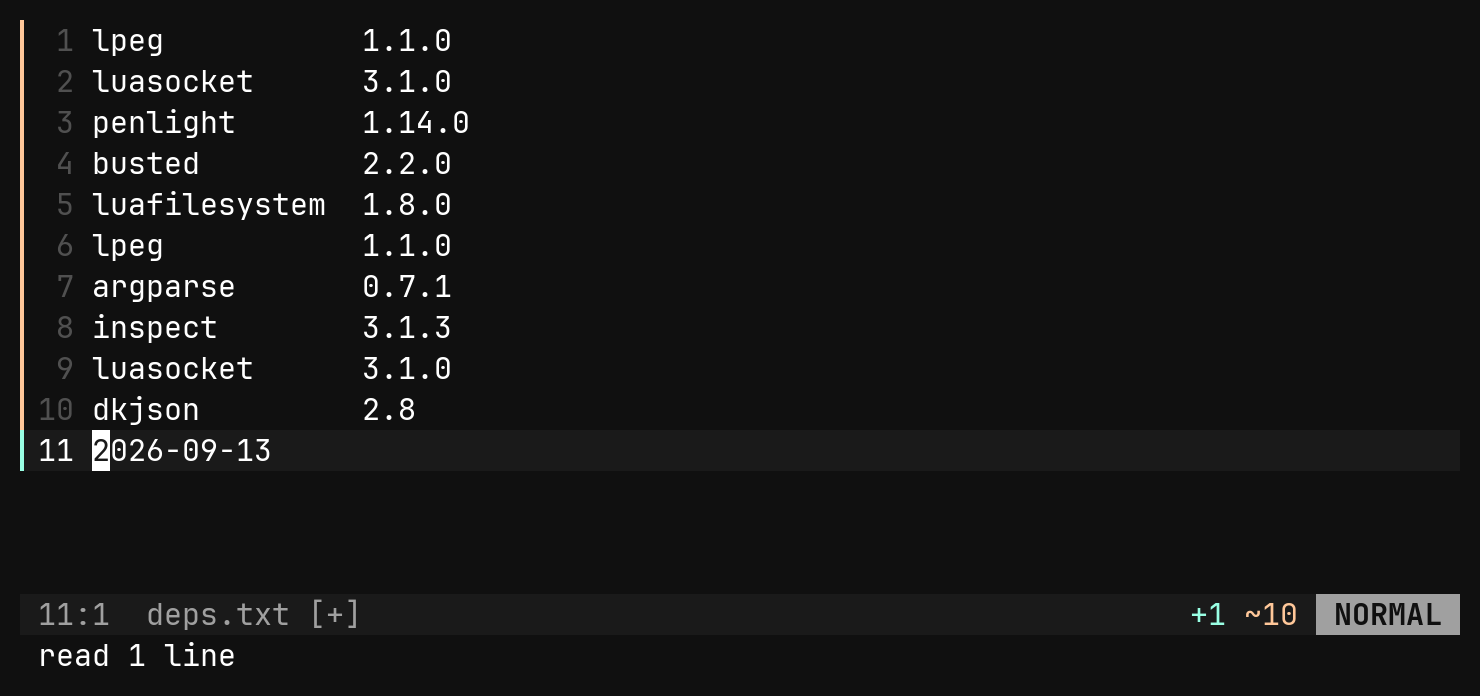
| Command | Does |
|---|---|
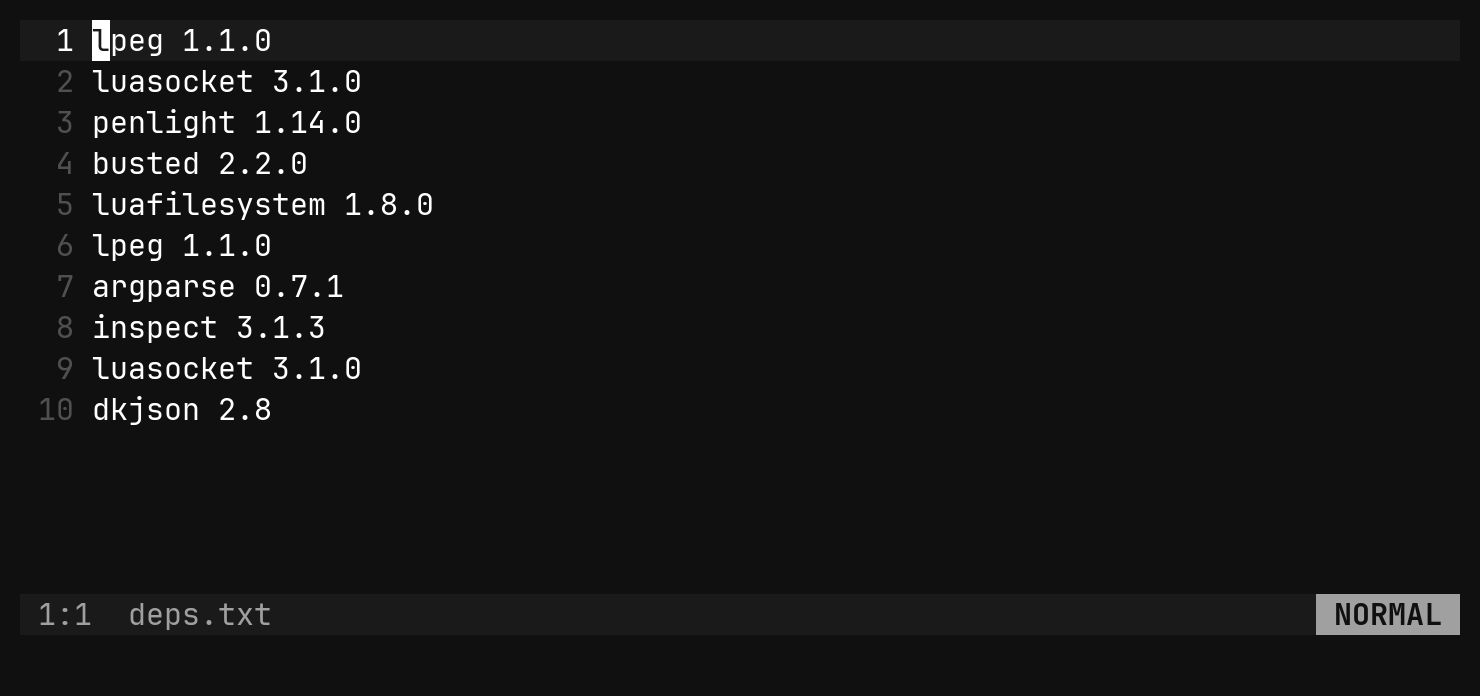
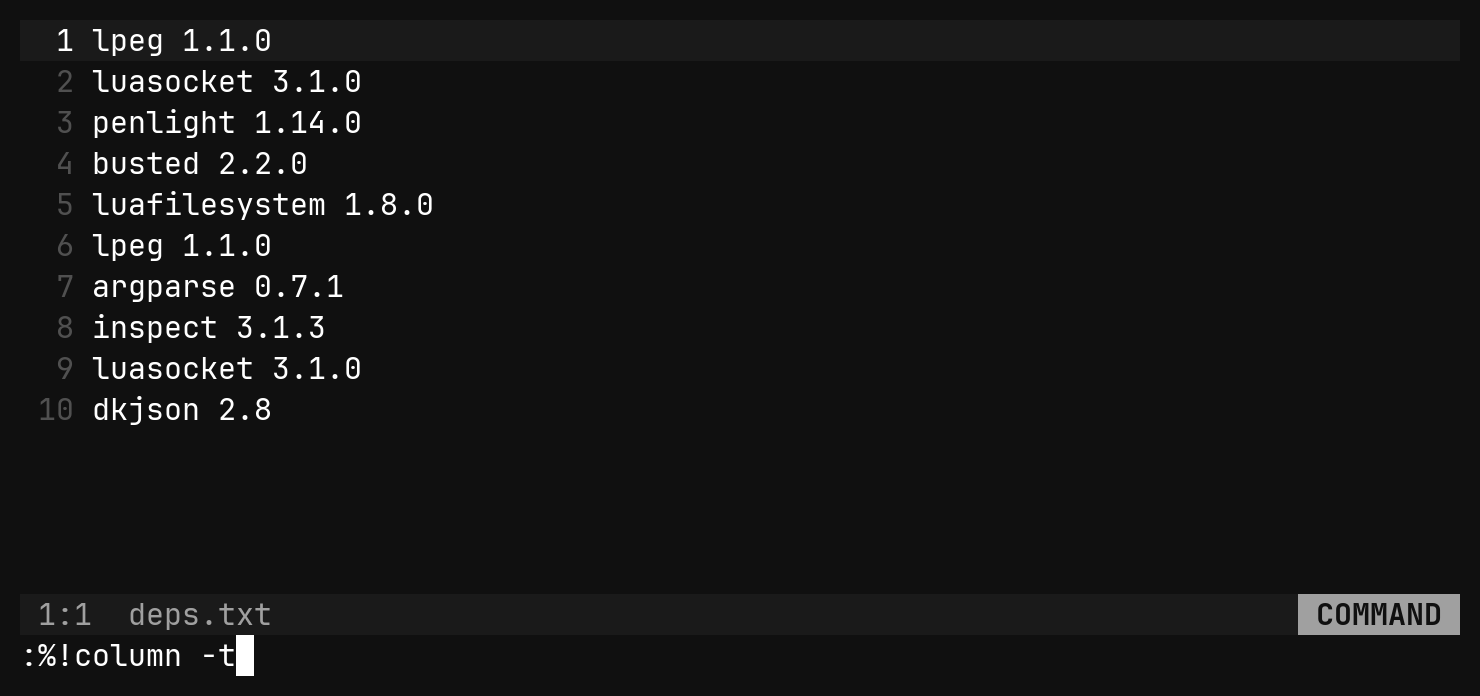
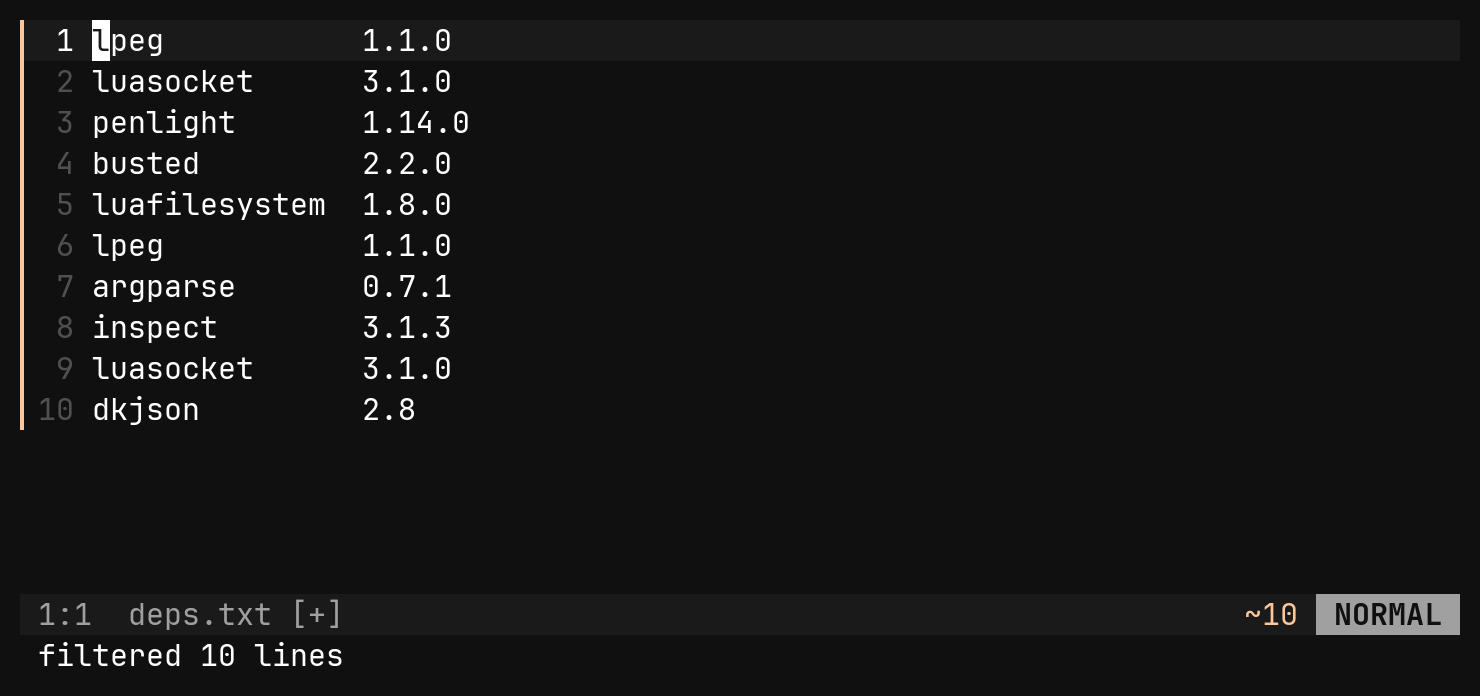
:{range}!cmd | pipe the lines through cmd and replace them with its stdout |
:.!cmd | the current line — a range is what makes ! a filter |
:r !cmd | insert cmd’s stdout below the cursor |
:w !cmd | feed the buffer (or a range) to cmd and show the output in [!cmd] |
Filters have a 5-second guard; anything that runs longer should be a job. If the command exits non-zero, the text is left alone and the status shows the first line of stderr.
File name placeholders
% and # are not only for :!. Every ex command that takes a path —
:w, :wq, :e, :sp, :vs, :! — reads them, and a modifier after
either picks the file apart. Modifiers chain, left to right.
| Spelling | Is | Alias |
|---|---|---|
% | the current file, as it was opened | |
%:p | its full path | $path |
%:h | the directory | $dir |
%:t | the file name | $name |
%:r | the path without its extension | $base |
%:e | the extension, no dot | $ext |
%:t:r | the name without its extension | $stem |
# takes the same modifiers over the alternate file. So, editing
assets/atlas.png:
:w %:r.normal.%:e        writes assets/atlas.normal.png
:w $dir/normal.png       writes assets/normal.png
:e %:r.json              opens assets/atlas.json
:vs #:r.rs               splits on the alternate's .rs neighbour
:!convert % %:r.jpg      the shell gets both names
The $ names are the same seven spellings under Ruby’s File vocabulary,
and the two mix freely. \%, \# and \$ are the literal characters, and
a $ that is not one of the six names is left alone — :!echo $HOME still
asks the shell. The edges are vim’s: :r on a name with no extension changes
nothing, :h on a bare name is ., and archive.tar.gz loses one extension
per :r.
The current file is the focused window’s, whichever kind of window it is. A
window with no file — an empty buffer, a tree — answers no file name for %.
Indentation: :retab
.editorconfig decides what bi inserts. It does not rewrite indentation
that is already in the file. :retab does:
| Command | Does |
|---|---|
:retab | the whole file |
:10,20retab | a range |
:'v retab | the selected rows |
It rewrites only leading whitespace and preserves width: a tab drawn eight columns wide becomes eight spaces. It never runs on write, because a save should not turn a one-line fix into a whole-file diff.