Configuration
bi works with no config at all. When you do write one, it is a patch over the defaults: say what you want changed and nothing else.
Where the config lives
~/.config/bi/config.toml. bi looks in $BI_CONFIG first — which names the
directory, not the file — then $XDG_CONFIG_HOME/bi, then ~/.config/bi.
Nothing creates it behind your back. Ask for one:
bi config init   # writes config.toml with every default, commented out
bi config edit   # opens the config directory as a file tree
init never overwrites a file that already exists. Inside bi, :reload
re-reads the config through the same path startup uses, without restarting.
The file is a patch, never a replacement. An option you do not mention
keeps doing what bi already does, including whatever a later version adds.
Mistakes do not stop bi from starting: an unknown option or a wrong type drops
that one line and says so on the status line — 1 config problem: unknown option: nmber. A failed :reload changes nothing.
[options] is :set
One key per option, spelled the same in both places. :set number 5 and
number = 5 reach one setting.
[options]
number     = 5      # 0 off, -1 relative, N every Nth
hlsearch   = false
tab_width  = 4      # how wide a \t is drawn
shiftwidth = 0      # how far `>` moves; 0 means "the same as tab_width"
expandtab  = true   # write an indent as spaces
autoindent = true
textwidth  = 80     # where `gq` reflows
theme      = "main"
number shows the idea well: vim needs two booleans, number and
relativenumber, and still cannot say “every fifth line”. bi uses one option
that takes a value.
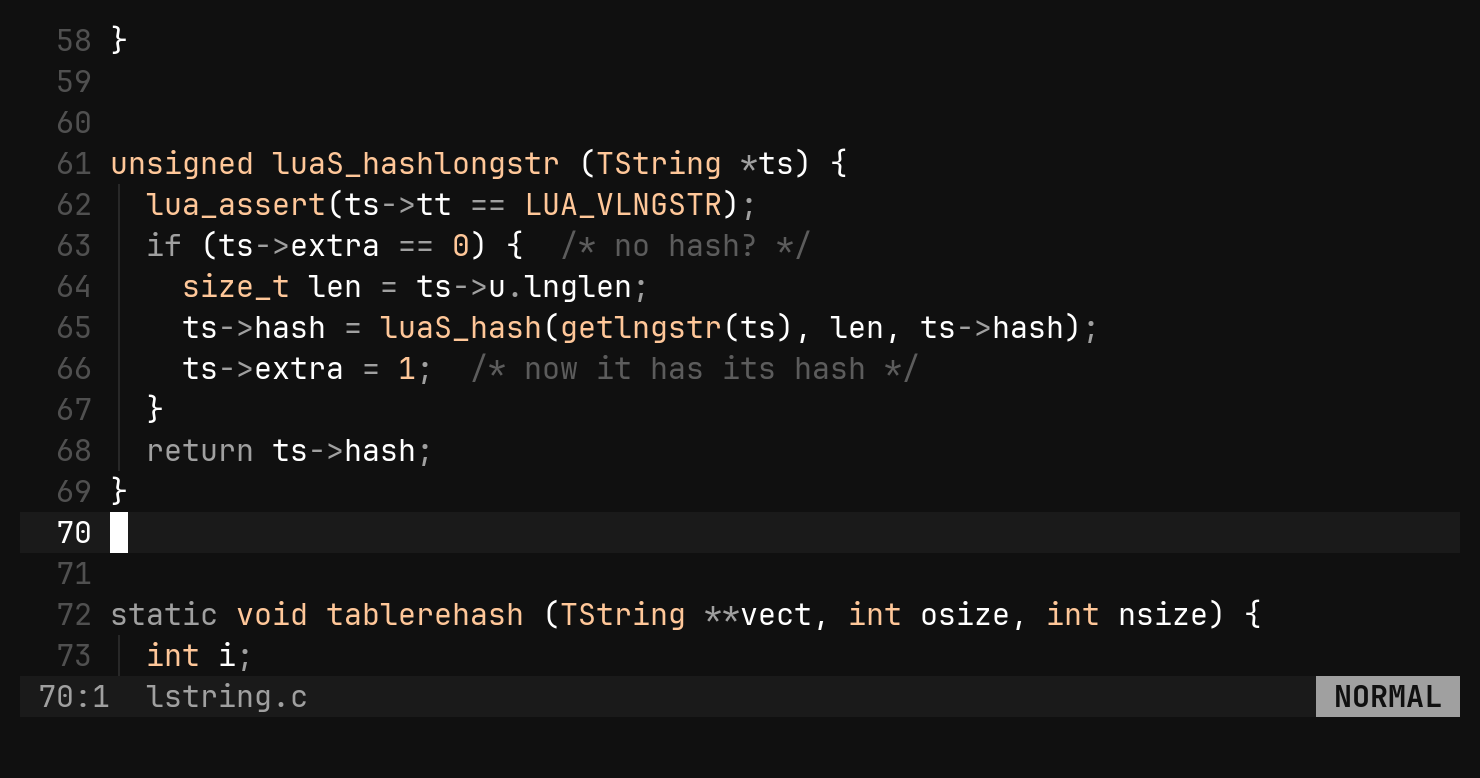
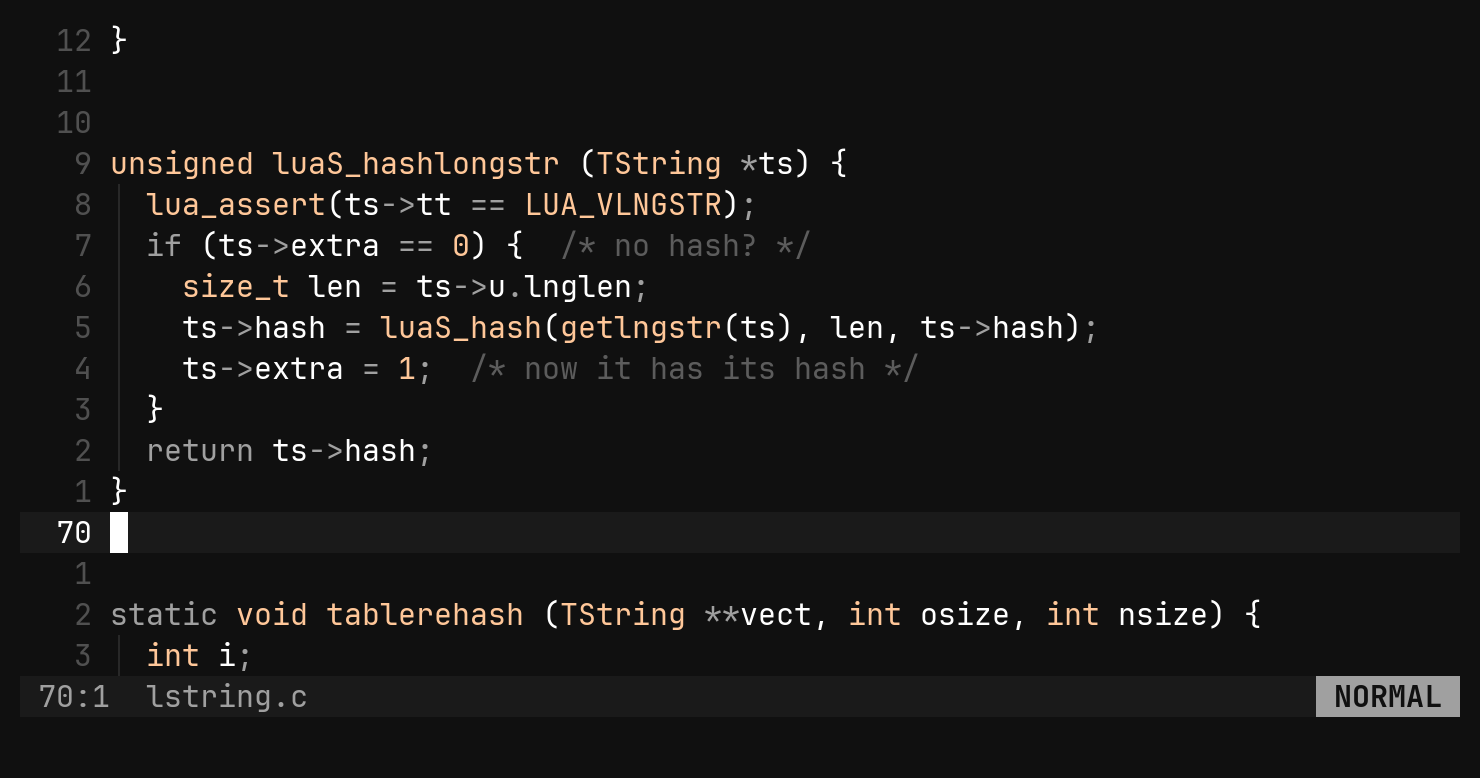
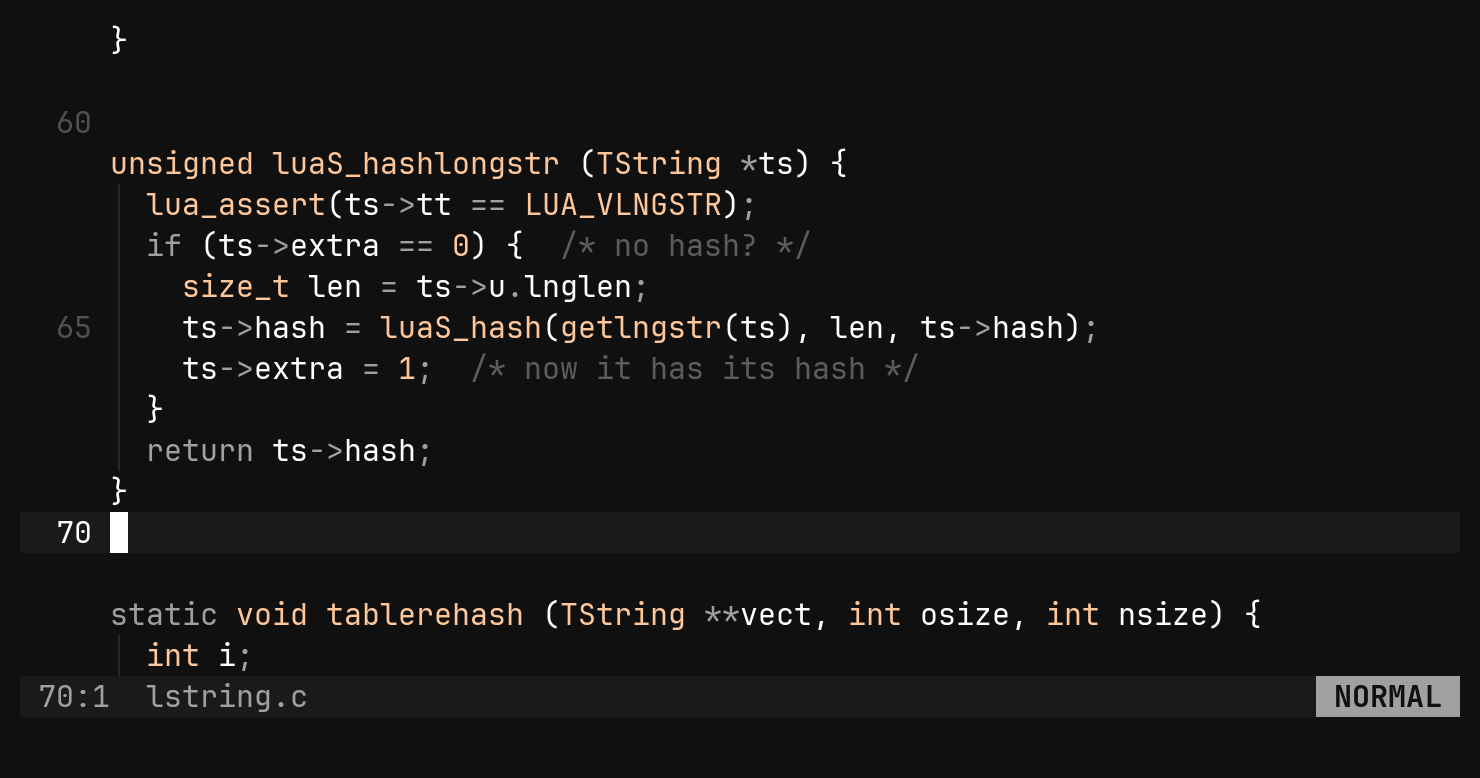
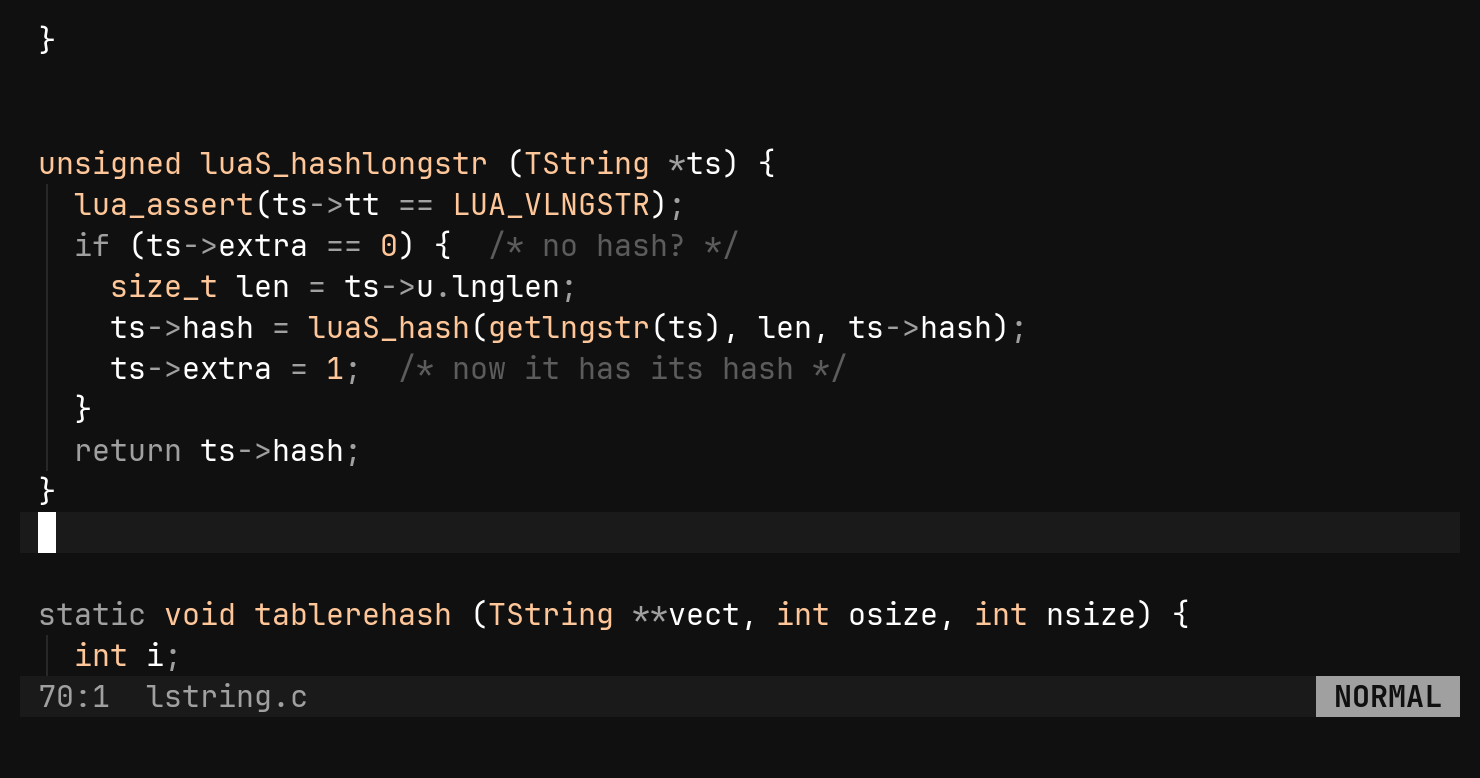
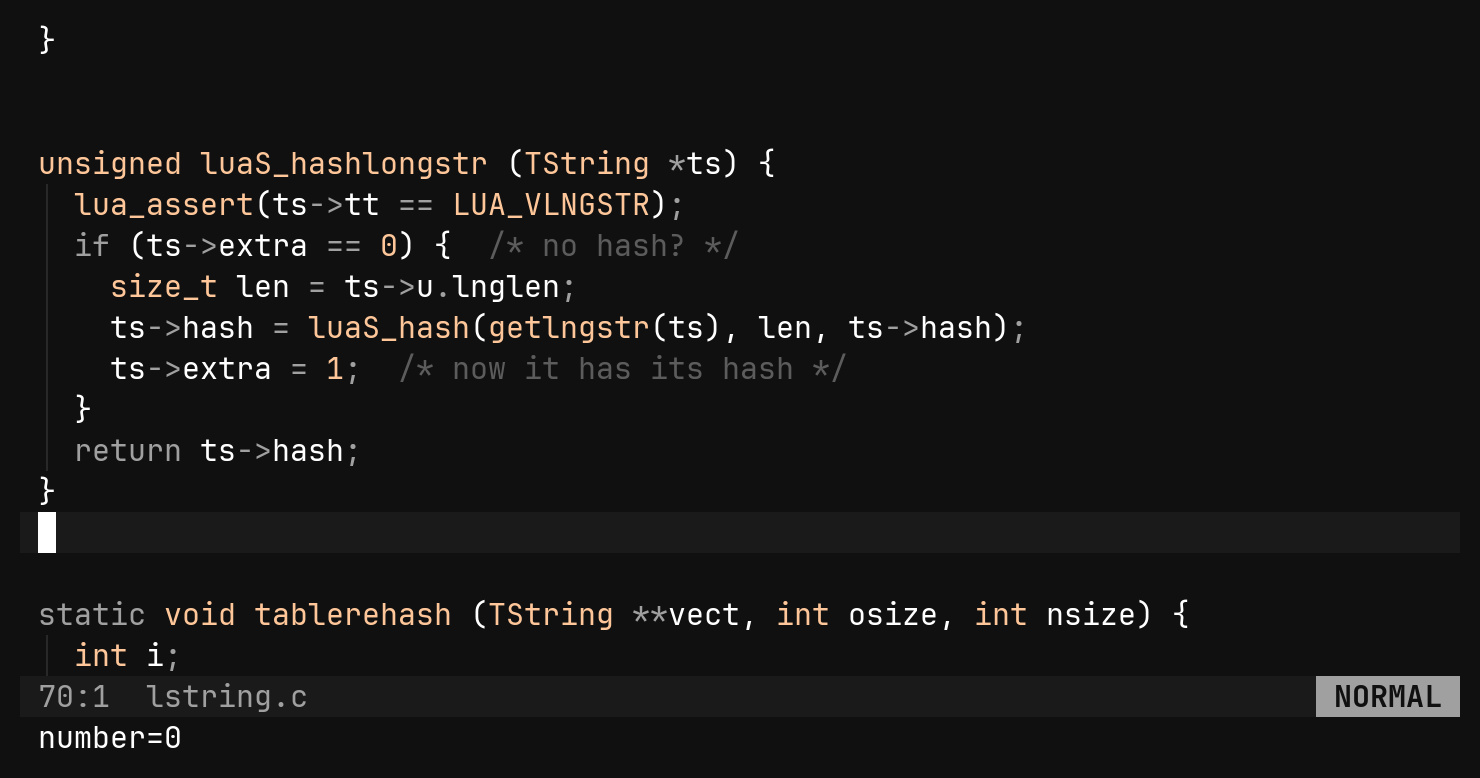
:set nu and :set rnu do not exist. Bare :set number
reports the current value instead of turning numbering on.Per file, in layers
Options resolve per buffer, so a Makefile and a Lua file open side by side can each have what they need. From weakest to strongest:
| Layer | Where it comes from |
|---|---|
defaults | compiled into bi |
[options] | your config.toml |
filetype | bi’s small built-in table — a Makefile gets tabs, Go gets tabs — then your [filetype.<name>] |
.editorconfig | the project’s, nearest file wins, root = true stops the walk |
:set | what you typed this session |
[filetype.go]
tab_width = 4      # gofmt writes tabs; how wide they look is yours

[filetype.python]
shiftwidth = 4
The filetype name is the one bi picks the grammar by: rust, c, lua,
make, markdown.
.editorconfig needs no switch. indent_style, indent_size, tab_width,
trim_trailing_whitespace and insert_final_newline become options, and
charset and end_of_line apply when the file is opened.
Themes
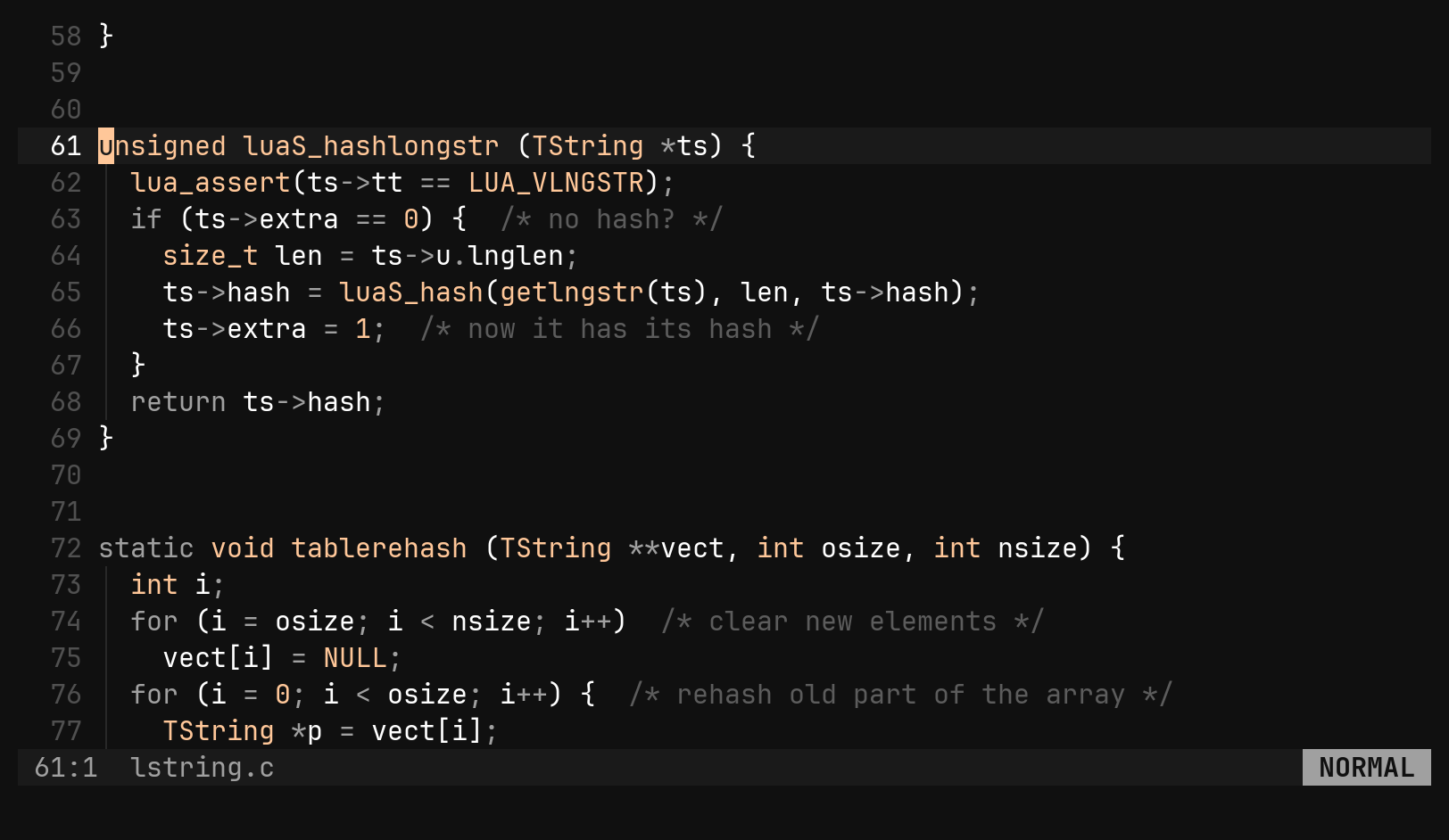
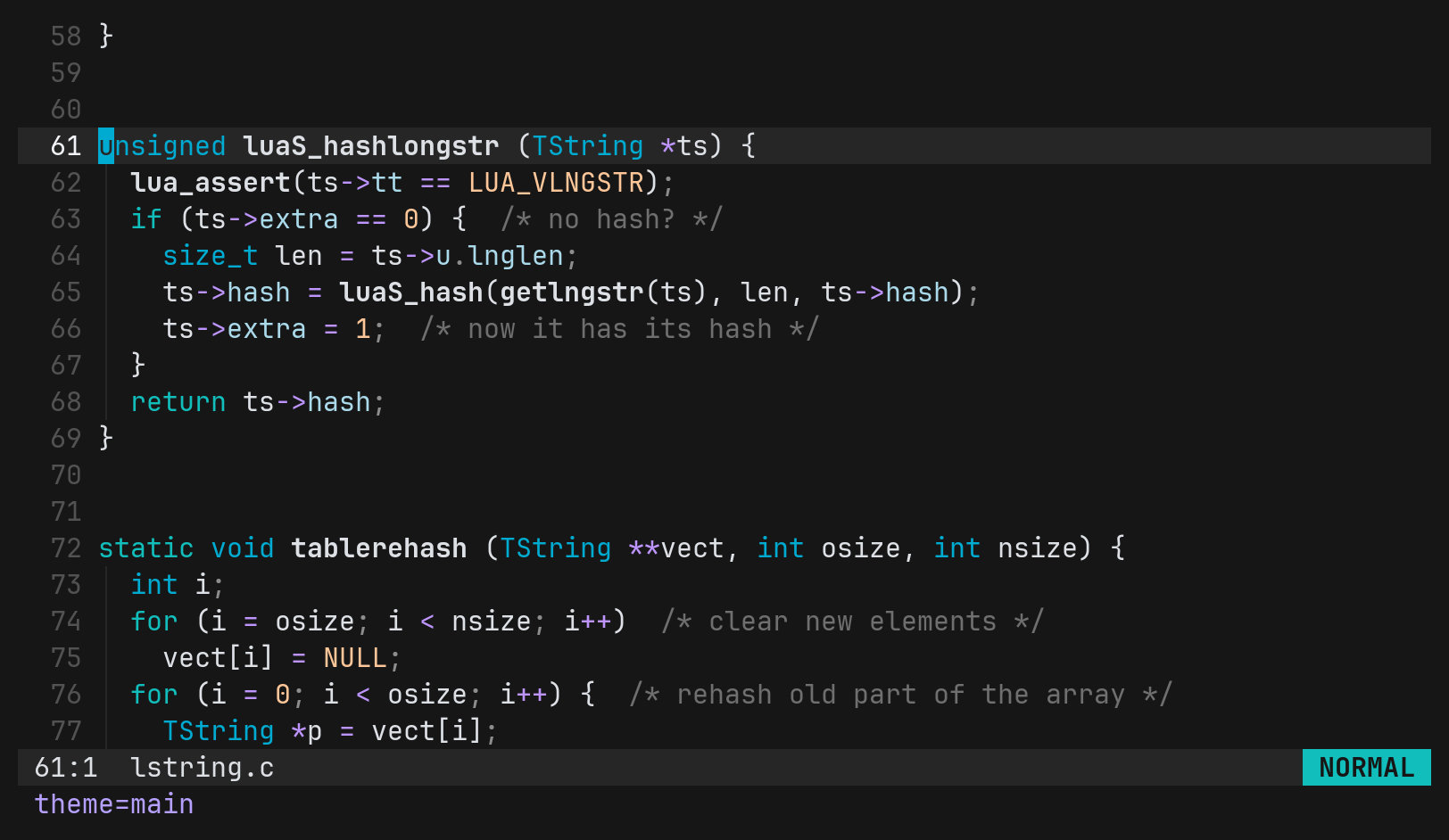
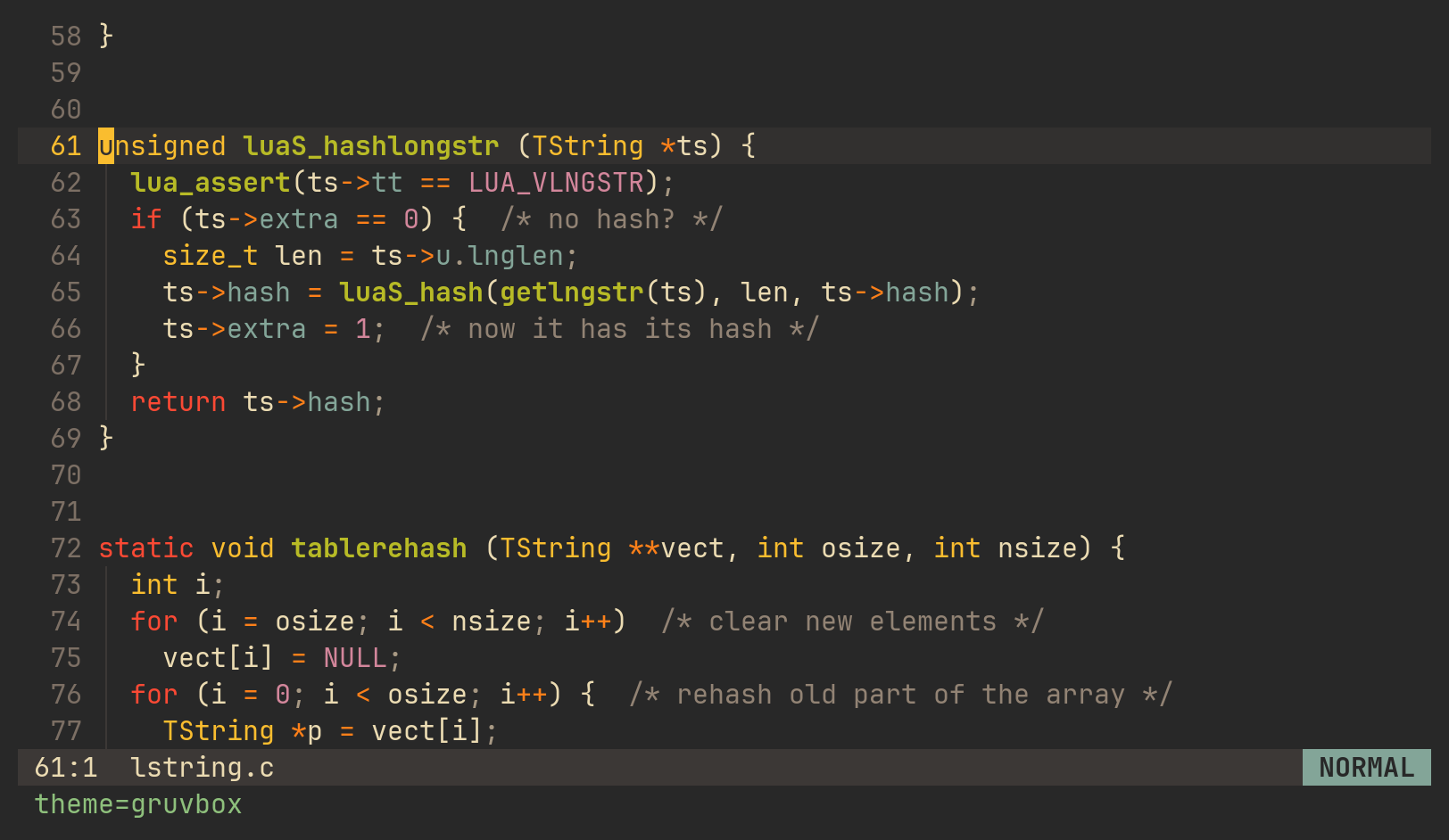
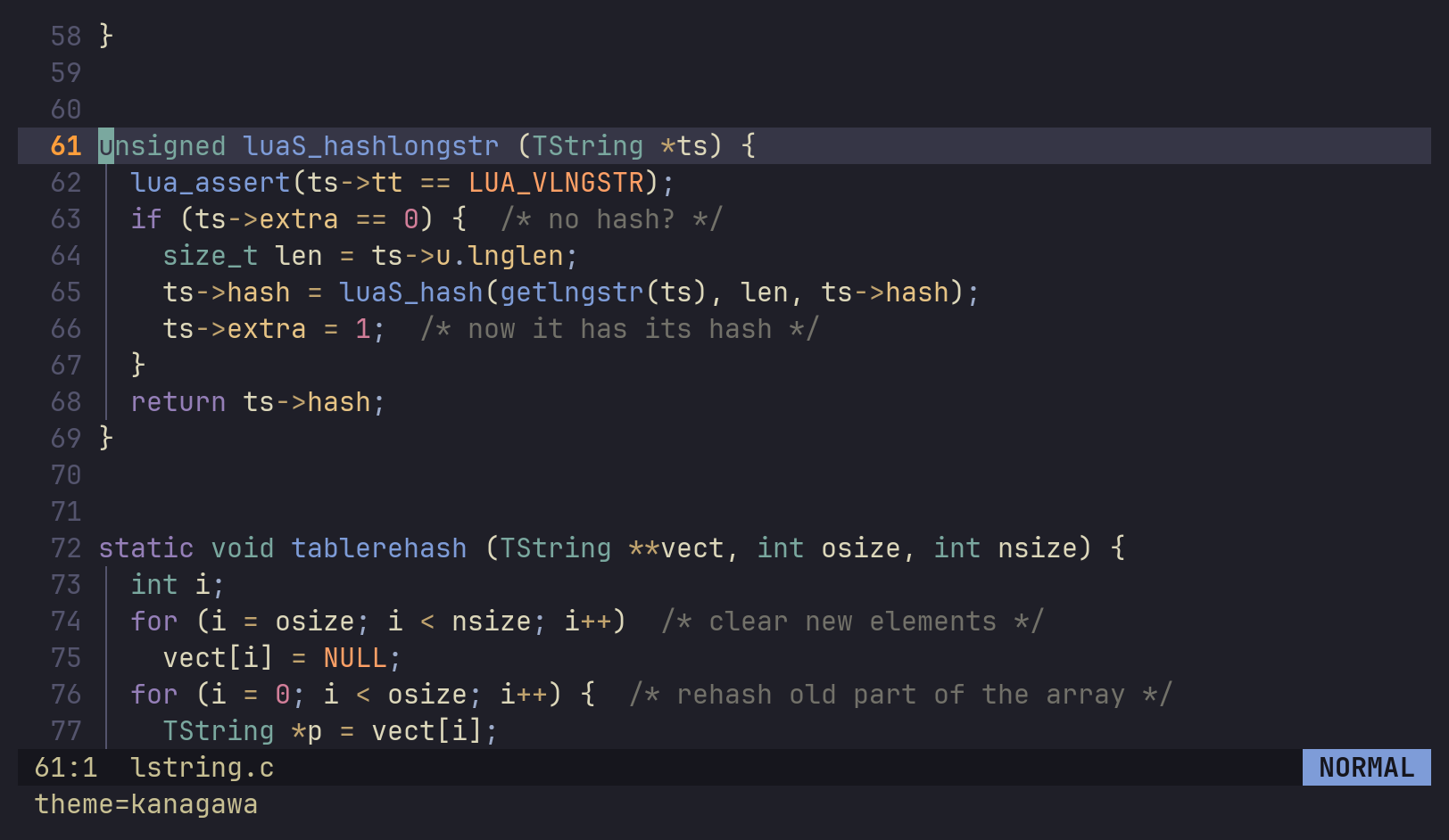
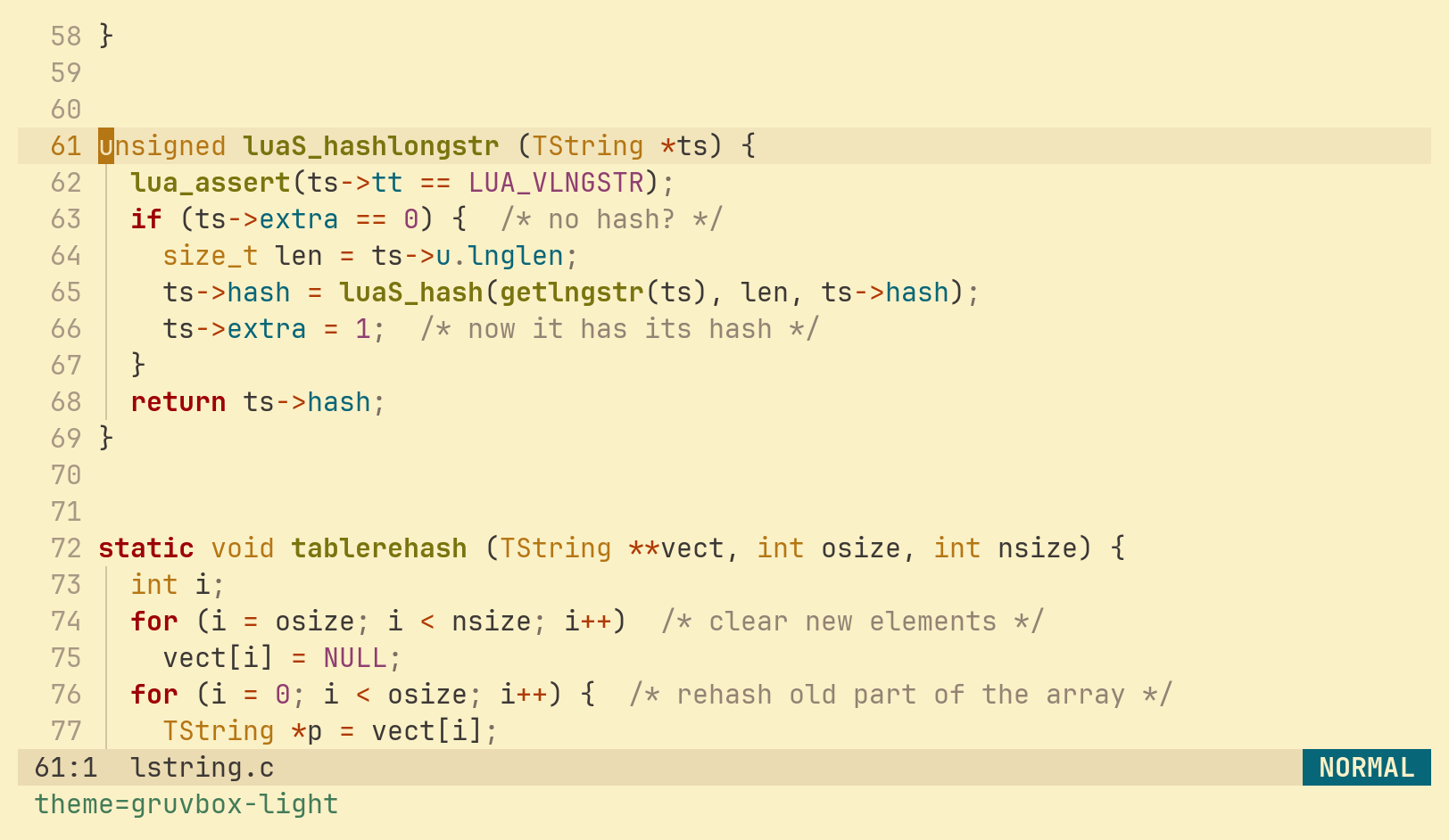
Sixteen are built in: main (the default), ansi (your terminal’s own
palette), bonsai, ferra, gb, github, gruvbox, gruvbox-light,
kanagawa, lighthaus, monokai, nordark, pascal, purple, vesper and
xcode. :set theme swaps one live.
[options]
theme = "kanagawa"
ssh_theme = "gruvbox-light"   # what an SSH session gets instead
A file at <config dir>/themes/<name>.toml is a patch over the built-in of the
same name, so changing one colour does not mean copying the rest of the theme.
Keys
[keys.normal], [keys.visual] and [keys.tree] rebind keys. A binding names
a command, and false unbinds a key. <leader> is whatever [keys] leader
says — Space unless you change it.
[keys]
leader = " "

[keys.normal]
"h" = false            # unbound
"j" = "left"           # hjkl shifted one key right
"k" = "down"
"l" = "up"
";" = "right"
"<leader>e" = "window_tree"
"<leader>a" = ":alt<CR>"          # a : line runs...
"<leader>o" = ":e "               # ...or, without <CR>, waits for you to finish it
Rebinding a motion rebinds every use of it: with the map above, d2k deletes
two lines down. [keys.visual] falls back to [keys.normal] for anything it
does not name. Nothing is remapped while you type text — insert mode, the
command line, search and the picker take keys literally.
A prefix has no meaning of its own. Once something binds <leader>e,
Space stops moving right. bi has no timeout to decide between the two; that
is also why it never pauses before j moves.
An unknown command name is reported with a suggestion: unknown command: tree_expnd — did you mean tree_expand?
bi ships exactly one leader binding, <leader><leader> for :actions, and even
that one gives way to a binding of your own.
Project config: .bi.toml
A repository can have a say too. bi takes the first .bi.toml found in the
working directory or the nearest ancestor, and lays it over your config the
same way your config lays over the defaults.
# .bi.toml
[options]
textwidth = 100

[filetype.c]
shiftwidth = 2

[alternate]
"src/*.c" = ["include/*.h"]
Some keys are refused, with a diagnostic, because a cloned repository must not be able to run code on your machine:
| Refused | Why |
|---|---|
[keys] | a binding can carry a : line, and your keys are yours |
[lsp.servers.*].command | names a binary bi spawns when you open a file |
[fmt.tools.*].command | names a binary your buffer is piped through |
Everything else is read: [options], [filetype.*], [alternate].
The other file: [alternate]
ga (:alt) opens the file paired with this one, and gA (:valt) opens it
in a vertical split. The pairs are rules:
[alternate]
"*_test.go" = ["*.go"]
"*.go"      = ["*_test.go"]
"*.c"       = ["*.h"]
"*.h"       = ["*.c"]
* matches anything, separators included, and means the same text on the
right. The first rule whose pattern matches decides — which is why
*_test.go comes before *.go — and the first of its paths that exists is
opened. A rule you write replaces bi’s rule for that pattern. Go, C and C++
pairs are built in.
Saving: trimming, encodings, line endings
:w tidies the file on the way out: trailing whitespace goes, blank lines at
either end go, and a missing final newline is added. The trim is its own undo
step, so u after :w brings the whitespace back and nothing else. Markdown
keeps its trailing spaces, since two of them are a line break there.
[options]
trim_on_write      = true    # the master switch
trim_trailing      = true
trim_first_line    = true
trim_last_line     = true
trim_final_newline = true
Inside bi, text is always UTF-8 with \n. Encoding, BOM and line endings are
detected when a file opens and restored when it is saved, so a latin1 header
or a CRLF .csv comes back byte-identical. The status row shows a
[windows-1250], [bom] or [crlf] badge only when a file is not plain
UTF-8.
fileencodings = ["utf-8", "cp1250"] # tried in order; the first clean decode wins
| Command | Does |
|---|---|
:set fileencoding cp1250 | this buffer’s encoding on disk; the next :w converts |
:set fileformat dos | \r\n on disk — unix for \n |
:set bom true | write a byte-order mark |
:e ++enc=latin1 | reopen the file as the encoding you name |
:retab | rewrite leading indentation to match the options in force |
:retab only touches leading whitespace. A tab inside
a string or before a trailing comment is content, and stays.