Curve editor
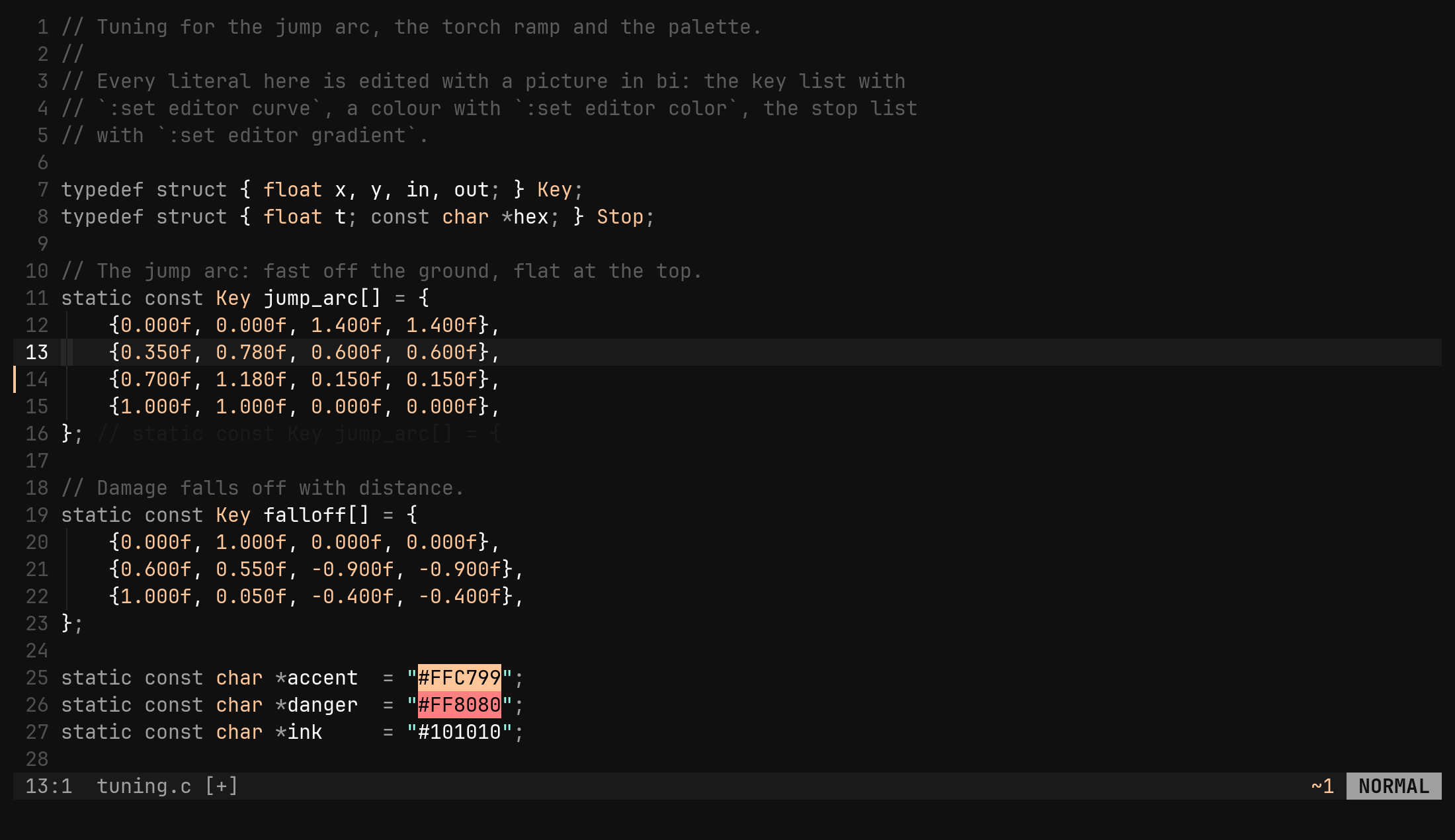
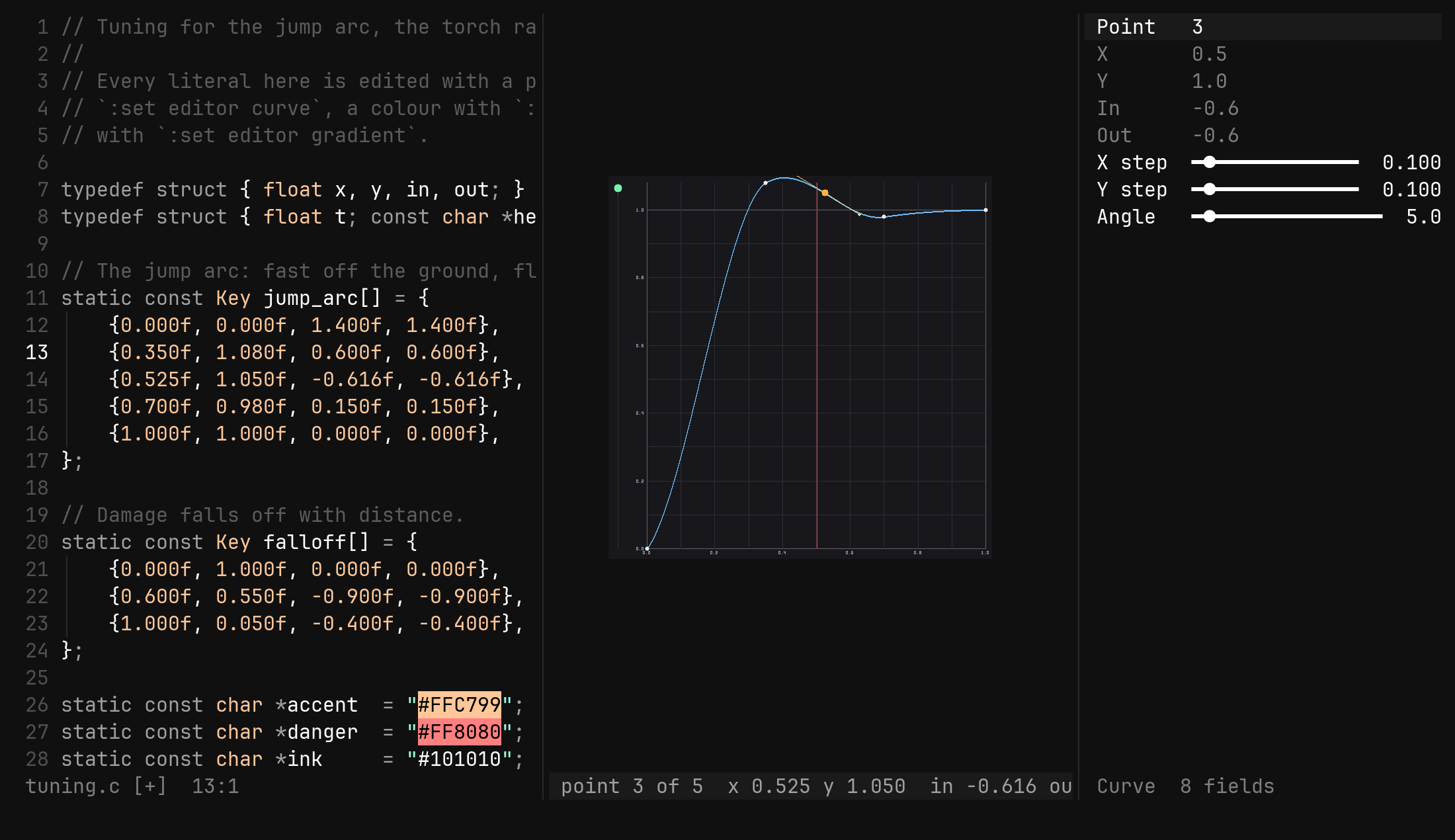
A tuning curve lives in your code as a list of numbers. :set editor curve draws the shape those numbers make beside them, and the keys move the points by rewriting the numbers in place.
The numbers stay the file
A damage falloff, an easing, an XP table: each is a vector of points, and each
point is a few numbers a text editor shows but does not draw. Put the cursor
anywhere inside the list and :set editor curve opens the tool on it.
std::vector<Point> damage = {
    {0.0f, 0.0f, 1.0f, 1.0f},
    {0.5f, 0.8f, 0.0f, 0.0f},      // the cursor is anywhere in here
    {1.0f, 1.0f, 1.0f, 1.0f},
};
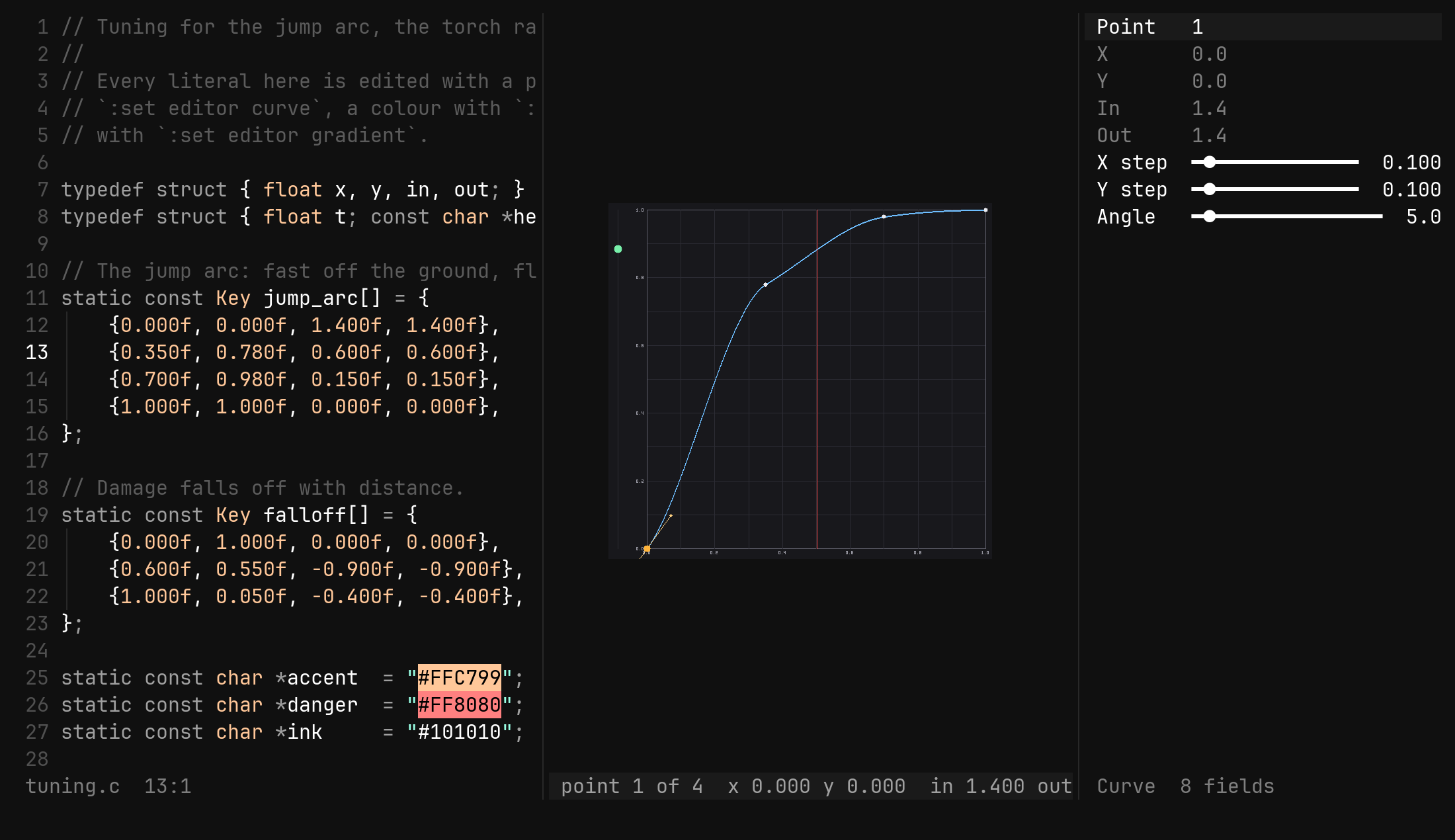
Three windows come up, and they are the arrangement every editor tool uses:
the source you started from, the plot split to its right, and a
form down the right edge. Focus lands on the plot, because that is where
the keys are. Esc closes both and puts the cursor back in the code.
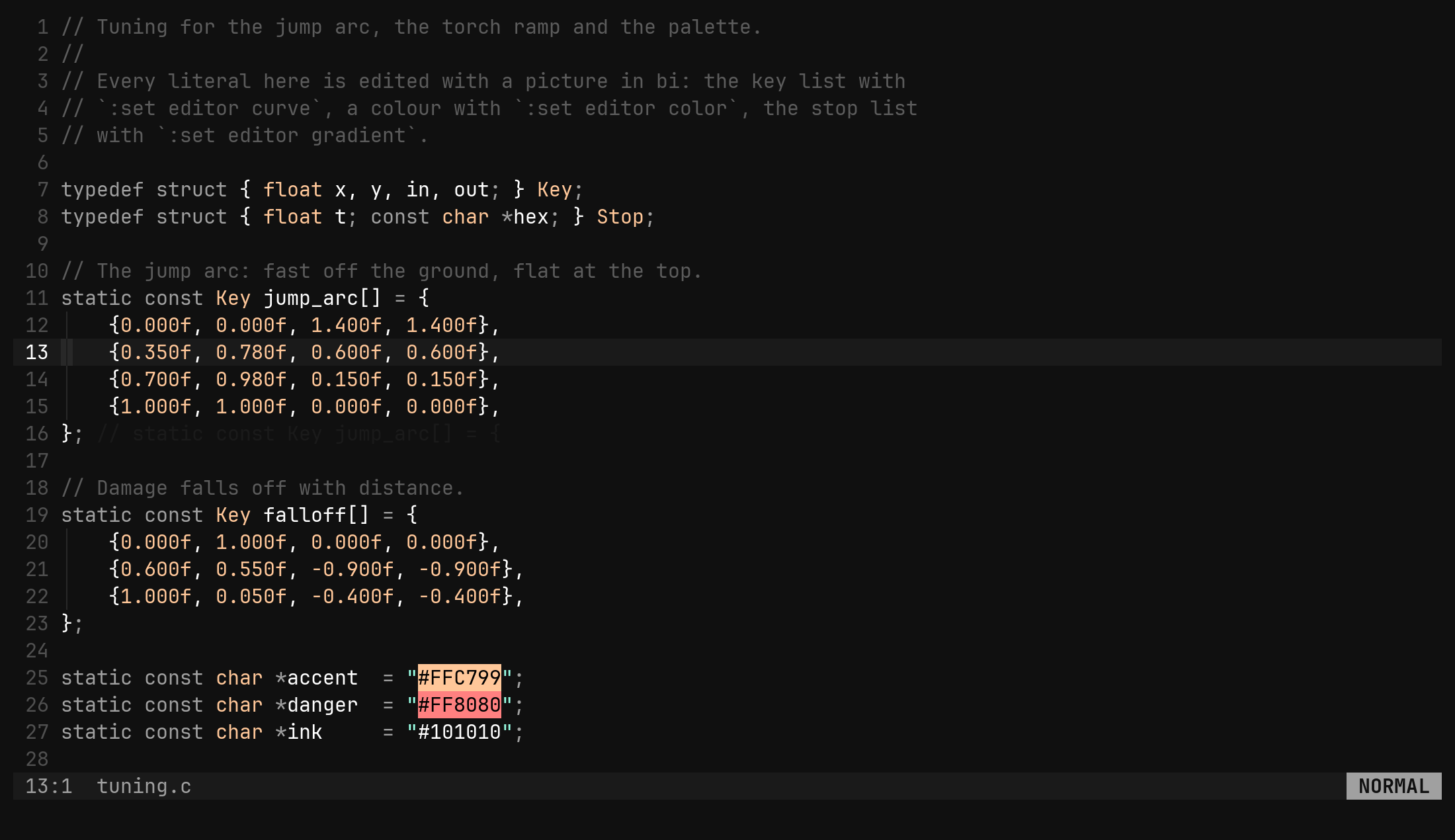
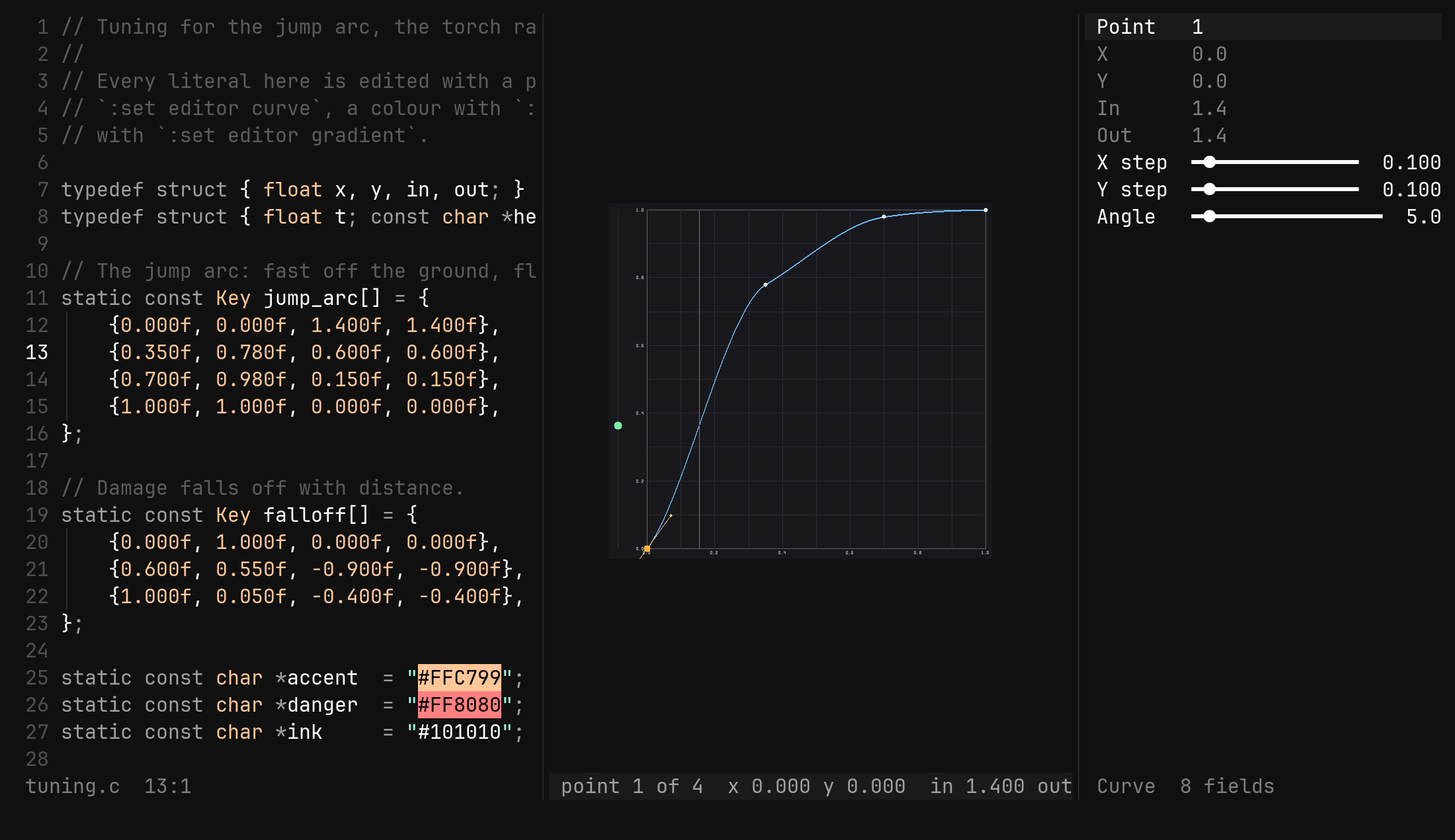
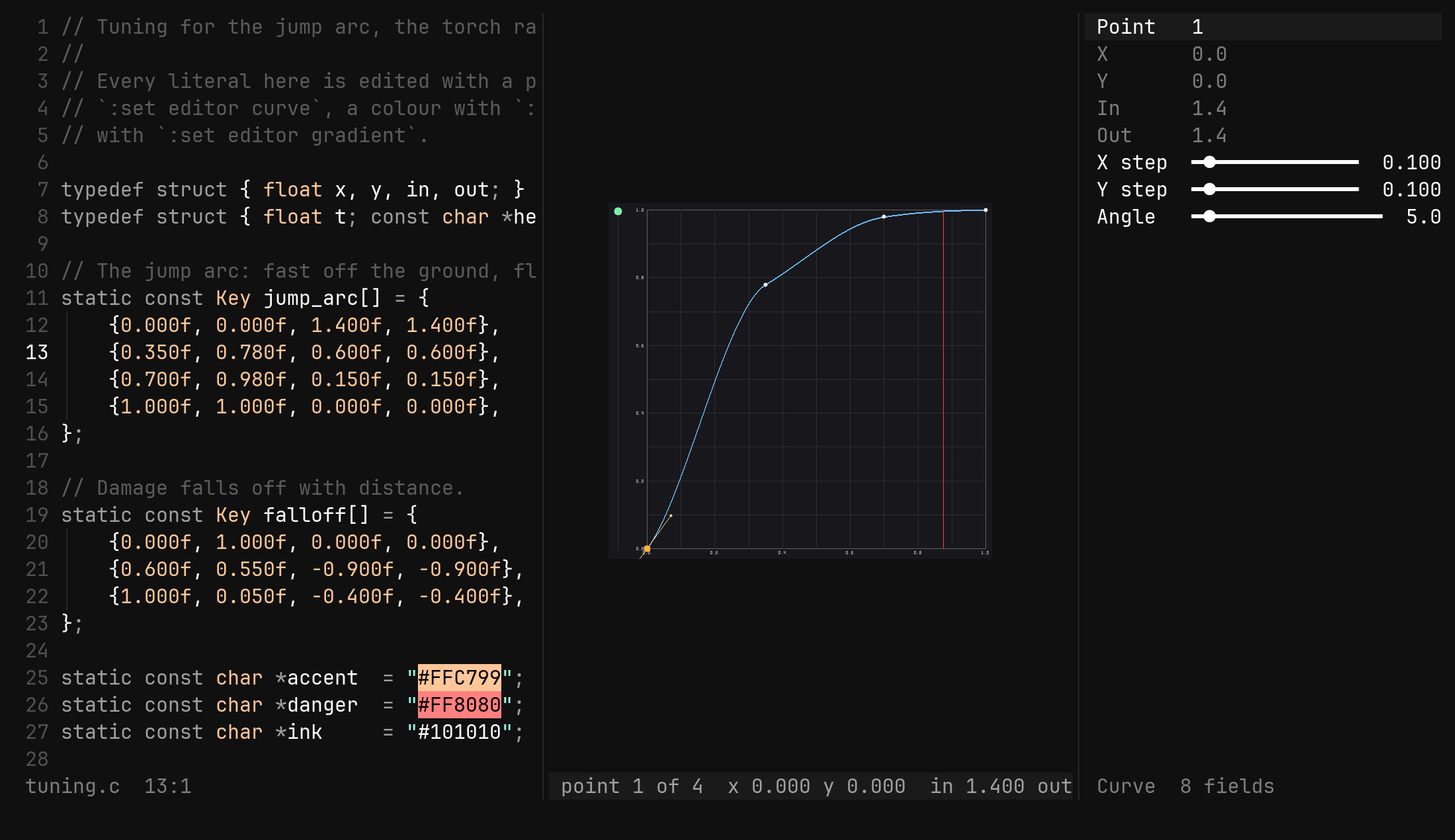
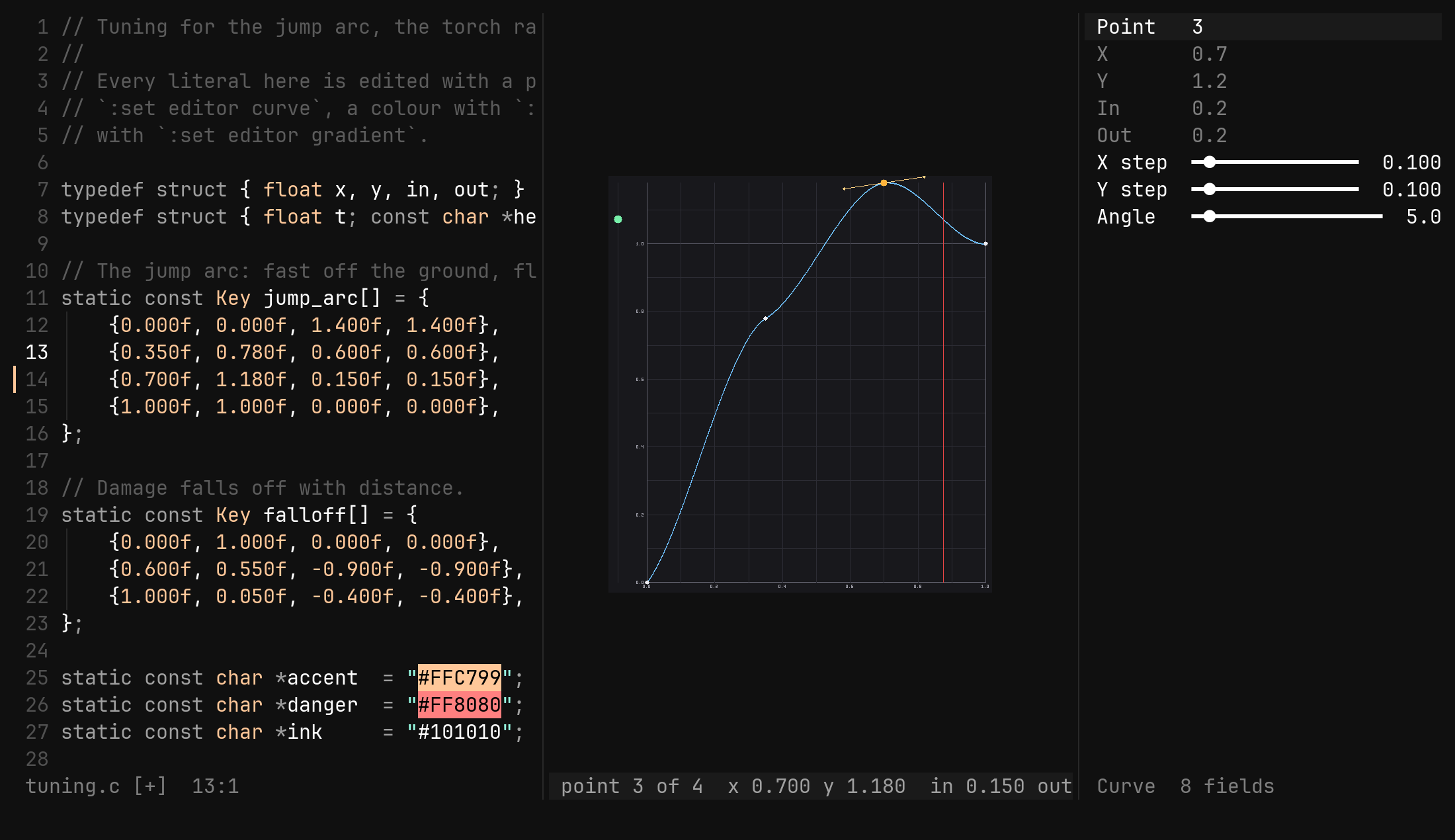
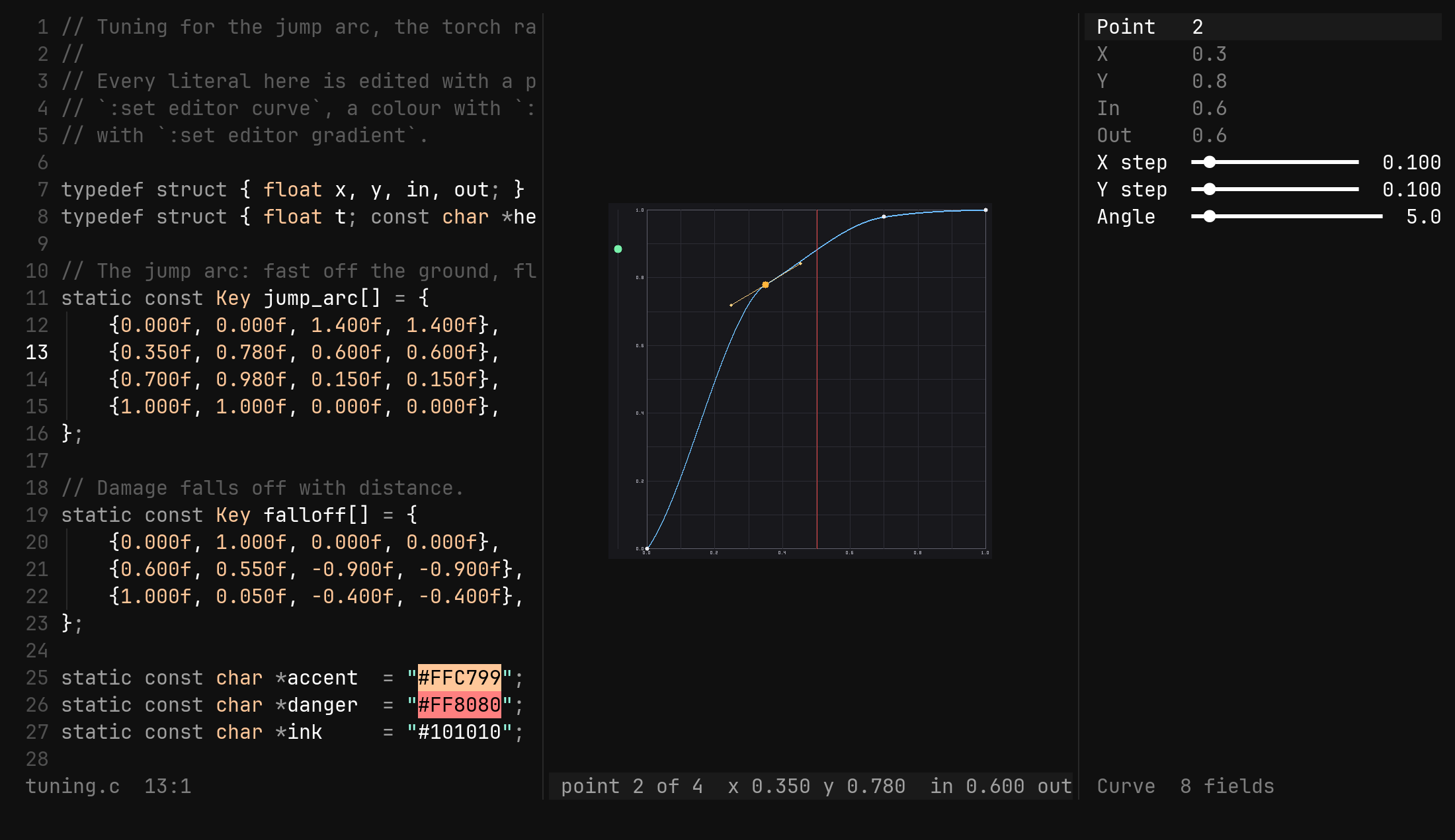
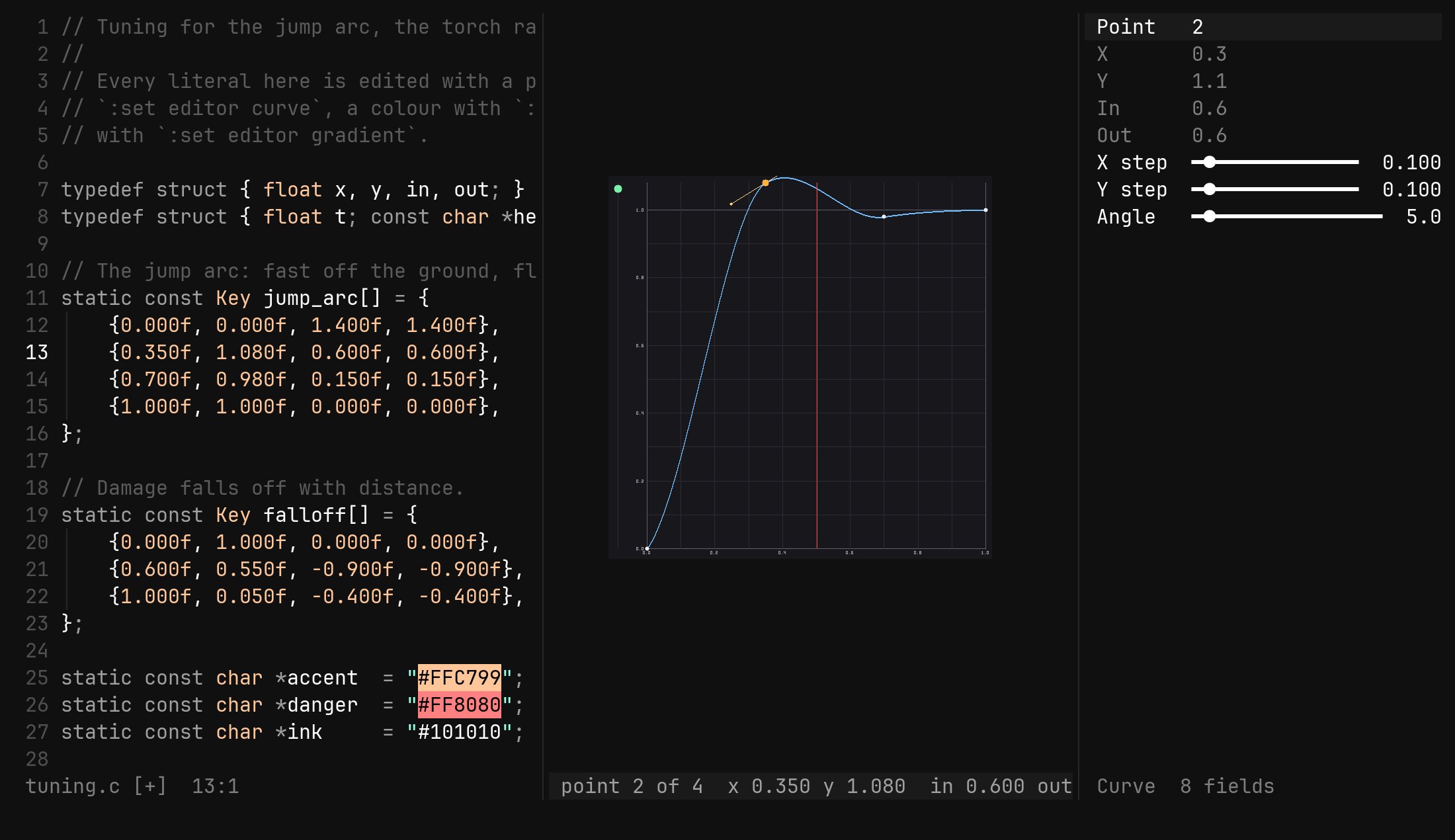
The picture is a view of the file. Every key that changes something is one
edit of the source buffer and one undo step of it — u on the plot and u
in the code are the same history, and editing a number by hand redraws the
plot. There is nothing to import, nothing to export and no second copy to
keep in step: the demo above never wrote a file, and the [+] on the way out
is the same [+] a typed character would have left.
:tool curve play off settles it while you work
on a tangent; Space pauses it where it stands.Once you are in, the plot is where the work happens.
What a point is
Four numbers, in Unity’s keyframe order: x is time, y is value, in and
out are the tangents as slopes. The struct in your code decides what each
number means, and the tool is told the order once:
| Command | Does |
|---|---|
:tool curve layout x,y,in,out | the default — _ skips a field |
:tool curve layout x,y | a plain pair, as Python’s [(0.0, 0.0), …] |
A point with fewer numbers than the layout names has zero tangents, and the
tool leaves them alone. An empty list is not a dead end: :set editor curve
with the cursor in {} seeds the linear preset — (0, 0) to (1, 1) — as
one undo step, and from then on it is a list like any other.
The plot is the 0,0 to 1,1 square at a fixed 512 pixels a side, so a curve
looks the same every time you open it; a point outside the square stretches
the picture to take it in at the same scale. Grid lines run every tenth, with
a label every fifth.
Moving points
The plot reads the normal keymap — a rebound j still means down, and the
arrows work — plus Tab and Enter, which nothing in normal mode claims for
a picture.
| Key | Does |
|---|---|
Tab Shift-Tab | next, previous point, wrapping; counts multiply |
gg G | first, last point |
h l | x earlier, later by one x step; counts multiply |
j k | y down, up by one y step |
a | add a point halfway to the next one, on the curve, and select it |
x | delete the point — the first and last stay, and a curve keeps two |
Enter | the point on the ex line: :tool curve y 0.8 |
u Ctrl-R | undo, redo — the source buffer’s |
Esc | close the tool and go back where you came from |
x is clamped inside 0..1 and between the point’s neighbours, which is the
engine’s own rule for time, so the list an engine reads never needs sorting.
y is free. A point added with a takes the curve’s value and slope where it
lands, so it never bends the curve — it gives you a handle where there was
none. From the last point, a adds halfway back to the previous one.
5k is five y steps, 3Tab
moves three points along. The steps themselves live in the form — X step,
Y step — or :tool curve xstep 0.05.Tangents
A tangent is a slope, and a slope is an angle, so r turns the plot into a
dial: while rotation is on, the keys that moved the point turn its tangent
instead, by one angle step — five degrees by default — per press.
| Key | Does |
|---|---|
h ← k ↑ | counter-clockwise: the out handle rises, the in handle drops |
l → j ↓ | clockwise |
Tab Shift-Tab | on a split point, the other tangent; on a joined one, the next point |
r Esc | rotation off — Esc here leaves rotation, not the tool |
A slope is clamped between -89° and 89°, because the engine’s tangent is
dy/dx and a vertical one is not a number. The turned value is written with
three decimals, one undo step, through the same path every other key takes.
Joined or split is the editor’s, not the file’s. An engine reads four
numbers and nothing else, so the file decides it by agreement: a point whose
in and out slopes match is joined, one whose slopes differ is split. A joined
point turns both tangents together; a split point turns the one Tab picked.
| Key | Does |
|---|---|
s on a joined point | splits it without writing anything — tangents split, and the first turn makes the slopes differ |
s on a split point | copies the out slope into the in — tangents joined |
A remembered split lasts only while that point stays selected: pick another
point and come back, and equal tangents read as joined again, which is what
they look like. With a layout that names no in or out, s says so and
turns nothing.
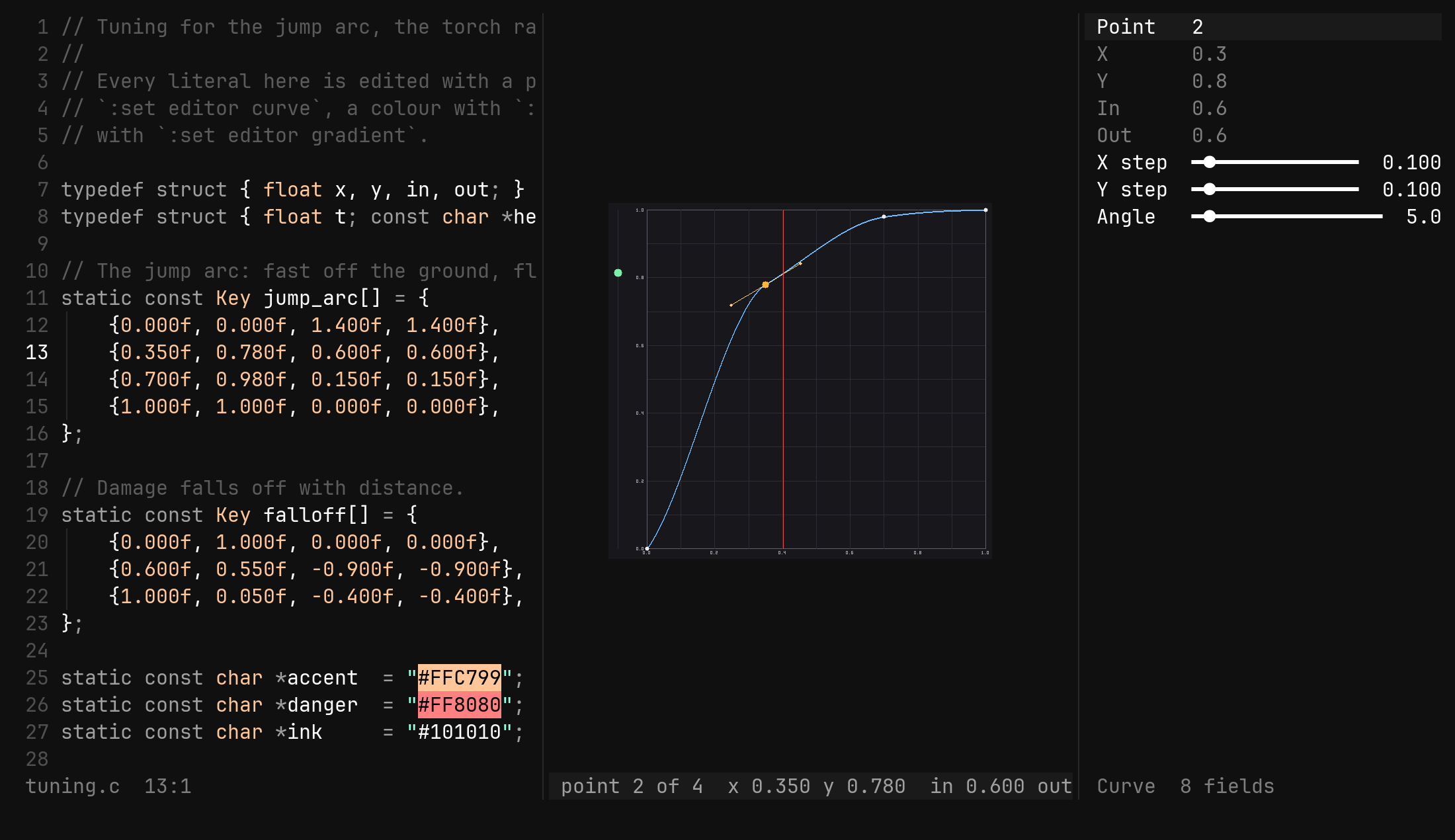
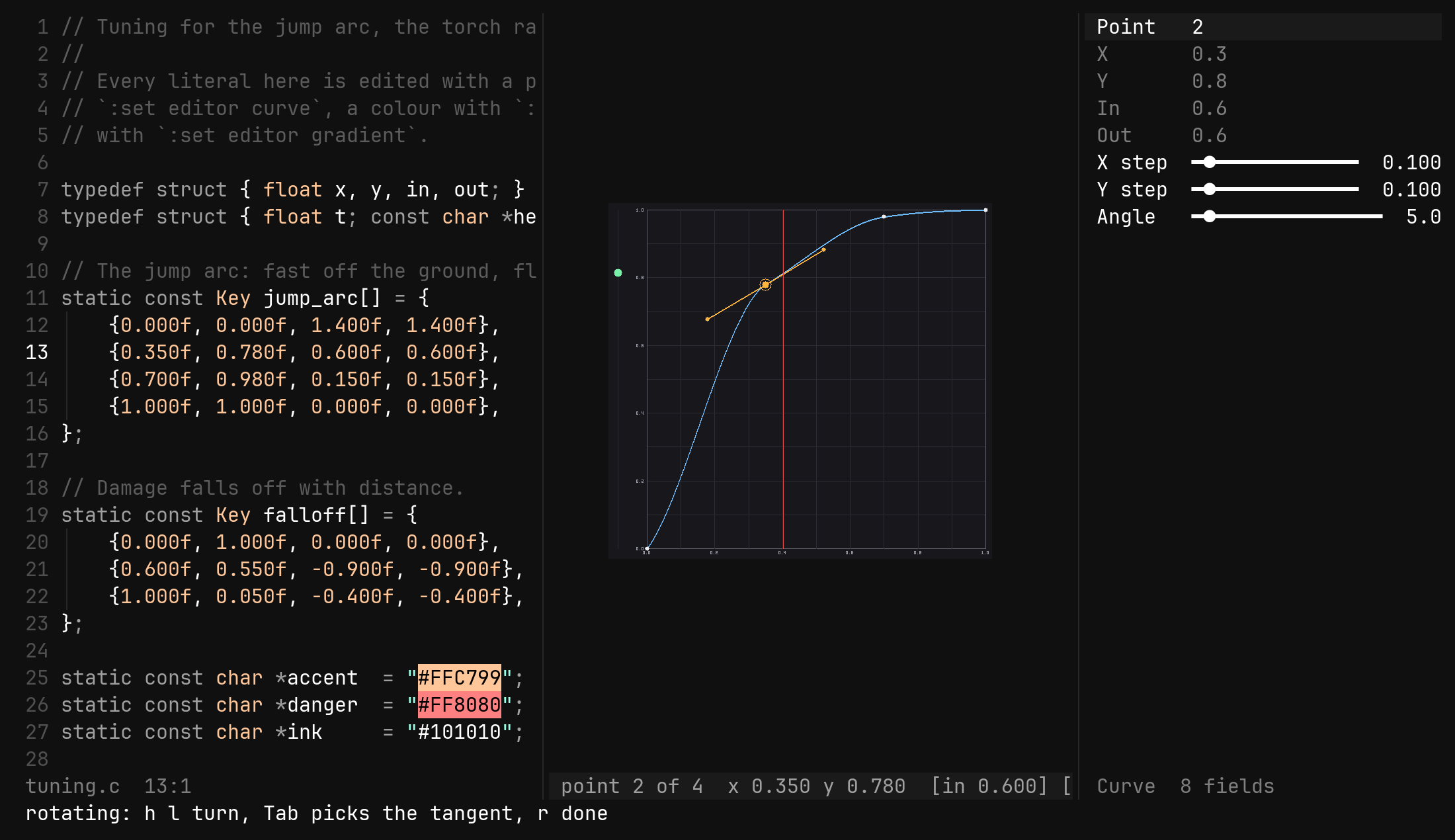
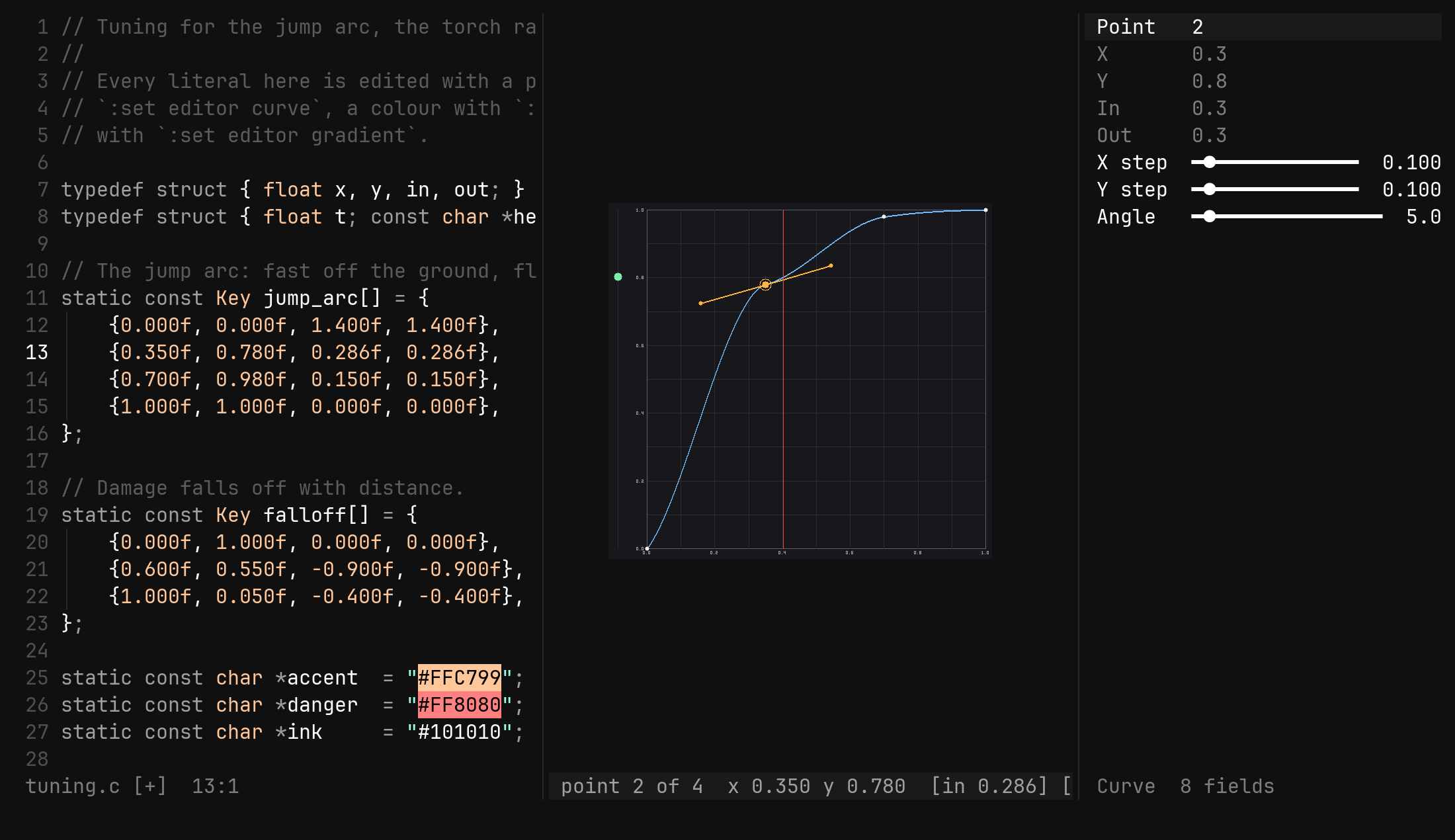
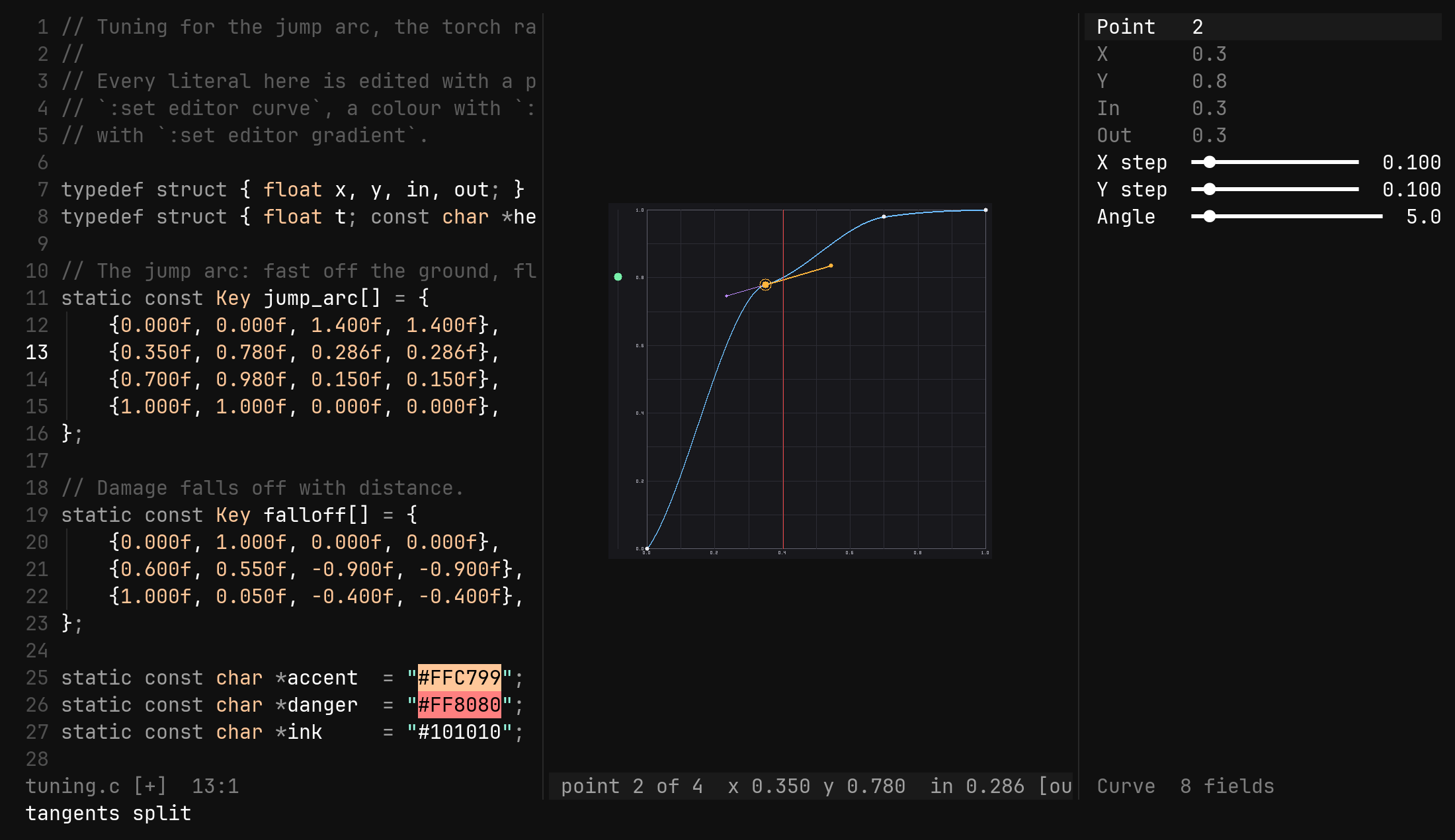
The picture says which state you are in before you press anything: the two
handles are one straight stroke through the anchor when joined, and two
strokes in a second colour when split. In rotation mode a ring is drawn around
the anchor, the turning handle is longer and in the selection’s colour, and
the status row says ROTATE instead of CURVE, carrying the slopes —
point 2 of 3 x 0.500 y 0.800 out 1.000 in 1.000, with the turning tangent
in brackets.
The playhead
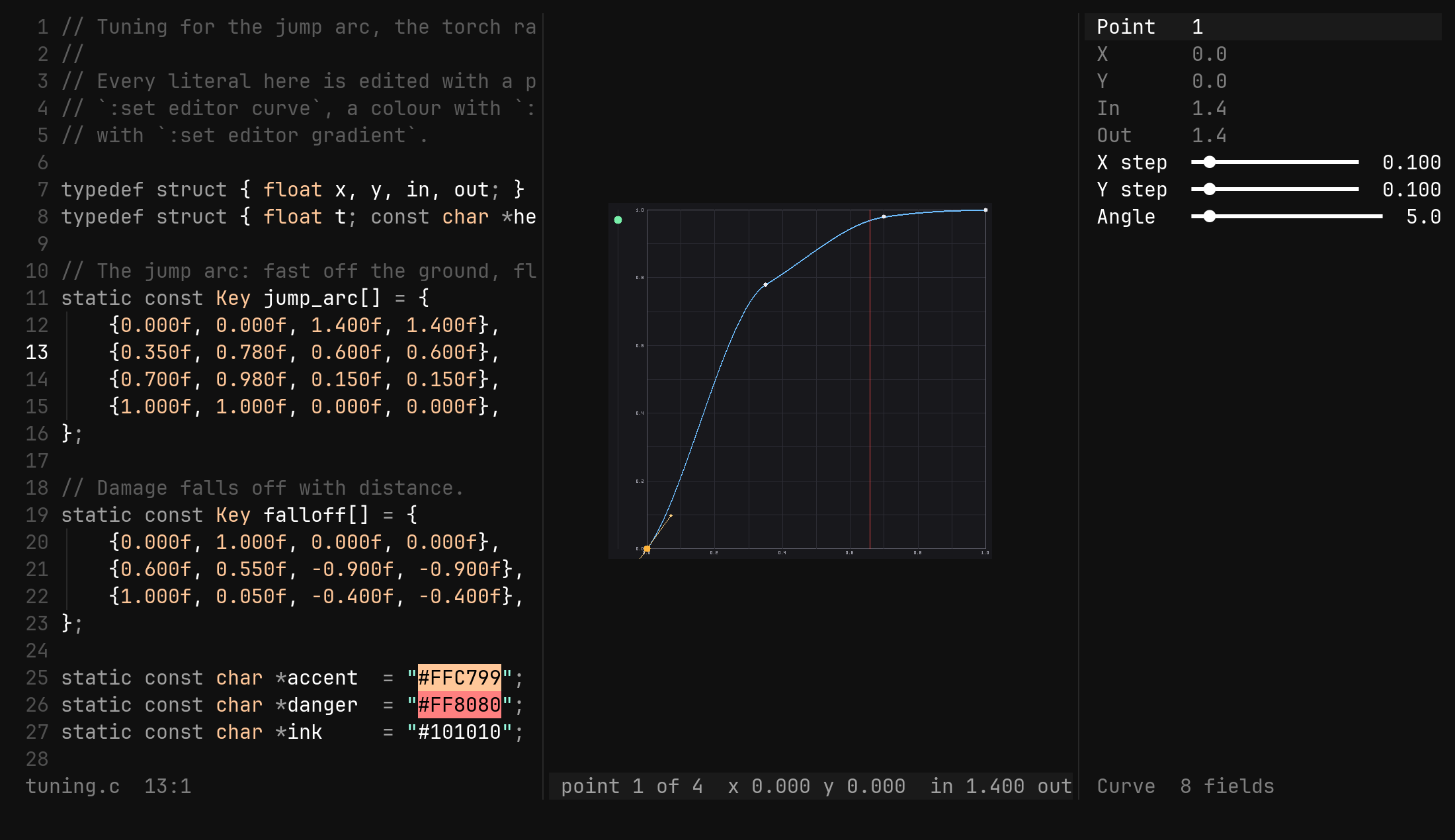
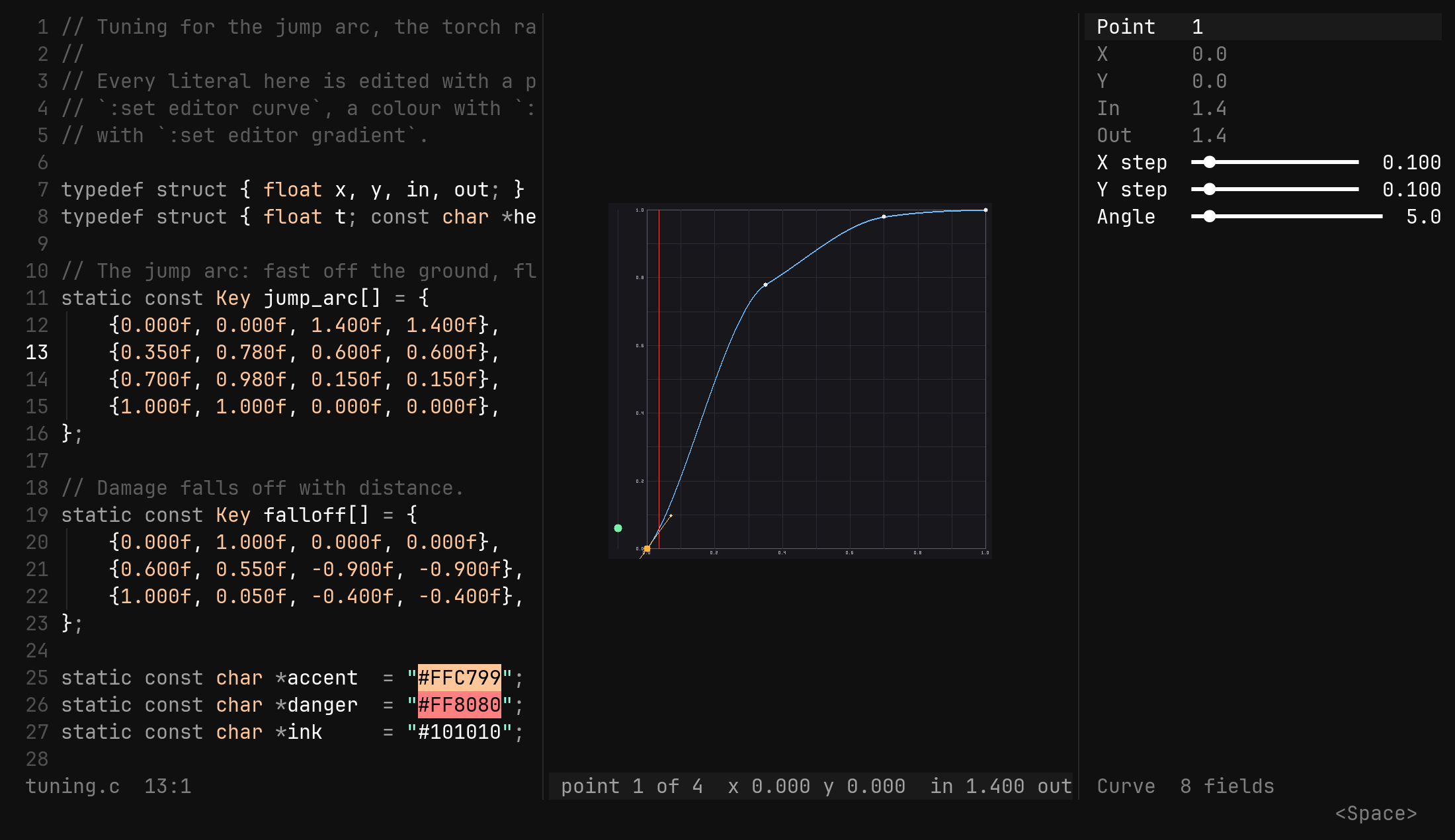
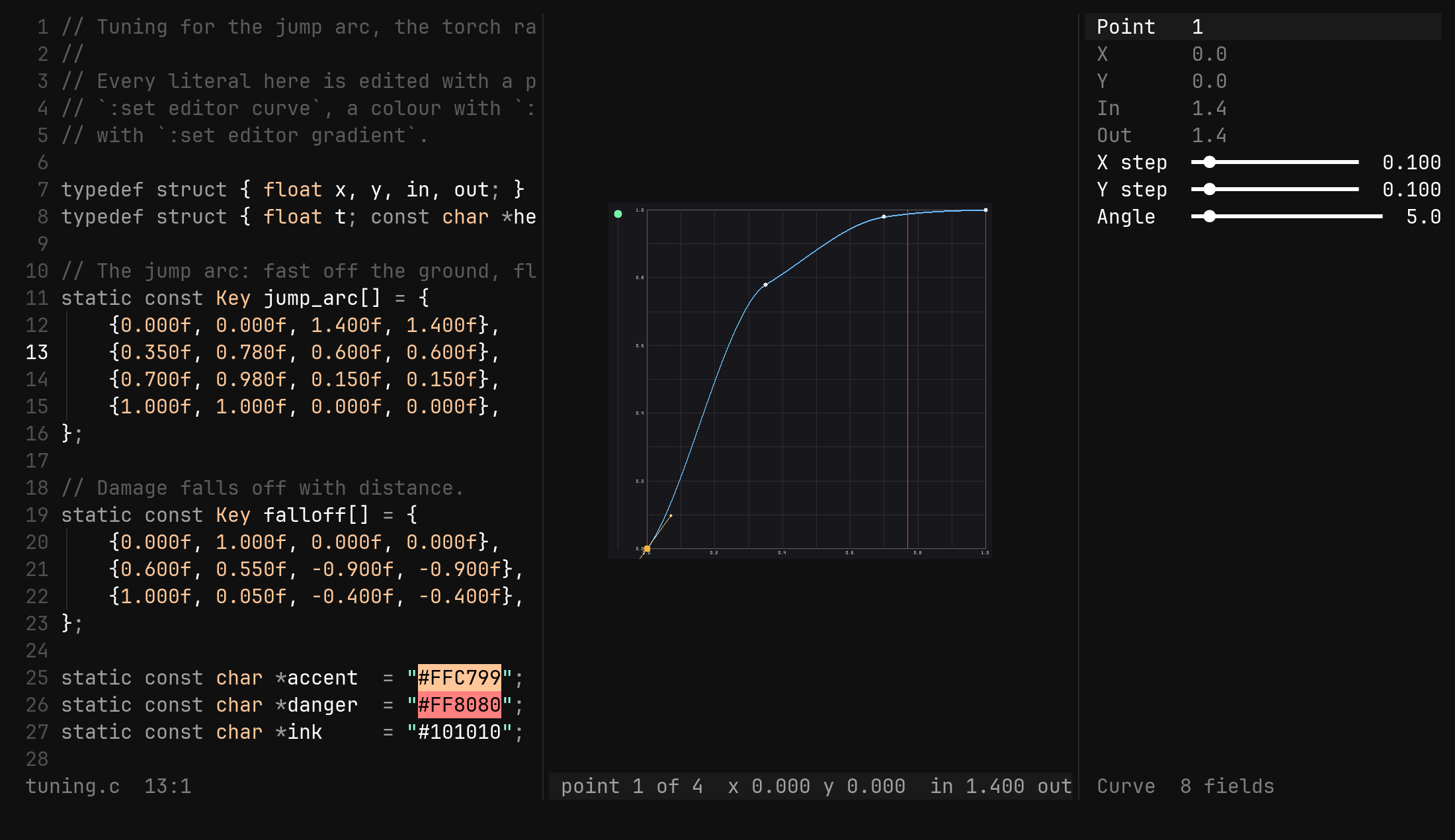
A curve is a motion, so the plot plays it. A lane stands to the left of the
square and a filled disc in it rises and falls with the curve’s real eval
while a thin red line sweeps the square left to right — two seconds a pass,
around again without end. An overshoot bounces and a flat lands the way the
engine will land it.
| Key or command | Does |
|---|---|
Space | pause the playhead where it is, and let it run again |
:tool curve play off | the same switch, typed; on resumes |
Opening the tool starts it. A paused plot asks for no frames, so a still editor still blocks on the keyboard.
Every move as a command
The same moves typed, for exact values and for scripts:
| Command | Does |
|---|---|
:tool curve point 3 | select the third point; reports without a value |
:tool curve x 0.5 | move the selected point in x, clamped to its neighbours |
:tool curve y 0.8 | and in y |
:tool curve out 1.5 | the out tangent’s slope; in the same |
:tool curve locked off | split the tangents; on joins them, copying out into in |
:tool curve xstep 0.1 | what h and l move by; ystep for j and k |
:tool curve astep 5 | degrees per press while rotating |
:tool curve layout x,y,in,out | read the points a different way |
:tool curve alone lists them, and a value that does not parse is refused
naming what the field takes.
The form
A readout, plus the three steps:
Point     2                         read-only
X         0.500                     read-only
Y         0.800
In        0.000
Out       0.000
X step    ━●━━━━━━━━   0.010
Y step    ━●━━━━━━━━   0.010
Angle     ━●━━━━━━━━   5
Point, X, Y, In and Out mirror the selected point and nothing in
the form turns them: a point has rules — sorted x, clamped to its neighbours,
two points at least — that the plot’s keys keep and a freely dragged slider
would break. Only the steps turn, with h and l, or Enter to put
:tool curve xstep <value> on the ex line. u in the form undoes the source
buffer, as on the plot.
Which list the tool found
The literal is found by a bracket scan rather than by tree-sitter, so it works
in any language that spells a list with brackets. From the cursor it walks out
to the innermost group whose children are groups of at least two numbers, and
inside a child it takes the numbers, true and false in the order they
appear and ignores everything else. These all read as the same points:
{ {0.0f, 0.0f, 1.0f, 1.0f, false}, {0.5f, 0.8f, 0.0f, 0.0f, true} }
vec![Point { x: 0.0, y: 0.0, in_: 1.0, out: 1.0 }, …]
[(0.0, 0.0), (0.5, 0.8), (1.0, 1.0)]
Writing back rewrites tokens and never the text around them. A number keeps
its suffix and at least the decimals it had, so 0.5f moved by 0.01 becomes
0.51f; a bool keeps its spelling. a copies the point’s text — brackets, a
glued name like Point { … }, the separator after it — so a one-per-line list
stays one per line.
The tool remembers the byte of the outer open bracket and re-reads from there
after every change. Delete the list by hand and it says curve lost, leaving
the plot blank until the next :set editor curve.
Closing it
:w and :q belong to the code: :w from the plot or the form writes the
source buffer, and :q from either closes the plot and the form and puts
the cursor back in the code. Esc is :q for the hand already on the
keyboard. Closing one of the two by any other route — Ctrl-W q, :close —
closes the other, because a plot with no form is half a tool.
A curve field in a .bidata is this same literal spelled in JSON, and
Enter on its row in the property view opens this
tool over the value, with the view standing where the source window stands.