Colour and gradient
A colour is six hex digits and a gradient is a list of stops. :set editor color and :set editor gradient draw them beside the text and let the keys move through colour space, rewriting the digits in place.
The picker
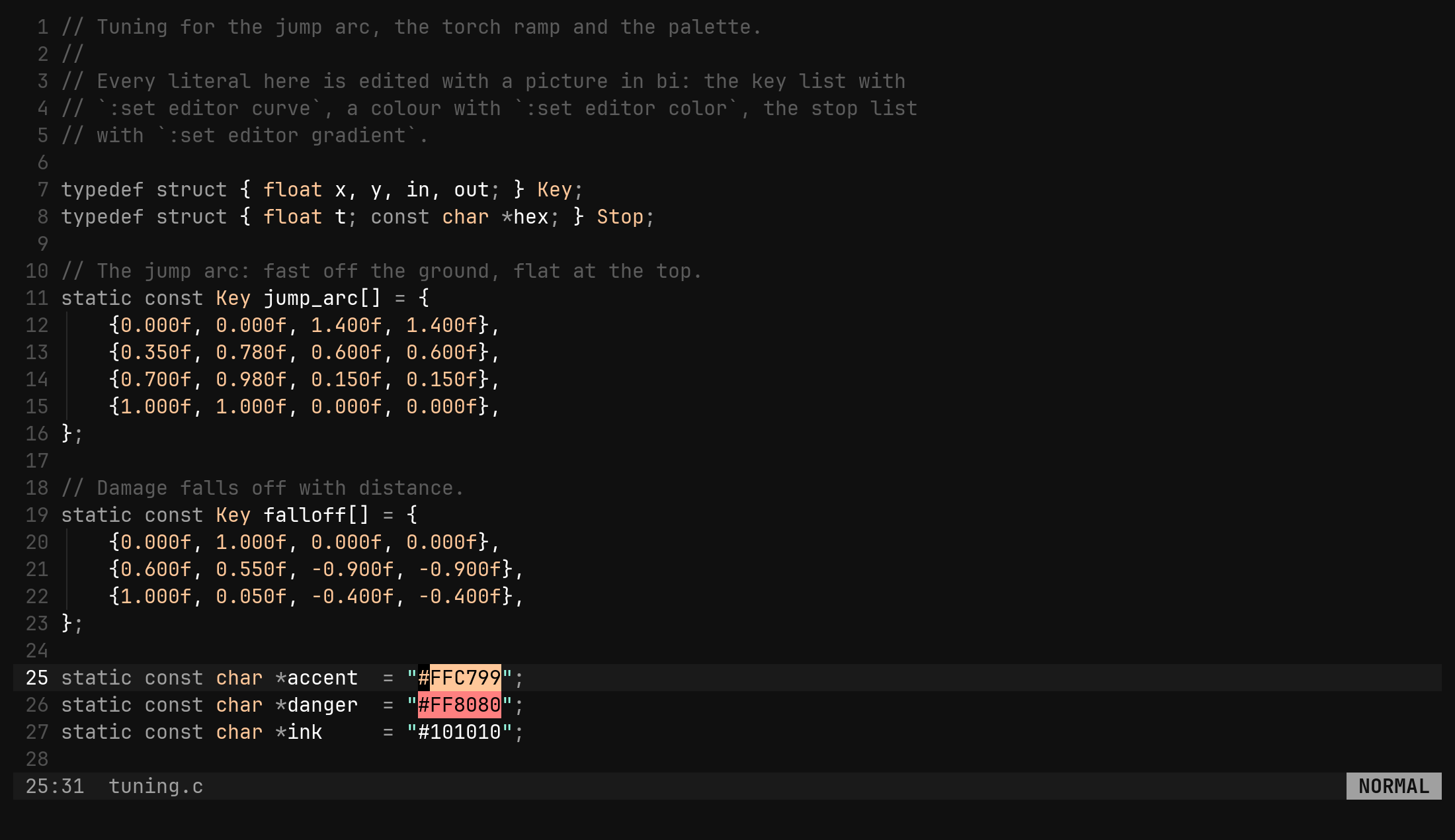
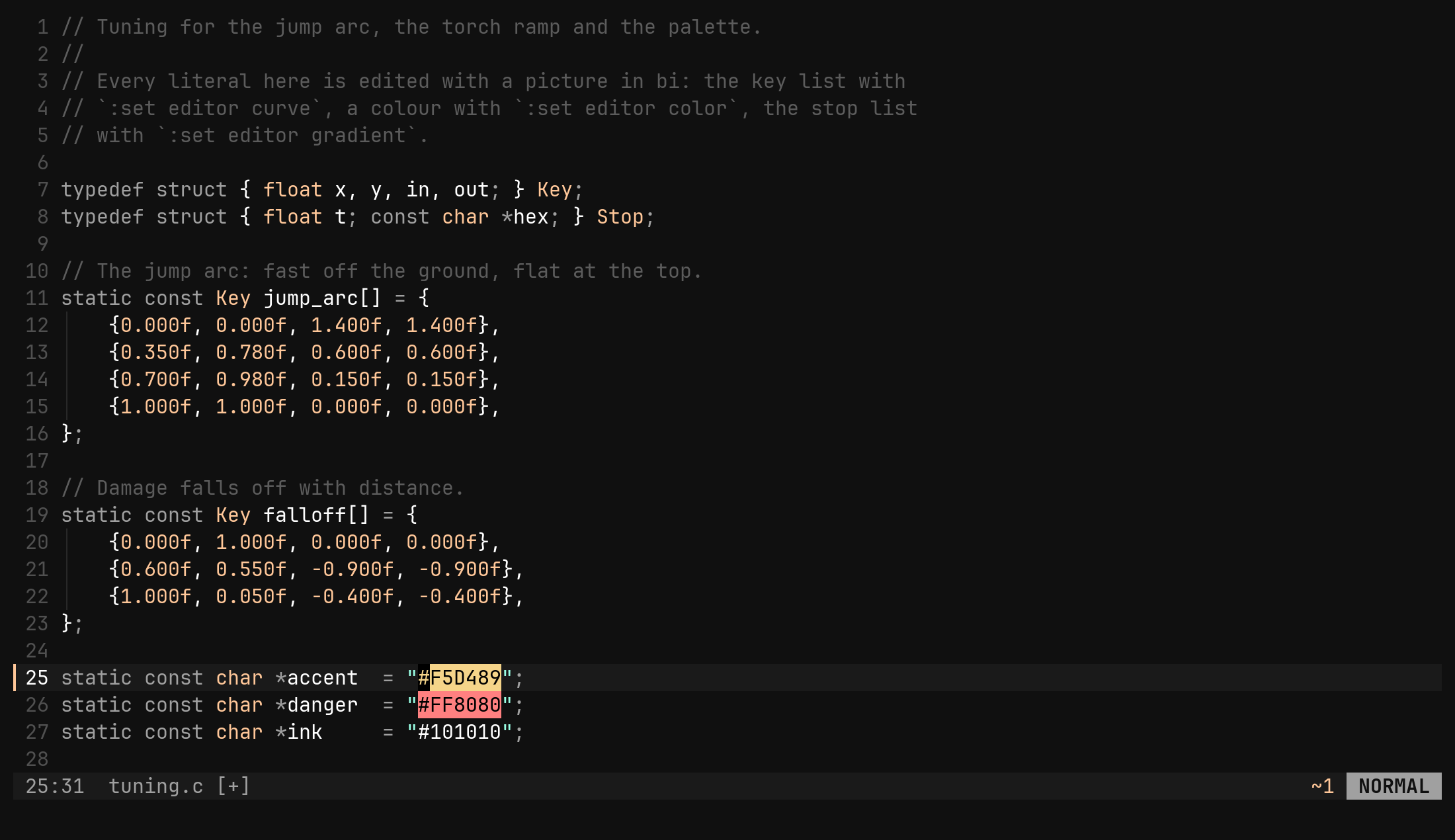
bi already paints a hex literal in the colour it names. Picking a different
one still meant typing digits, which is what this tool is for: put the cursor
on #fb4934 and run :set editor color.
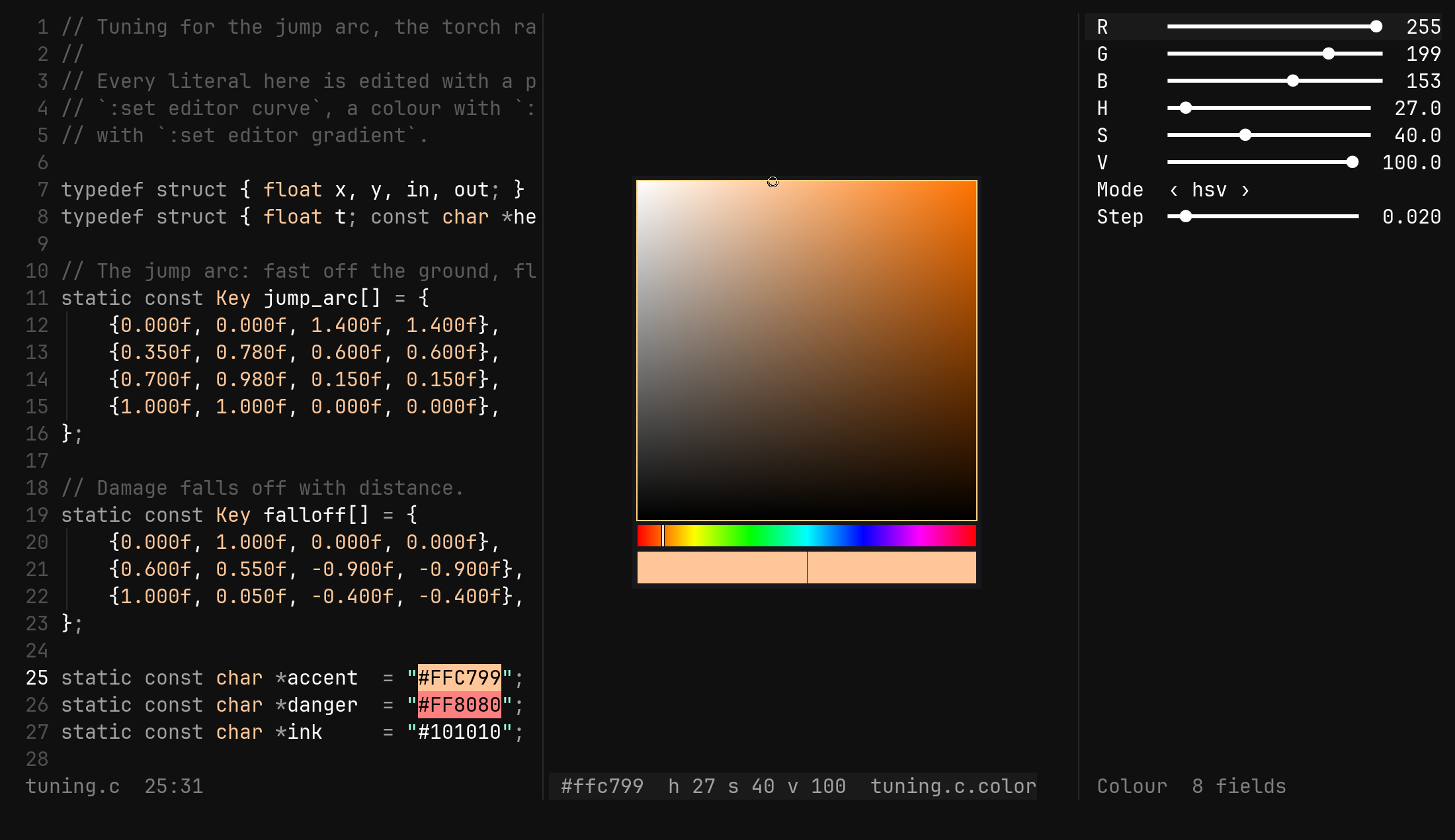
The curve’s arrangement comes up — source, picker split to its right, form down the edge — with focus on the picker.
┌──────────────────────────────────┐
│            ◯                     │   the square: saturation left to right,
│                                  │   value bottom to top, painted at the
└──────────────────────────────────┘   current hue; the ring is the colour
 ▌ red · yellow · green · cyan · blue · magenta · red ▐   the hue strip
 ▌ ░░░░▒▒▒▒▓▓▓▓████████████████████ ▐                    alpha, for eight digits
 ████████████████│███████████████████                    before │ now
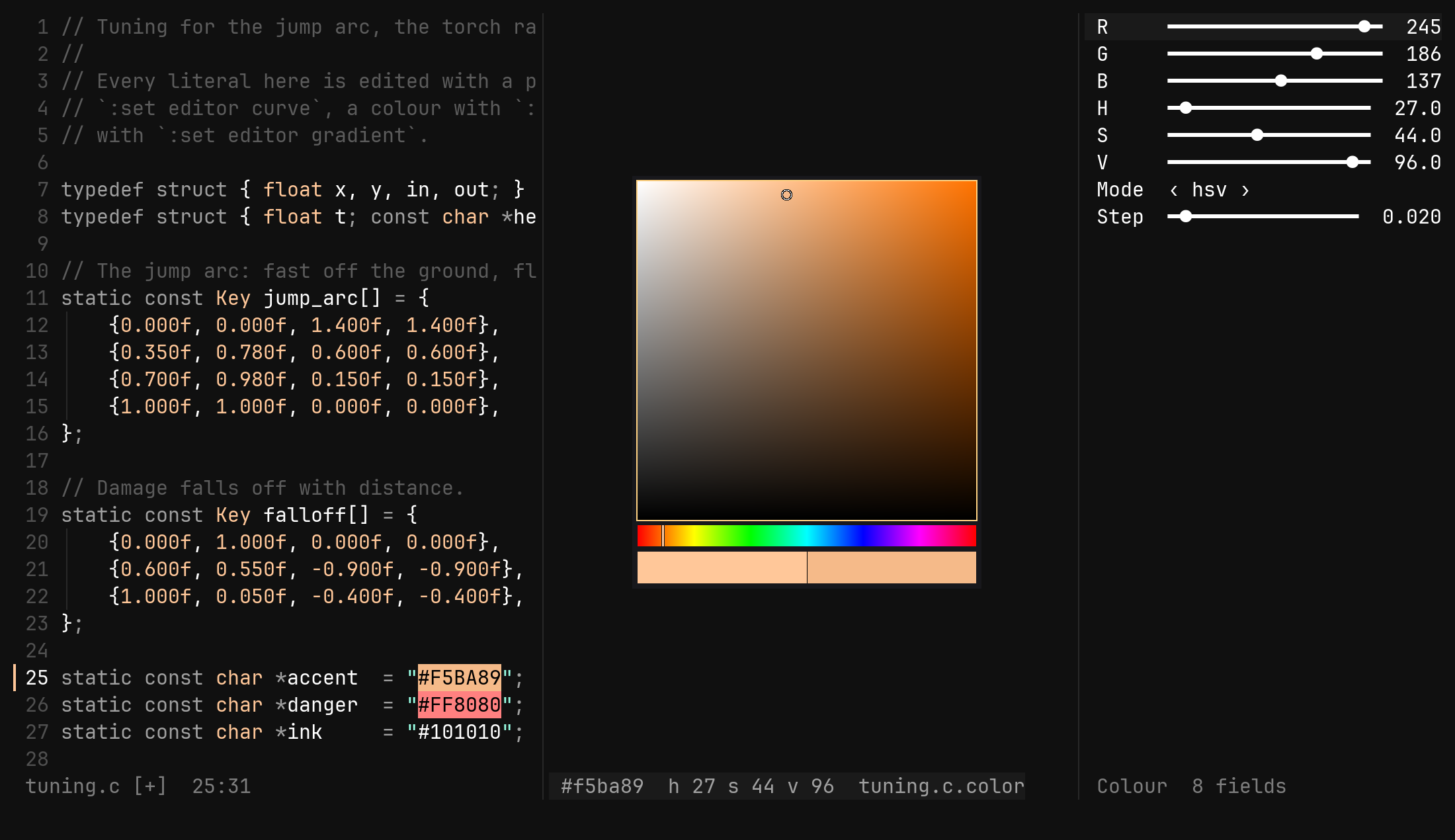
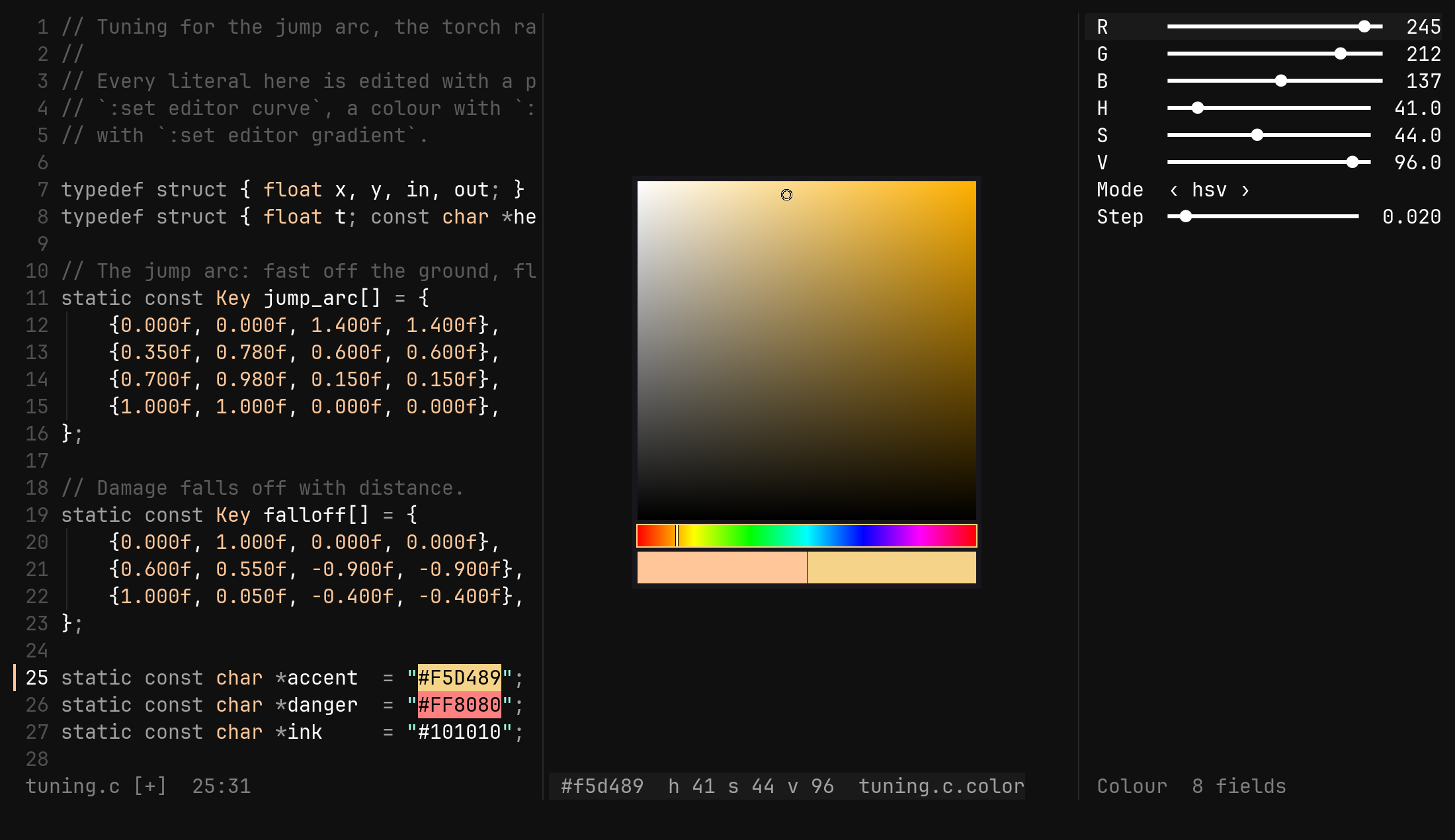
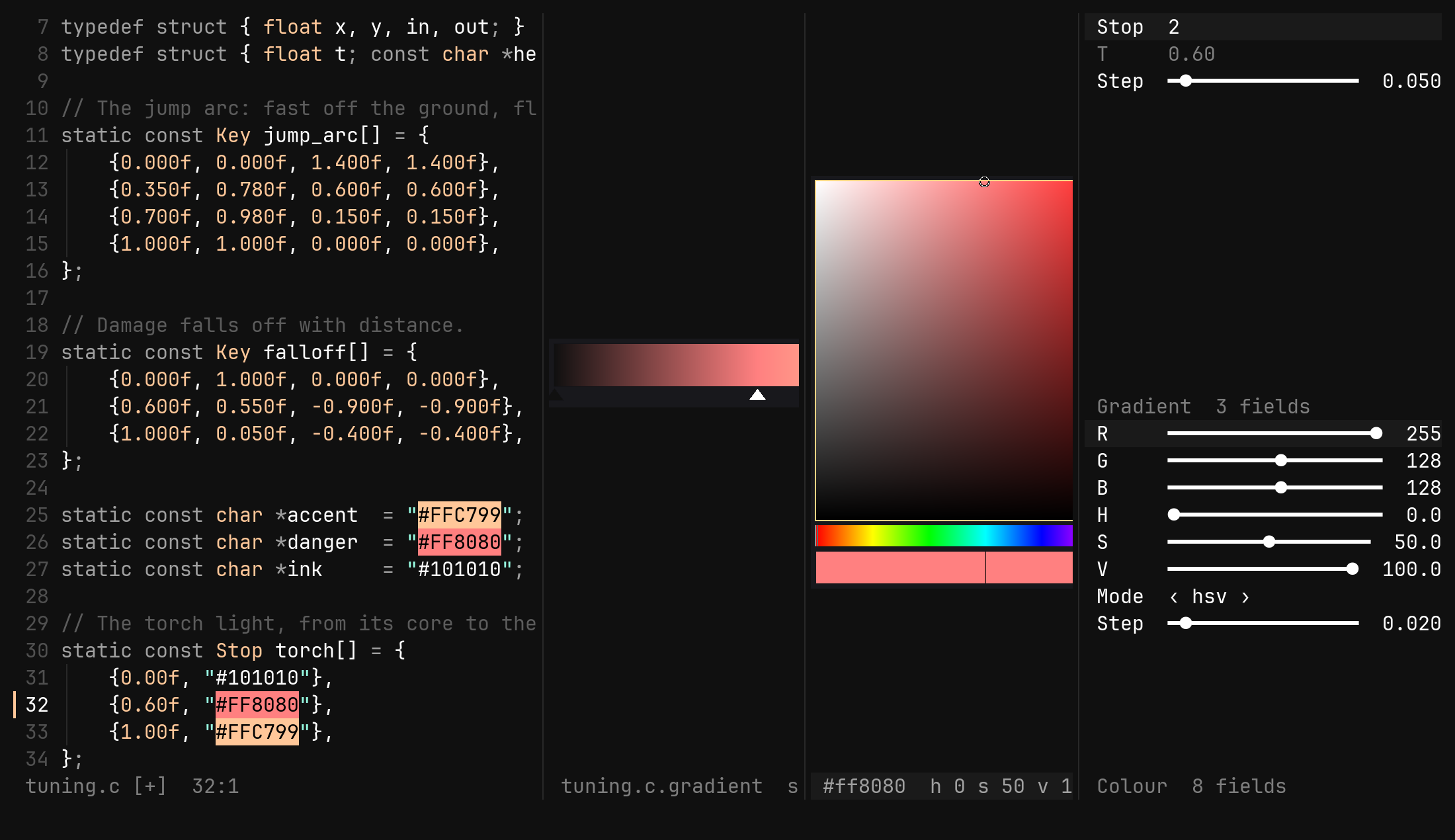
The square is 512 pixels a side, the strips sit under it, and the swatch at the bottom shows the colour you opened on to the left of the bar and the colour now to the right, so a change is judged against what it replaces. The component the keys act on carries a bright border.
The way in and the way out are the curve editor’s:
:set editor color on the literal, Esc back to the text. What the square
rewrites is the six digits under the cursor — there is no palette file, no
swatch library and nothing to sync.
Keys
| Key | Does |
|---|---|
Tab Shift-Tab | the next, previous component: square, hue, alpha |
h l | square: saturation down, up; on a strip: hue or alpha |
j k | square: value (or lightness) down, up |
0 $ | the component to its start, its end — grey or full colour, red, clear or opaque |
gg G | value to full, to none |
m | the square’s vertical axis: value or lightness |
yh yf yr | yank the colour as hex, floats, or bytes |
Enter | the colour on the ex line: :tool color hex #fb4934 |
u Ctrl-R | undo, redo — the source buffer’s |
Esc | close the picker and go back where you came from |
A step is a fiftieth of each range — 0.02 of saturation, 7.2° of hue, 5
of the 255 alpha steps — and counts multiply, so 5l is a tenth of the way
across. :tool color step 0.1 makes them coarser.
The three yanks go into the register ring exactly as y does in text, so p
pastes them into any buffer: #fb4934 for a stylesheet, 0.984, 0.286, 0.204
for a shader, 251, 73, 52 for a byte-oriented API.
m switches the
vertical axis to lightness for an HSL palette. There is no RGB square (three
axes do not fit in two) and no wheel: the hue strip is a wheel unrolled, and
it takes h and l better.A grey remembers what it was. Black has no saturation and grey no hue, and
six digits cannot say what they were, so the picker keeps hue and saturation
beside the colour: j down to black and k back up returns the same red.
As commands
| Command | Does |
|---|---|
:tool color hex #fb4934 | the colour; alpha too when the literal has it |
:tool color rgb 251 73 52 | bytes, with an optional alpha fourth |
:tool color floats 0.98 0.29 0.2 | the same as floats |
:tool color hsv 6 71 98 | degrees, percent, percent; hsl likewise |
:tool color alpha 128 | a byte — refused on a six-digit literal |
:tool color mode hsv | or hsl |
:tool color focus square | hue, alpha |
:tool color yank hex | floats, rgb |
:tool color step 0.02 | how far a key moves |
The form carries R G B A, H S V (or L), Mode and Step, and every one
of them turns — move R and the state follows, move H and the digits do.
The status row reads #fb4934 h 6 s 71 v 98.
What counts as a colour
# and six or eight hex digits, with the cursor anywhere on them, on the #,
or just after the last digit. Quotes around it belong to the language and are
left alone. Three-digit CSS shorthand is not picked up, because writing
six digits back would change the shape of the literal. Anywhere else, the
answer is no colour under the cursor.
Writing back replaces the digits and nothing else: the case is kept, so
#FB4934 stays upper, and a six-digit literal stays six — no alpha strip is
drawn and no alpha is written.
The gradient bar
A gradient is a list of stops, each a position along 0..1 and a colour.
:set editor gradient with the cursor in the list draws the ramp beside the
text with a triangle under each stop, the selected one white.
[[0, "#000000ff"], [0.5, "#ff8800ff"], [1, "#ffffffff"]]
The ramp is linear in sRGB between neighbouring stops and flat outside them, which is what CSS and every engine’s default do. The literal is found the way the curve’s is — a bracket scan out to the innermost group whose children each hold one number and one colour — so no layout is needed: a number is a position and a colour is a colour.
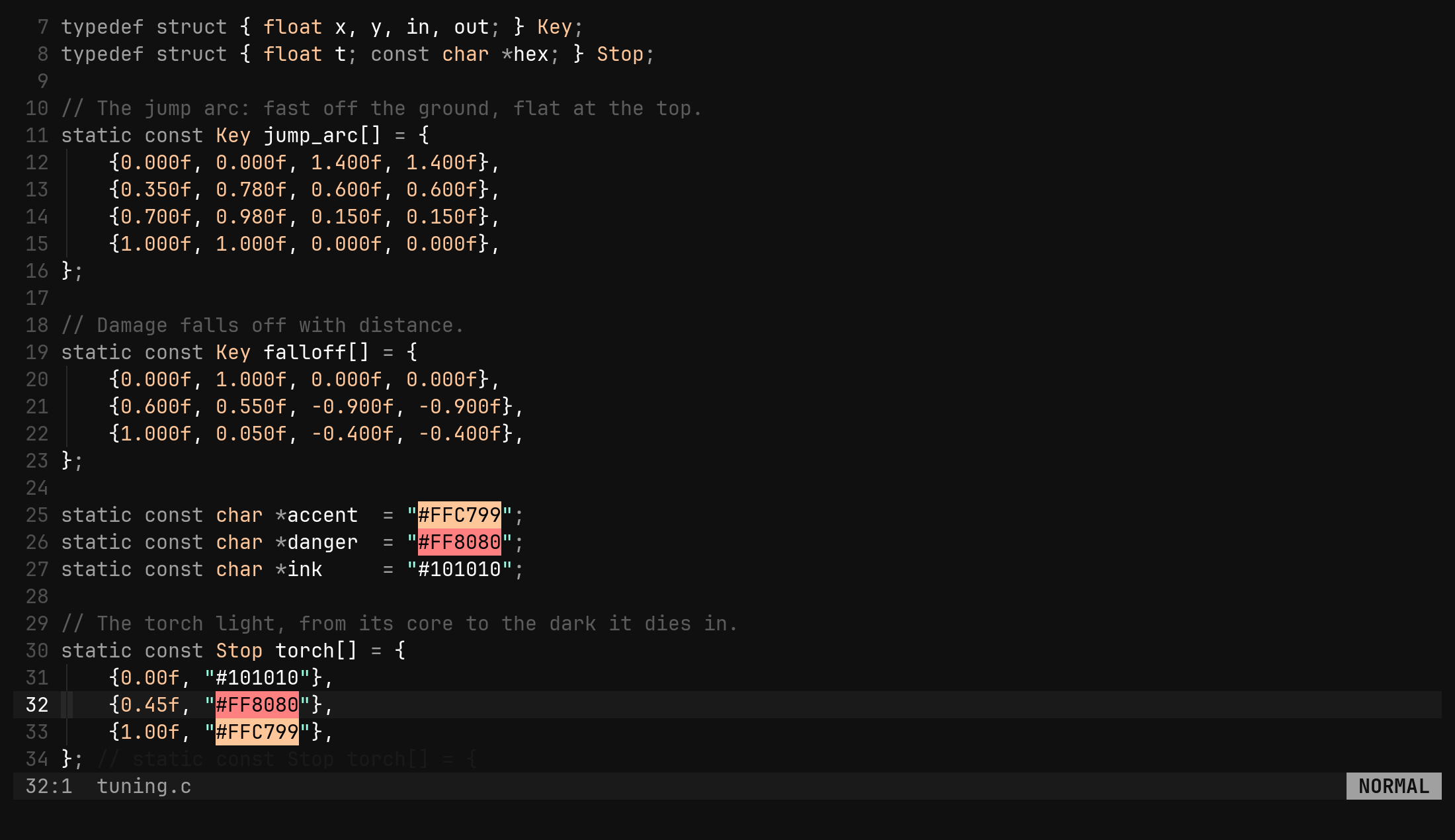
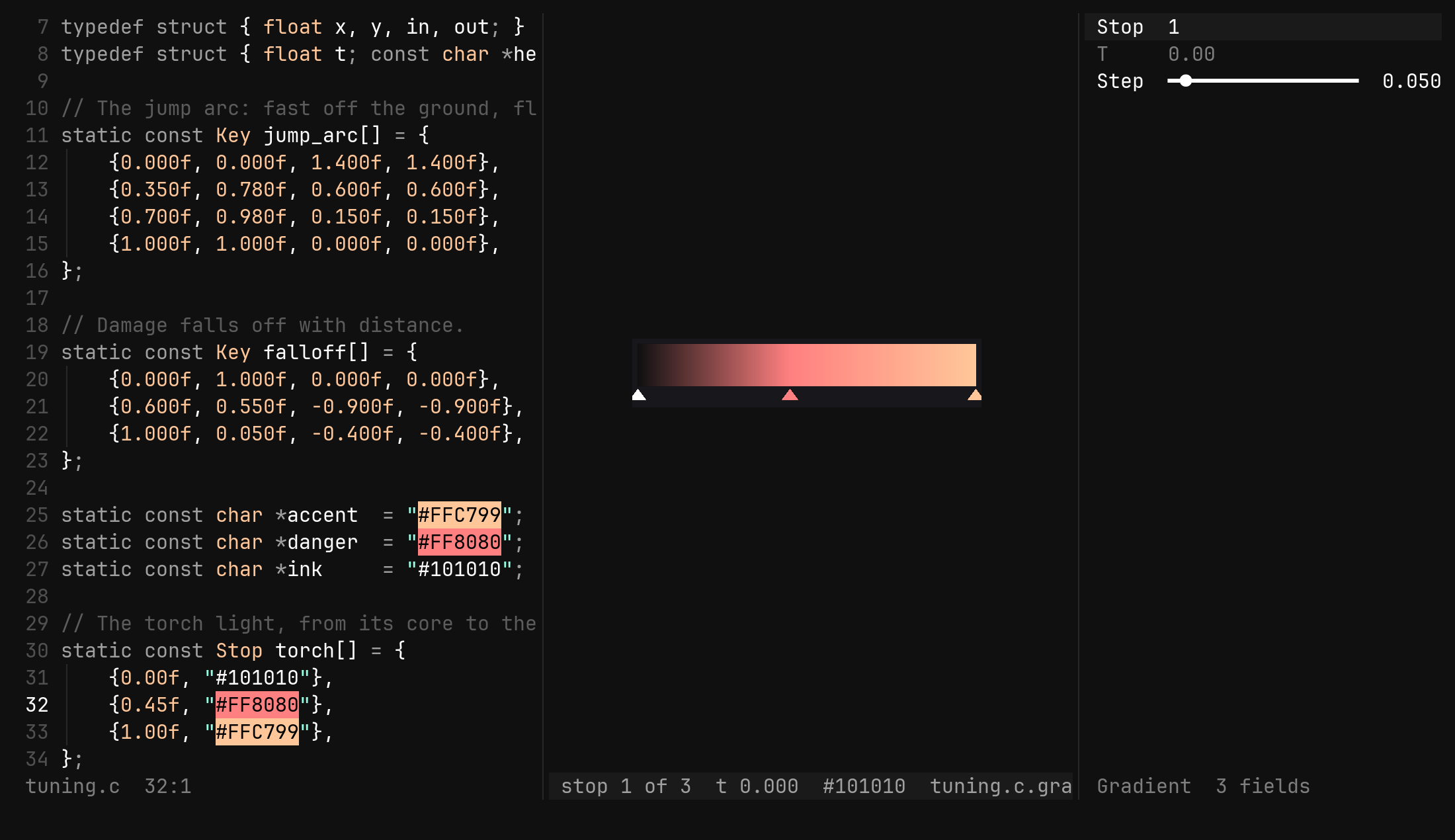
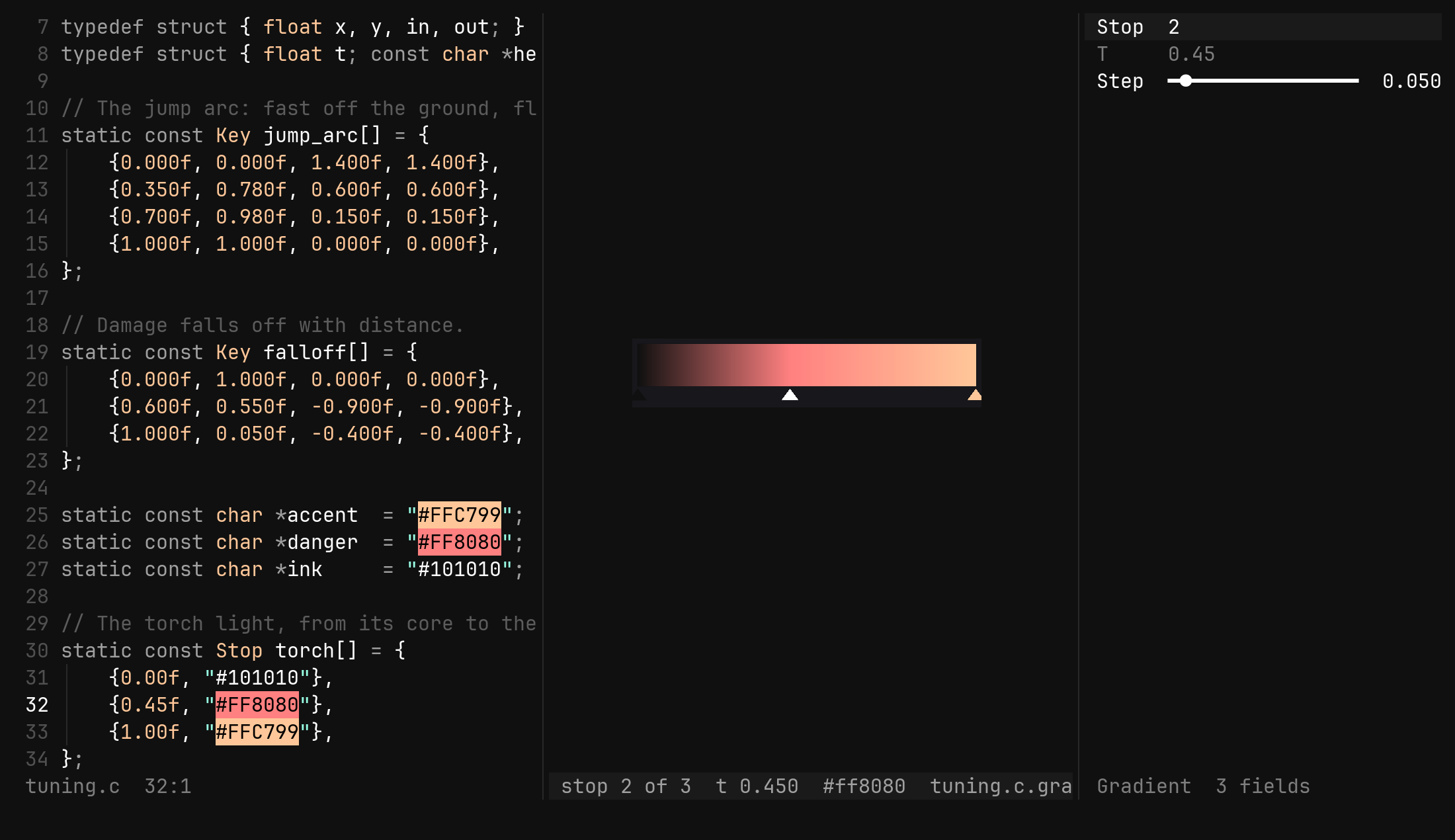
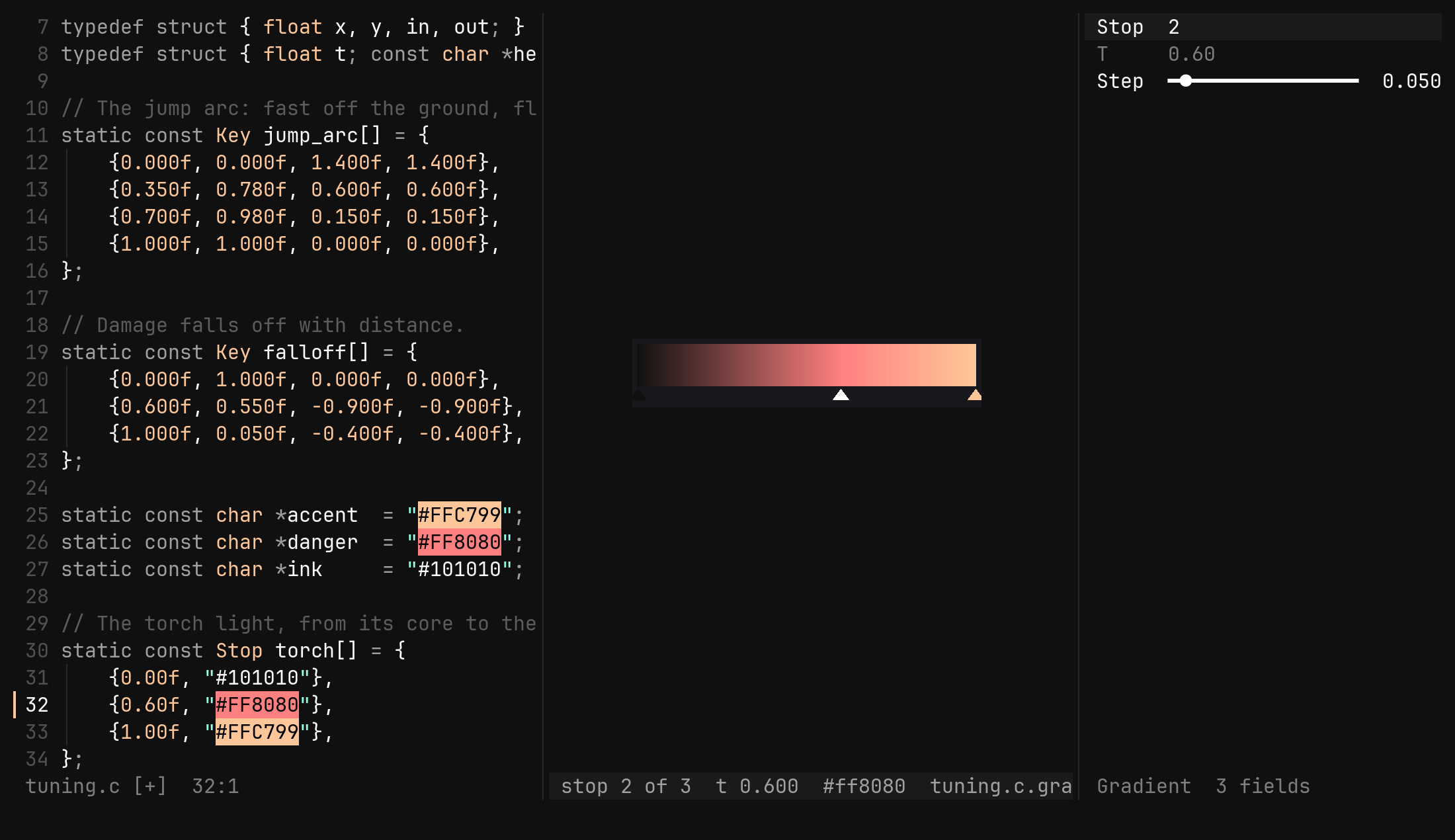
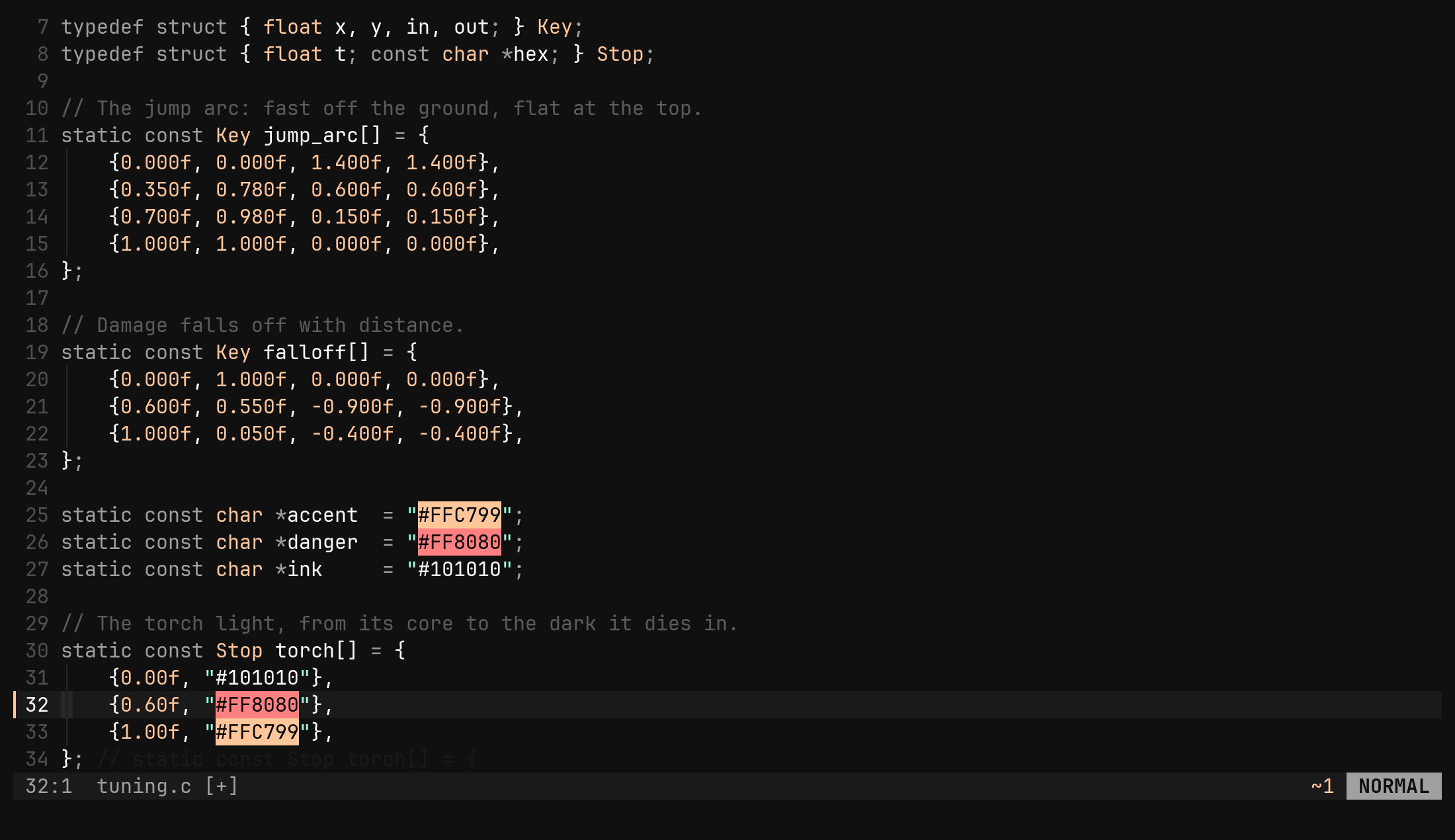
The way in and the way out are the curve editor’s: :set editor gradient on
the list, Esc back to the text with the edits already in the buffer. What
you slide is the number in the file.
| Key | Does |
|---|---|
Tab Shift-Tab | next, previous stop, wrapping; gg G first, last |
h l | the stop earlier, later by one step (0.05) |
0 $ | the stop to 0, to 1 |
a | a stop halfway to the next one, in the ramp’s colour there |
x | delete the stop — a gradient keeps two |
c | open the colour picker over this stop’s colour |
yh yf yr | yank this stop’s colour |
Enter | the stop on the ex line: :tool gradient t 0.5 |
Esc | close the tool, back to the source |
Stops sort themselves. t is clamped to 0..1 and nothing else: slide a
stop past its neighbour and the two change places in the list, in the text,
and the moved one stays selected. The list an engine reads is always sorted,
and the editor never asks you to keep it so.
:tool gradient also takes stop, t, color, step, add [t], delete,
pick and yank, and its form shows the stop and its t as readouts with
the step underneath. The status row reads stop 2 of 3 t 0.500 #ff8800ff.
Both at once
c on a stop does not replace the bar with the picker — it joins them. The
picker’s picture splits to the right of the bar, and its form goes under
the gradient’s form, so the two pictures sit side by side and the two forms
stack at the edge. Every step the picker takes redraws the ramp, because both
are views of one buffer, and Esc or :q in the picker lands you back on the
bar.
Enter on an rgb or rgba row opens the
picker over the value, and Enter on a gradient row — drawn there as
sixteen bricks and a stop count — opens the bar. An inherited value is written
into the instance first, and dd puts the default back.Closing them
:w and :q are the source’s, as for the curve: :w from any of the three
windows writes the buffer, :q closes the tool and puts the cursor back.
Closing any one window by hand closes the rest — a form with no picture, or a
picture with no form, is half a tool.
The anchor is the byte of the #, or of the gradient’s open bracket. After
every change the tool re-reads from there; when the literal is gone it looks
again from the source’s cursor, or by its path when the property view opened
it, and otherwise says colour lost or gradient lost and blanks the picture
until you open it again.